Participant
May 4, 2017
Answered

Unable to access Creative Cloud while on work network.

  • May 4, 2017
  • 1 reply
  • 1029 views

Hello,

A member of our team is trying to use Adobe Creative Cloud on her Mac but when she tries to authenticate through our work network she gets the error message as shown below:
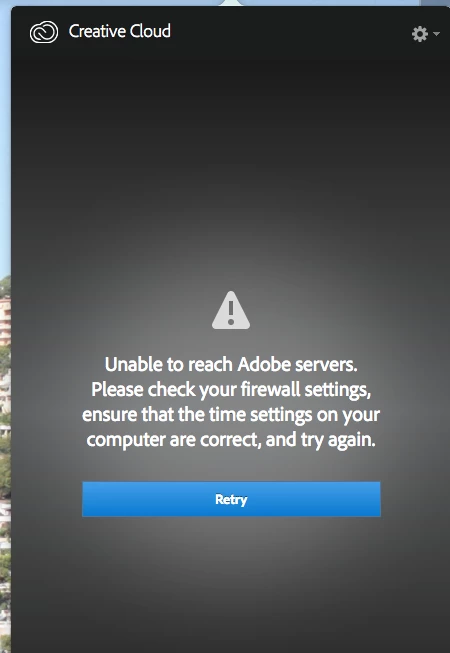
However, if she goes on our wifi network and attempts to authenticate she is able to get into Creative Cloud and is then able to swap back over to Ethernet to continue working on it.

Is it likely that something like our proxy is blocking the authentication stage of logging into CC and if so could you advise on what I would need to whitelist to resolve this.

Kind Regards,

Ryan

This topic has been closed for replies.
Correct answer Kanikas

Hi Kanika,

I've added these exceptions but it doesn't seem to have had much effect on the user's CC. Interestingly, I've just found out that one of our user's that also has a Mac and CC has no issues authenticating through the network so I'm not sure if this is:

1) Proxy issue

2) There is an inconsistency between setups of CC on the two Macs

Kind Regards,

Ryan


Please try steps shared in the link below :

Creative Cloud - Unable to reach Adobe servers

1 reply

Kanikas
Legend
May 4, 2017

Hi Ryan,

As you mentioned about this error, please see the help documents below for solution:

Resolve connection errors with Adobe Creative Cloud and Creative Suite applications

Creative Cloud - Unable to reach Adobe servers

Please make sure the following ports are whitelisted, you may contact your IT team for this:

1). *adobe.com:443

2). *adobelogin.com:443

3). Ccmdl.adobe.com:80

4). Swupmf.adobe.com:80

5). Swupdl.adobe.com:80

For proxy support, see:

Proxy support in Adobe Creative Cloud Products

Hope the issue is resolved soon.

Feel free to update the thread for any concern.

Regards

Kanika

RyanWPAAuthor
Participant
May 4, 2017

Hello Kanika,

Thank you for the quick response. I have put a ticket in to make these amendments to our proxy whitelist and will let you know the outcome over the next couple of days.

Kind Regards,

Ryan

Kanikas
Legend
May 4, 2017

Sure, let us know if that works.