


Participant
November 14, 2021
Answered

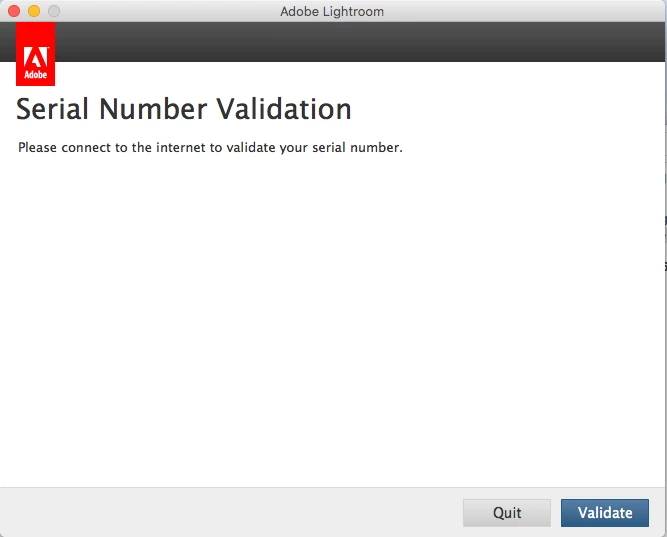
Unable to activate Lightroom 6 (Please connect to the internet to validate your serial number)

  • November 14, 2021
  • 2 replies
  • 2658 views

Hi all,


I believe this topic has been coming up quite often and I have gone through quite a fair bit of proposed solution and it does not work for me. E.g. Resetting host, generating response code via offline activation and etc. I had reformatted my Mac recently and tried to reinstall the Lightroom 6 that I had purchased in 2018. However, i am always stuck with the screenshot as shown below, even though i am using my home internet to write this Help Message now. Has anyone managed to resolve this issue? How can product stop working for legacy product as it had removed the activation page? Appreciate your help. Thanks. 


This topic has been closed for replies.
Correct answer John T Smith

TLS 1.2 is now required to connect https://helpx.adobe.com/x-productkb/multi/eol-tls-support.html
-http://helpx.adobe.com/x-productkb/policy-pricing/activation-network-issues.html

2 replies

John T Smith
Community Expert
John T SmithCommunity ExpertCorrect answer
Community Expert
November 14, 2021

TLS 1.2 is now required to connect https://helpx.adobe.com/x-productkb/multi/eol-tls-support.html
-http://helpx.adobe.com/x-productkb/policy-pricing/activation-network-issues.html

Participant
November 14, 2021

Hi all, I managed to get in contact with the customer service. 


Quote from the customer service,

" Alright! Please install creative cloud desktop application from creativecloud.adobe.com and sign in with your registered email and then try launch the software again and let me know if that helped." 
 
I am able to activate the software again. Thanks all. 
Participant
April 26, 2022

That worked for me!

Thanks
