


Answered
Unable to download/install photoshop or acrobat. Error Code 133. Says I have not got enough space, although I have over 75GB just on one hard drive.
Howdy CC People.
I have CC on my work computer for various stuff. I am trying to now download/install Photoshop and Acrobat. The status bar climbs to 6% then hits me with this bad boy:
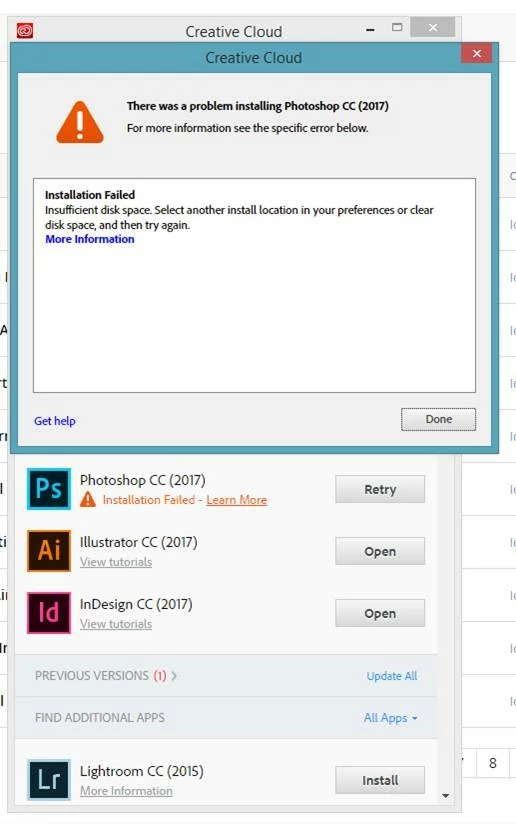
Upon clicking 'More Information' I get this wonderful thing:
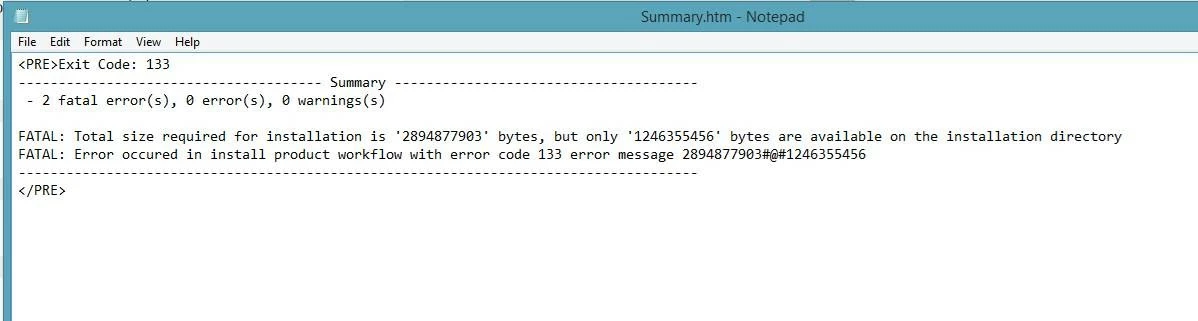
My main drive is a network drive with countless terrabytes available, but my D drive - where all my CC stuff is located - has around 75GB on it (It's an SSD, if that makes a difference).
Now I have another PC next to this one that is absolutely identical in specifications and build set up. It has every single CC program installed and runs like a dream. For some reason that I cannot find, this one just won't play ball.
Anyone here that can help? My companies IT department are absolute horsesh*t.

 AdChoices