


Participating Frequently
May 10, 2021
Question

Unable to get the latest updates in Creative Cloud app to update XD.

  • May 10, 2021
  • 1 reply
  • 1509 views

At the time of leaving this message, my XD stays at version 38.1.12 on iMac, and it shows me it's up-to-date. However, the version 39 was already released on April 12, 2021. This issue has been happened at version update many times, and it has a big impact on my collaboration with agencies. I'm not able to open their XD files since they were created with the latest version, so I cannot provide my design feedback precisely. Please let me know any solution to fix this version gap. Thank you.
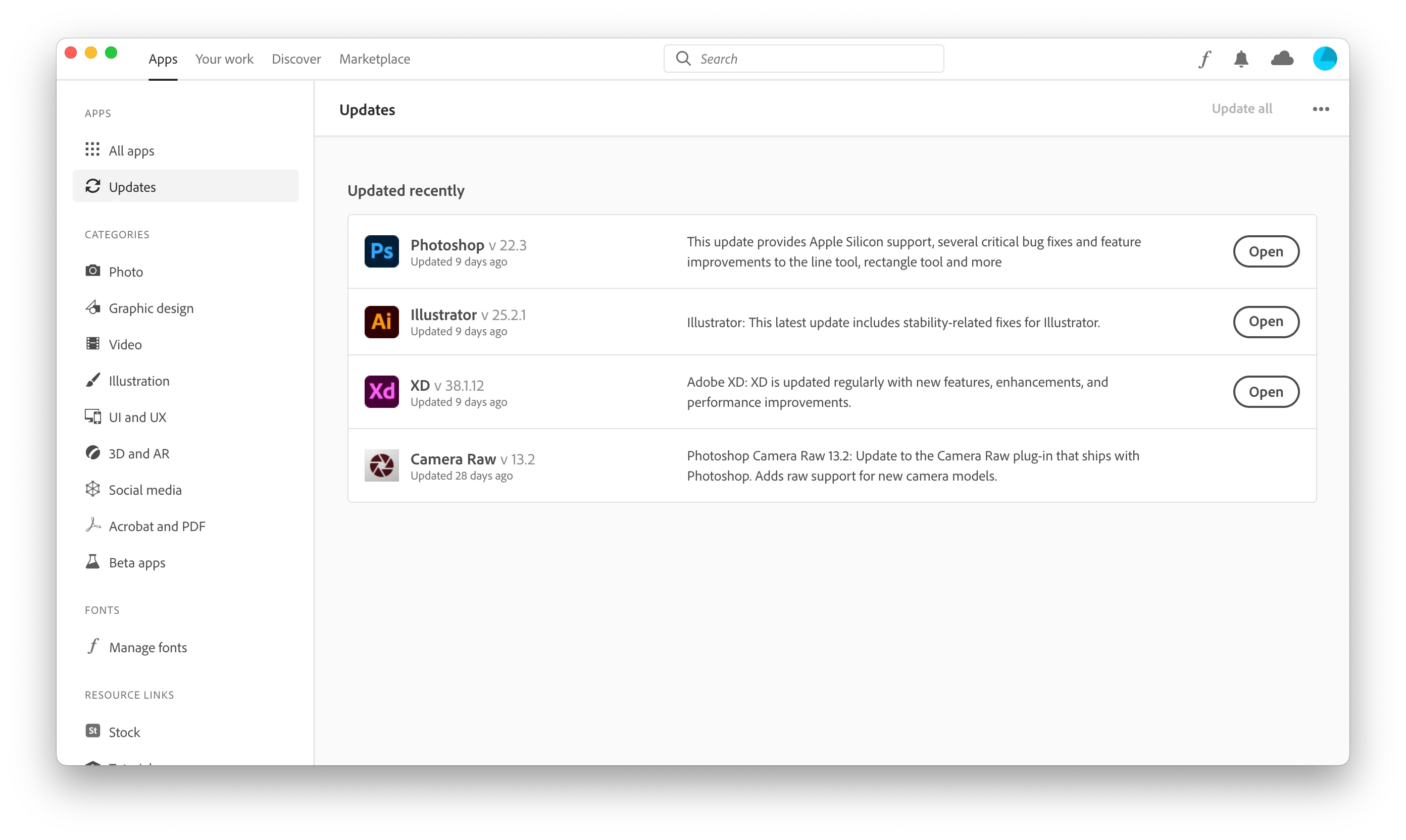
 

<The Title was renamed by moderator>

This topic has been closed for replies.

1 reply

elegant_leader5EE4
Community Manager
Community Manager
May 10, 2021

Hi there,


Hope you are doing good!!
Thanks for reaching out to Adobe support.


When we release latest build for XD, it depends on geo location of the user. Creative Cloud Desktop app search for fresh update after 24 hours of interval. So, if you want to get the latest version early in you geo location, you can click on the three dots(...) beside Update All button and you should be able to see latest release version of XD.

Please let me know if that helps or you need any further assistance. 


Regards,

Nawneet Kumar

McAAuthor
Participating Frequently
May 10, 2021

Thank you for the reply.

I do not see other versions, and it does not change anything after clicking "Check for updates" button. Or is there any way I can reset my geo location to get the latest release right away? Thank you.

italosan
Community Expert
Community Expert
May 10, 2021

Hi, please try to log out of your Creative Cloud account and log back in.