


Participant
July 1, 2023
Question

Unable to install any apps.

  • July 1, 2023
  • 3 replies
  • 317 views

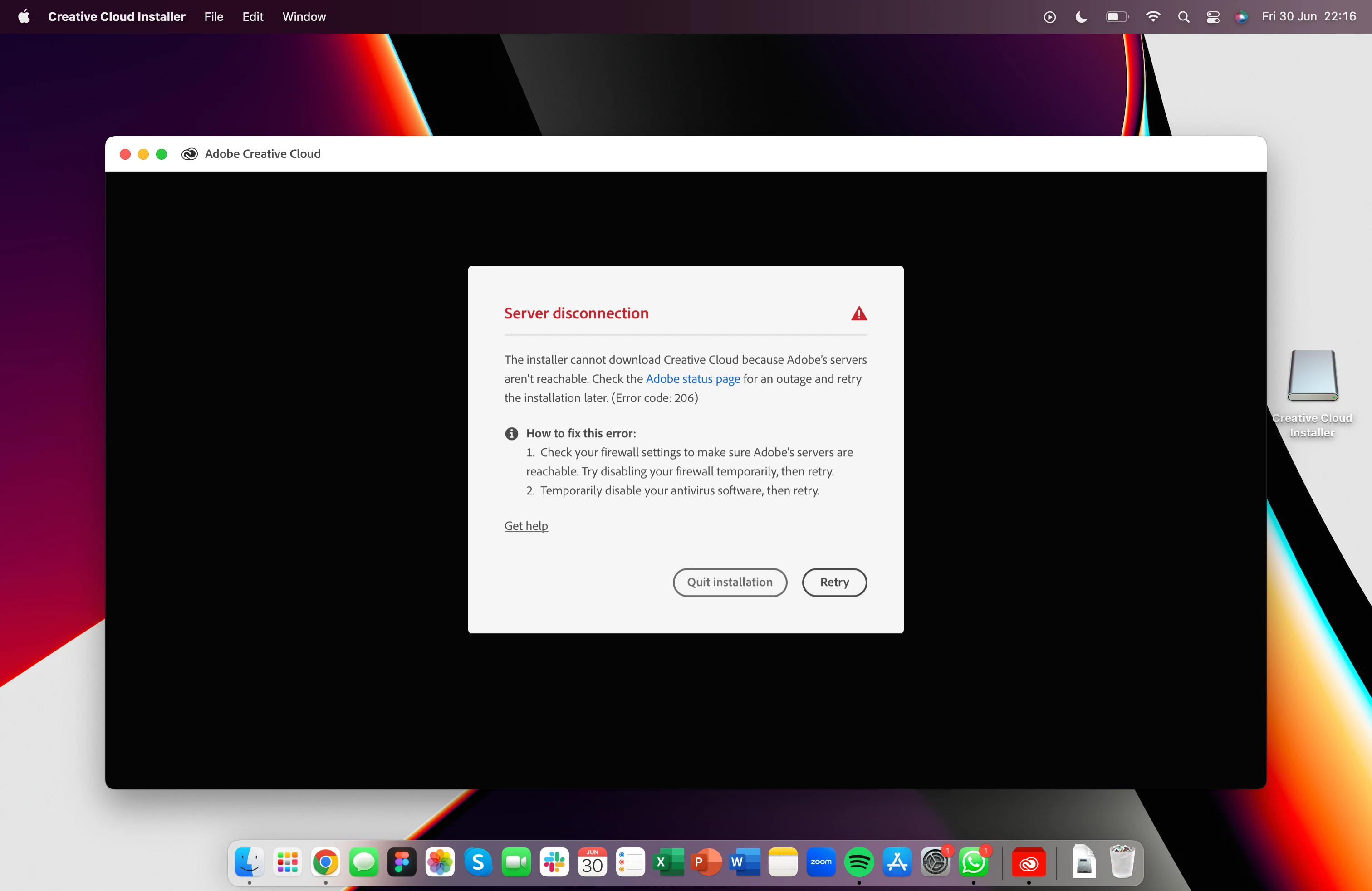
I just paid for my monthly subscription and I haven't been able to install any apps for the past 3 days. When creative cloud tries to sign me in, it goes to browser then says I'm already signed in. This is prompted and happens about 3 times before I finally get the message in the attached image. 

Someone help out pls.
 

This topic has been closed for replies.

3 replies

Shivangi_Gupta
Community Manager
Community Manager
July 3, 2023

Hi there,

We're sorry for the trouble. Did you try the suggestions provided by the experts above?

Let us know.

Regards,

Shivangi

Participant
November 12, 2023

I have the exact same problem with my Windows 11 PC. I tried all of the suggestions and nope it doesn't work. Constant loop until I get error 206. I just installed everything fine on MacBook so this is not a network issue. Terribly designed installer as I have never experienced anything like this before.

kglad
Community Expert
Community Expert
November 12, 2023

reset the cc desktop app by making sure it's in the foreground, then press:

Win: Ctrl + Alt + R
Mac: Cmd + Opt + R


if that fails, repair per https://helpx.adobe.com/download-install/kb/creative-cloud-install-stuck.html


if that fails and you have windows, open your control panel > add/remove programs > cc desktop app > repair

if that fails, uninstall using the correct uninstaller from https://helpx.adobe.com/creative-cloud/help/uninstall-creative-cloud-desktop-app.html#sa_src=web-messaging and then reinstall using*


if that fails, do a clean cc install carefully following each applicable step:

uninstall every cc app including preferences per https://helpx.adobe.com/creative-cloud/help/uninstall-remove-app.html

then uninstall the cc desktop app, again using the correct uninstaller per https://helpx.adobe.com/creative-cloud/help/uninstall-creative-cloud-desktop-app.html#sa_src=web-messaging

clean your computer of cc files per http://www.adobe.com/support/contact/cscleanertool.html

check for, and if available, update your os

if windows is your os, repair all ms visual c++ versions that can be repaired (use google if you don't know how to do this)

if windows is your os update your ms visual c++, if it can be updated (use google if you don't know how to do this)

restart your computer (don't skip this)

reinstall the cc desktop app using the "alternative download links" at the bottom of the page at https://helpx.adobe.com/download-install/kb/creative-cloud-desktop-app-download.html

use the desktop app to install your cc programs/trials

NOTE: win 11 users that have trouble with the latest win 10 installer often have success with the older win 10 installer.

kglad
Community Expert
Community Expert
July 1, 2023

this is more specific to your connection error: https://helpx.adobe.com/creative-cloud/kb/troubleshoot-download-install-logs.html#error206


to test your default browser's tls you can use , https://clienttest.ssllabs.com:8443/ssltest/viewMyClient.html


if it's not a default browser tls issue (ie, you confirmed your browser supports tls 1.2), and you tried everything at adobe's error 206 link, do this https://helpx.adobe.com/in/download-install/kb/adobe-license-issues-keychain-credential-mgr.html


Community Expert
July 1, 2023