
dg96
Participant
December 14, 2018
Answered

Unable to open any CC apps

  • December 14, 2018
  • 1 reply
  • 424 views

I am having a problem with all CC apps. For an example, I open the Creative Cloud Desktop App and login. When I try to open Illustrator, it opens, and then a blank box pops up. There is nothing in this box to click on, and I can't click on any of the main illustrator buttons.
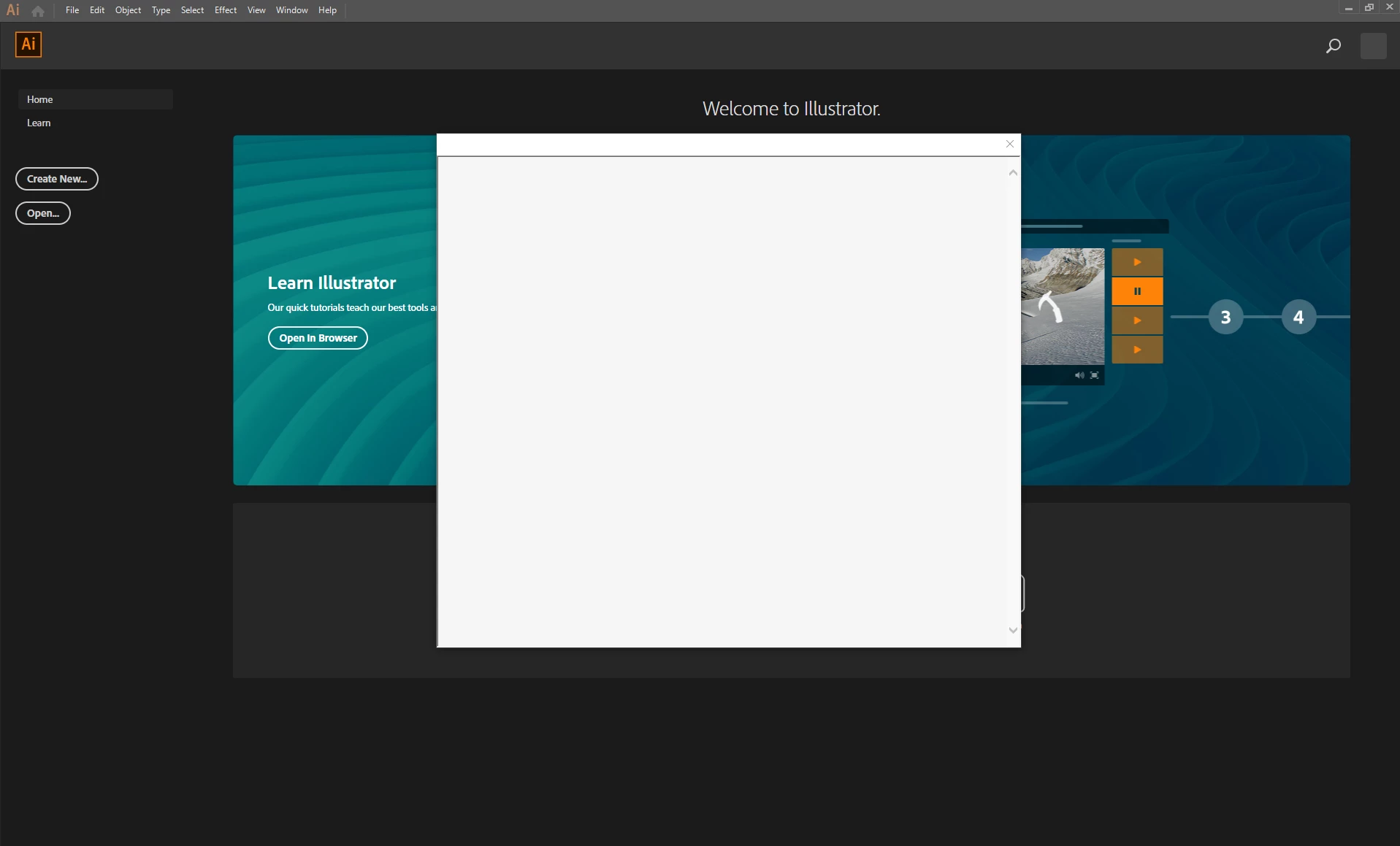
When I close out of the blank box, illustrator shuts down. This happens for all CC apps that I have access to.

I've been uninstalling and re-installing everything adobe on my computer for the last two days and nothing has changed. Has this happened to anyone else?

This topic has been closed for replies.

1 reply

kglad
Community Expert
Community Expert
December 14, 2018

reset your preferences -

acrobat:  https://forums.adobe.com/thread/1595848?start=0&tstart=0

adobe media encoder: https://forums.adobe.com/thread/1713540

after effects:  http://helpx.adobe.com/after-effects/using/preferences.html

audition: https://forums.adobe.com/thread/1079494

bridge:  https://helpx.adobe.com/bridge/kb/troubleshoot-errors-freezes-bridge-windows.html

captivate: https://forums.adobe.com/thread/975032

dreamweaver:  https://helpx.adobe.com/dreamweaver/kb/restore-preferences-dreamweaver-cs6-cc.html

flash:  http://helpx.adobe.com/flash/kb/re-create-preferences-flash-professional.html

    (or remove Win:  C:\Users\<username>\AppData\Local\Adobe\Animate CC <version>\ and

                                  C\Users\<username>\AppData\Roaming\Adobe\Animate\<version>\

                        Mac:   /Users/<username>/Library/Application Support/Adobe/<Animate CC version>/ and

                                    /Users/<username>/Library/Preferences/Adobe/Animate/<version>/)

fireworks:  https://helpx.adobe.com/fireworks/kb/restore-preferences-fireworks-cs5.html

illustrator:  http://helpx.adobe.com/illustrator/using/setting-preferences.html

incopy:  https://forums.adobe.com/thread/526990

indesign:  https://forums.adobe.com/thread/526990

lightroom: https://helpx.adobe.com/lightroom/help/setting-preferences-lightroom.html

muse: https://forums.adobe.com/thread/1127564 (message 7)

photoshop:  https://forums.adobe.com/thread/375776

photoshop elements:  https://helpx.adobe.com/photoshop-elements/kb/preference-file-locations-photoshop-elements.htmlhttp://www.photokaboom.com/photography/learn/Photoshop_Elements/troubleshooting/1_delete_preferences_file.htm

prelude: https://helpx.adobe.com/prelude/using/prelude-set-preferences.html

premiere elements:  https://helpx.adobe.com/photoshop-elements/kb/preference-file-locations-photoshop-elements.html

premiere pro: http://www.mediacollege.com/adobe/premiere/pro/troubleshooter/trash-preferences.html

dg96
dg96Author
Participant
December 14, 2018

Thanks for this, super thorough! Unfortunately, this did not solve the problem. I have been able to get older (2017) versions of the apps to open, but any of the up to date versions all exhibit this same behavior.

kglad
Community Expert
kgladCommunity ExpertCorrect answer
Community Expert
December 14, 2018