



'Unable to reach Adobe servers'. Please help.
After installing the Creative Cloud app, I opened it for the first time. It shows the screen which allows me to log in to my Adobe account. However, every time I log in, it says:
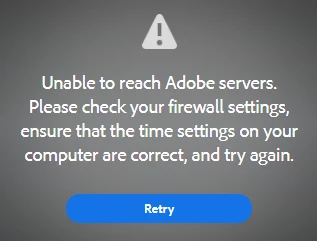
'Unable to reach Adobe servers. Please check your firewall settings, ensure that the time settings on your computer are correct, and try again'.
Here is some information that may help you help me:
My System:
ASUS X555LJ
12.0GB RAM, i5-5200U CPU processor @2.20gHz
Windows 10, Version 1803
What I've Tried:
- I have tried looking at the firewall settings. Nothing is blocked by the firewall. Strangely, there is nothing to do with 'Adobe' within the Windows Firewall settings.
- I have tried running the Creative Cloud app as an administrator. There is no difference.
- I have tried looking at the Windows updates. Windows is up to date, and all updates so far have been successful.
- I have tried using the 'Limited Access Repair Tool'. It does not change anything.
- I have tried restarting.
- I have looked at all of my network settings, and checked my connection to the Adobe servers using Chrome. According the Adobe website itself, if i click on this image link and it works: https://ims-na1.adobelogin.com/renga-idprovider/resources/img/logos.png , then my device is connected to the Adobe servers.
- There are no other issues with my internet. Any complications related to networking that have occurred to me would probably have nothing to do with connection to Adobe.
Any assistance would be greatly appreciated. Thanks!
 AdChoices