Participating Frequently
July 28, 2016
Question

Unable to run CS6 applications after windows crash ...

  • July 28, 2016
  • 1 reply
  • 870 views

Hi!

I had a serious system crash which has impacted application disk where Adobe CS6 distribution is located.
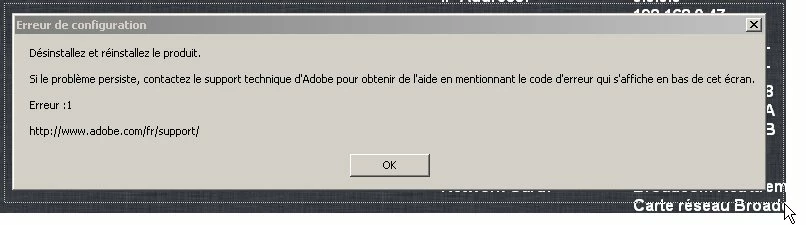
When I try to run Adobe CS6 applications (whatever it is)  I have the following message:

configuration error

Uninstall then re-install product

If problem persist, please contact adobe technical support

Error :1

for example Acrobat pro, Indesign, etc ...

What I'm looking for is the precise steps to do that ...

Do I need to desactivate my CS6 products before ?

If so,  where (I can't run application to desactivate)?

Thanks in advance

This topic has been closed for replies.

1 reply

Bani Verma
Legend
July 28, 2016

Hi Fcl,

The error that you are getting is " Configuration error " this error means that permissions to application folders are set incorrectly, hence i would recommend you to follow the troubleshooting steps given here: Configuration error in Adobe Creative Cloud or Adobe Creative Suite

Kindly share the results with us.

fclAuthor
Participating Frequently
July 28, 2016

Thank you Bani,

Unfortunately it doesn't work...

same error message

I have double checked the three steps in the guide...

1. Set folder and search options.

2. Modify the SLStore folder.

3. Set permissions.

I'm pretty sure about the two first steps but the last ....  I have not exactly the same configuration as displayed in the doc...

my OS is a Windows XP PRO SP3 into a workgroup not a domain ... AS a consequence Security tab show different things....

any advice ?

Could I uninstall my adobe CS6 distribution and reinstall it without any problem regarding my current activation ?

TIA

regards

Bani Verma
Legend
July 29, 2016

Hi Tia,

Yes, you may uninstall and then reinstall CS 6, you may use the following link to Download Adobe Creative Suite 6 applications, and just in case if you face trouble with activation then let us know we would be happy to help.