


Participant
July 23, 2014
Answered

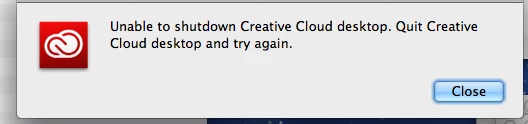
Unable to shut down Creative Cloud Desktop

  • July 23, 2014
  • 1 reply
  • 2275 views

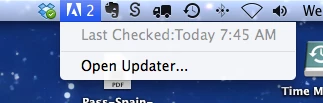
Nothing works for me this is really frustrating. Trying to uninstall give me this error. And how do I quit Creative Cloud?. No options at all.Open Updater brings the updater I start and again gives me the first error message....!!!

This topic has been closed for replies.
Correct answer Jeffrey_A_Wright

Branching this to a separate discussion as the behavior from the previous discussion does not appear to be related to the current error.

Luiescorial are you unable to quit the Creative Cloud Desktop application?  Have you tried force quitting the application?  Rebooting your computer?  What exact steps have you implemented?  Also which version of Mac OS are you using?

1 reply

Jeffrey_A_Wright
Community Manager
Jeffrey_A_WrightCommunity ManagerCorrect answer
Community Manager
July 23, 2014

Branching this to a separate discussion as the behavior from the previous discussion does not appear to be related to the current error.

Luiescorial are you unable to quit the Creative Cloud Desktop application?  Have you tried force quitting the application?  Rebooting your computer?  What exact steps have you implemented?  Also which version of Mac OS are you using?

Participant
July 23, 2014

Jeff, I rebooted the computer and it worked. Thanks

Just for other people, I am running OS 10.9.4