
williamkane26
Participant
November 9, 2014
Question

Uninstall Creative Cloud apps

  • November 9, 2014
  • 2 replies
  • 130 views

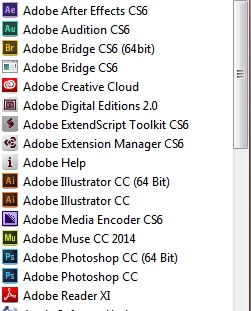
I did not had enough space in my C:\ (my OS) drive so I installed few Adobe apps on my D:\. But they are not showing up in Control Panel nor in Cleaner Tool. I need to remove few apps. They are launching without any issues. Any ideas how to remove completely without just deleting the app?

In Creative Cloud app, the apps are showing as 'Install'.
This topic has been closed for replies.

2 replies

Participant
November 10, 2014

I think you have to first de-activate the CC app by opening one and locating the activation command I think this is under file. From what I know once one of the apps is de-activated I think not sure that all of the others are de-activated with it. Once you de-activate the cc apps then I would think you could remove them like any other application. Hope this was helpful.

John T Smith
Community Expert
Community Expert
November 9, 2014

Installing to other than the default location can (as you have discovered) cause problems

-using the cleaner after uninstalling and before reinstalling may help

-http://helpx.adobe.com/creative-cloud/help/install-apps.html (and uninstall)

-http://helpx.adobe.com/creative-suite/kb/cs5-cleaner-tool-installation-problems.html