Participant
Mar 2, 2020 7:20 PM UTC
Answered

Unprecedented Privacy [error in Behance]

±±±±±±±±±± Behance finally reached through and mistook me for a spam account so everything's back to normal, thanks for all the effort and hepl! 🙂  ±±±±±±±±±


hello all,

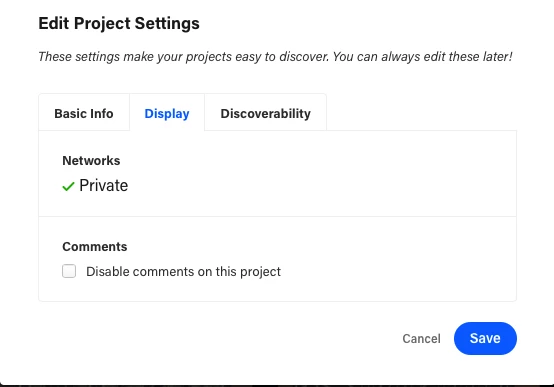
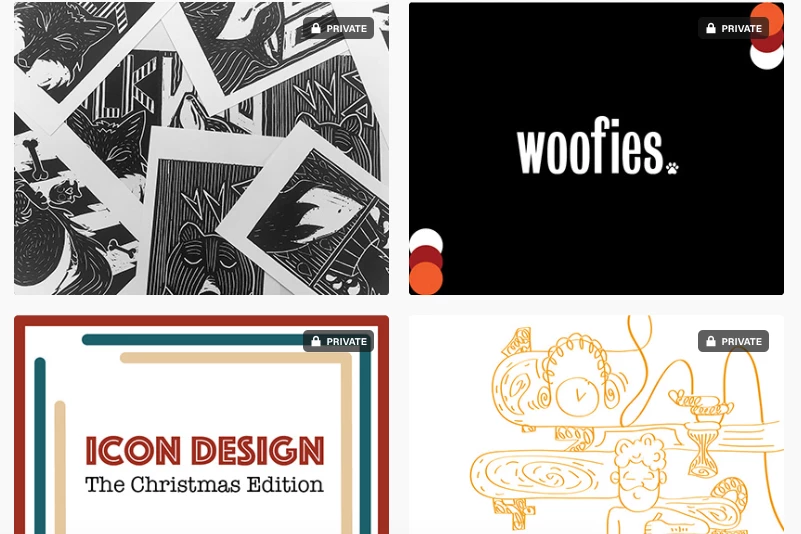
three to four days ago I experienced a problem with my behance account. All my projects became private and when I try to adjust the privacy settings, I can't find the drop down menu that allows me to change my privacy, it's simply not there as I will show in the screenshots below. 


I usually use safari but I tried in google chrome too.


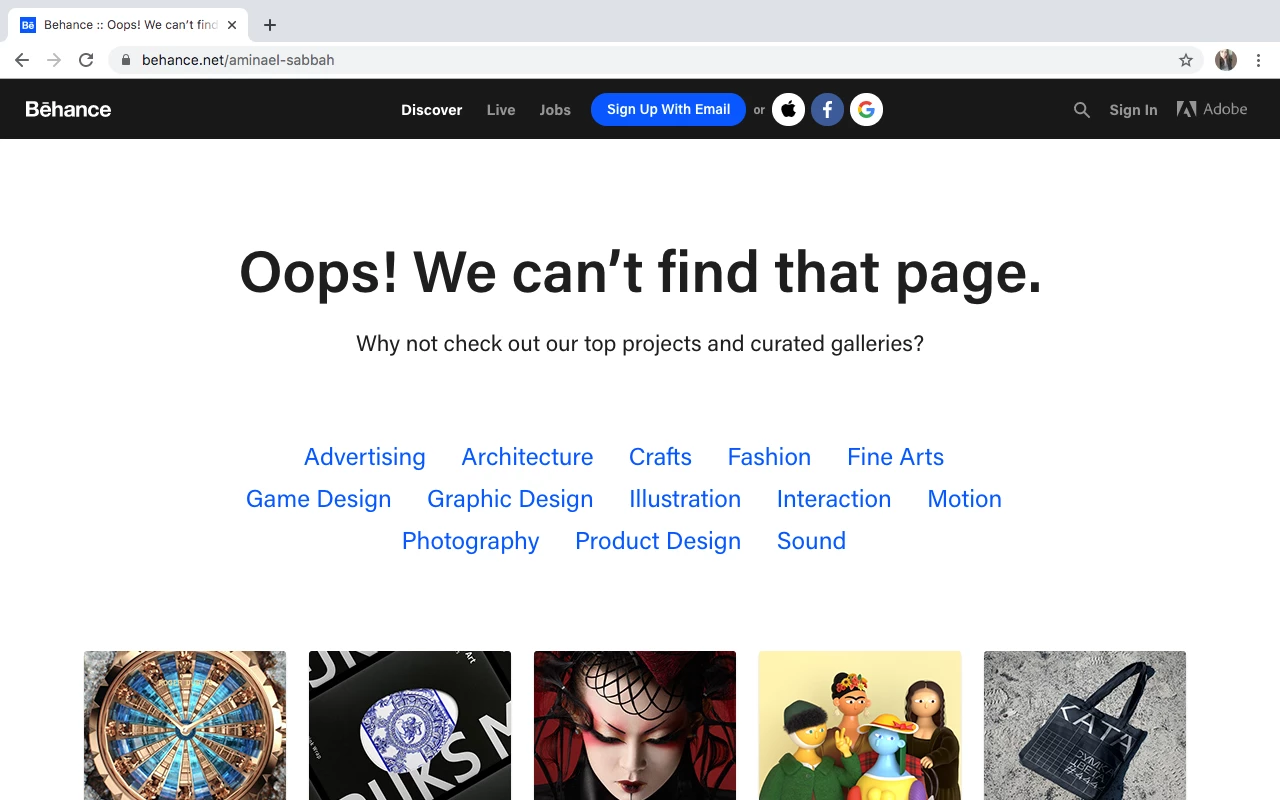
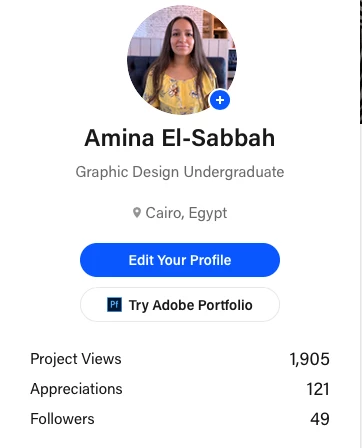
Another problem is that due to this privacy, my account isn't visible to anyone anymore, it's like my account got deleted. When I search my username's link on another browser, it says that the page is not found as I will also show in the screenshots. When I checked again today, my project views (that were 1922) and appreciations (122) decreased in number as seen. 


I have no idea why this is suddenly happening and especially in a timing where I sent out my portfolio for specific jobs that won't be able to find me now since I'm officially off the grid. 


I contacted Behance, the only way is to submit a request and I have sent many with no answer in return. 

I really do hope someone helps with this as this is nerve-wracking. 


here is my URL in case someone wanted to try for themselves: https://www.behance.net/aminael-sabbah

Thanks in advance 🙂


This topic is closed to new replies. Start a new post to keep the conversation going.
curious_Coral98C6Correct answer
Participant
Mar 3, 2020 9:32 PM UTC

OK.  I think your status is unverified.  Until that's resolved, your projects are all private.   And that's probably why you didn't get a reply from Behance support. 


Log-in to you your account settings page below and click Resend Verification E-mail

https://account.adobe.com/settings


See  related help articles below:


thanks a lot for your effort, i have been verified for a long time now. Behance finally reached through and mistook me for a spam account so everything's back to normal 🙂

15 replies

Participant
Dec 15, 2021 10:29 AM UTC

Hi guys! I have a problem with my Behance account, similar to the situation described here... all my work has gone private and when I change the settings to 'public', they turn automatically to private again. I checked my account and the email address is verified. Furthermore, my account is not discoverable when I log off, it is like it does not exist!

I have reached out to Behance but they do not reply. I need to share my account with others, it is an urgent thing.

Is there any way I can fix it myself?

Translate
Nancy OShea
Community Expert
Community Expert
Dec 15, 2021 6:18 PM UTC

Please contact the Behance Help Desk.  If you've not heard back, check your spam folder.

https://help.behance.net/hc/en-us/requests/


Also refer to Behance Community Guidelines and Appeal Process below.

https://www.behance.net/misc/community

https://help.behance.net/hc/sections/200813564-Report-Appeals


Thank you.


[This discussion is locked.]


Translate
Nancy O'Shea— Product User & Community Expert
Participant
May 6, 2020 6:37 PM UTC

I am having the same issue ! How did you actaully resovle that ? Thank you

It is so annoying

Translate
Nancy OShea
Community Expert
Community Expert
May 6, 2020 7:52 PM UTC

Contact the Behance Help Desk.

https://help.behance.net/hc/en-us/requests/


Translate
Nancy O'Shea— Product User & Community Expert
Oksana V19@
Participant
Dec 14, 2021 12:26 PM UTC

I have exactly the same problem as the guys above. I submitted my request to the Behance Help Center 5 times and received no response. Is there another way to contact Behance Center ???????
I urgently need to provide employers with access to my projects.

Translate
Nancy OShea
Community Expert
Community Expert
Mar 2, 2020 9:52 PM UTC

Refer to this help article.

https://help.behance.net/hc/en-us/articles/204483614-Guide-Privacy-Settings


Use a good desktop browser like Firefox or Chrome that accepts cookies and does not have any script blockers.  This is important because client-side scripts are essential for Portfolio and Behance to work.


If you still can't see a button, use your browser's Zoom settings  -- 

  • Ctrl/Cmnd +  - (minus) to zoom out
  • Ctrl/Cmnd + 0 (zero) for normal zoom
  • Ctrl/Cmnd + + to zoom in


Translate
Nancy O'Shea— Product User & Community Expert
Participant
Mar 2, 2020 10:12 PM UTC

thanks, I tried what you described but the same problem remains. The option is not there and my profile is still not visible for others in general. Here's a screenshot.

Translate
Nancy OShea
Community Expert
Community Expert
Mar 3, 2020 7:06 PM UTC

OK.  I think your status is unverified.  Until that's resolved, your projects are all private.   And that's probably why you didn't get a reply from Behance support. 


Log-in to you your account settings page below and click Resend Verification E-mail

https://account.adobe.com/settings


See  related help articles below:


Translate
Nancy O'Shea— Product User & Community Expert
John T Smith
Community Expert
Community Expert
Mar 2, 2020 7:56 PM UTC

As far as I know, the only help with Behance is at https://help.behance.net/hc/en-us

Translate
Participant
Mar 2, 2020 8:09 PM UTC

I tried, I submitted three tickets but no one is answering me back. I even contacted Adobe themselves and still nothing.. 😞 

Translate
Peru Bob
Community Expert
Community Expert
Mar 2, 2020 7:25 PM UTC

I've moved this from the poorly named Community Help forum (which is the forum for issues using the forums) to the Get Started forum so that proper help can be offered.

Translate
Participant
Mar 2, 2020 7:26 PM UTC

thanks!

Translate