Inspiring
December 18, 2021
Answered

update to 2022 made 2021 disappear

  • December 18, 2021
  • 1 reply
  • 662 views

I was happily using Photoshop 2021 and one morning when I openeed the program I found it had upgraded to 2022 (23.0.0 release) without any input from me. All my third party plugins had disappeared.

While corresponding with FilterForge Support recently, I learnt that during the upgrade I should have been offered the choice to retain the 2021 version as well as the new version, this didn't happen, I didn't even know it had happened till I opened the program.

If I could have retained 2021 I would have been able to have FilterForge 10 as a plugin  for it, it doesn't work in 2022.

How can I get back the working 2021 as well as 2022?

Many thanks

Win

 

This topic has been closed for replies.
Correct answer kglad

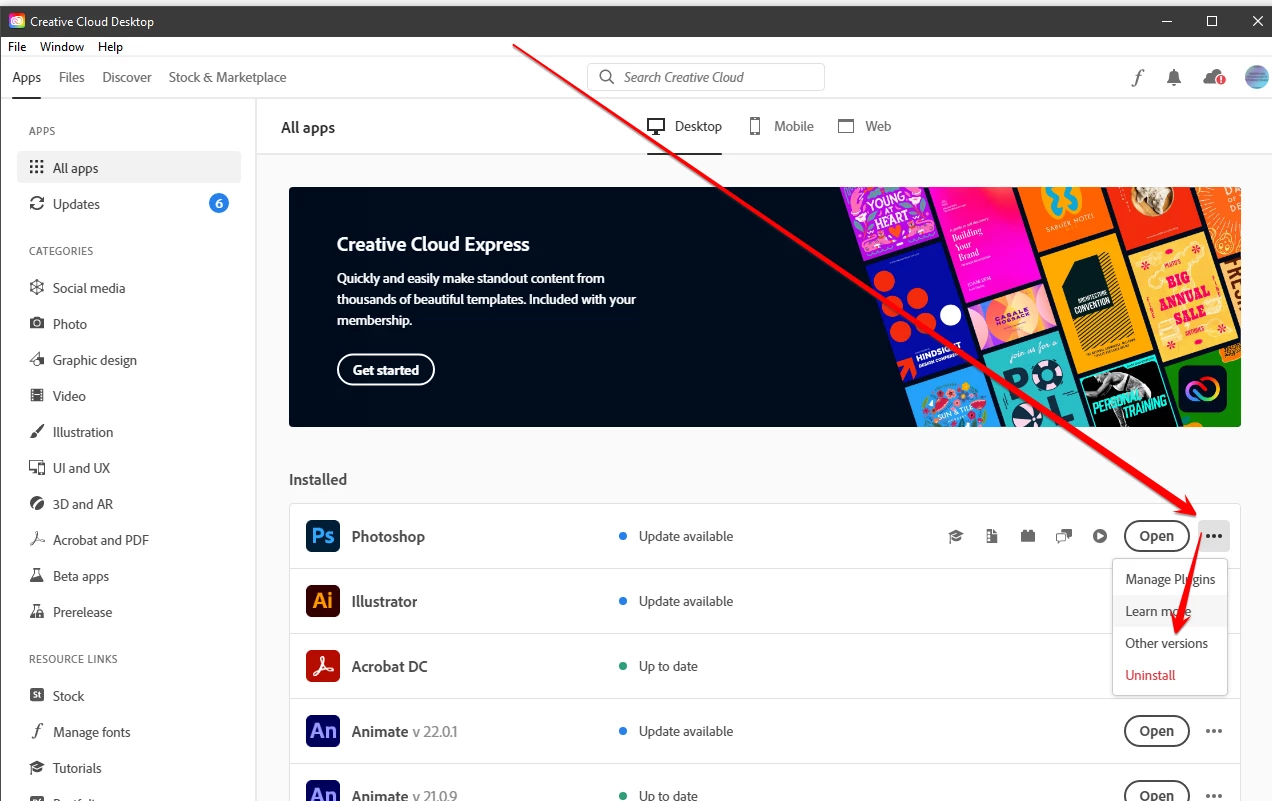
open your cc desktop app and click the three dots to the right of ps > click other versions


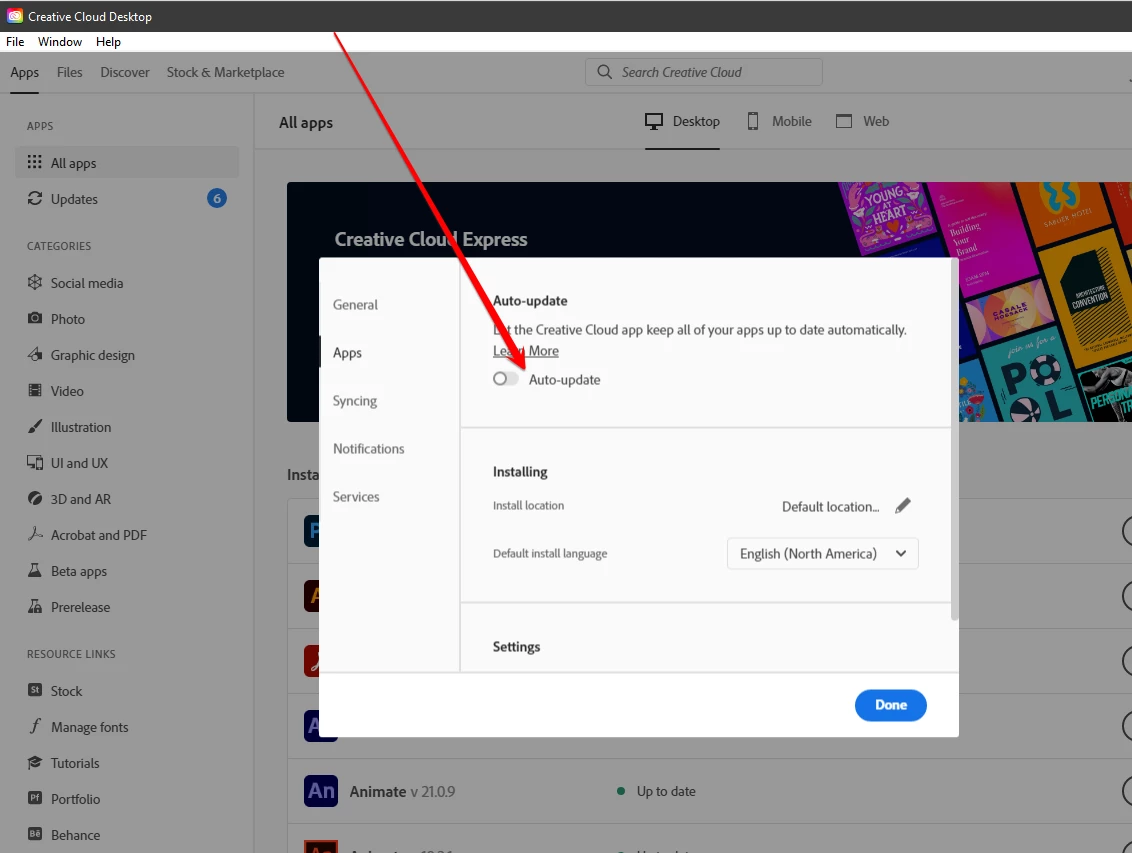
and if you want to disable auto-updates, in your cc app click file>preferences>apps and toggle it off:


1 reply

kglad
Community Expert
kgladCommunity ExpertCorrect answer
Community Expert
December 18, 2021

open your cc desktop app and click the three dots to the right of ps > click other versions


and if you want to disable auto-updates, in your cc app click file>preferences>apps and toggle it off:


Win5E13Author
Inspiring
December 18, 2021

Thanks for your prompt reply,

There are so many version choices, what do you suggest I choose...  I wonder what FilterForge meant when they say 2021?

By downloading another version, will I still retain my curent version as well? I see there is an update available for it. I'll do the update for it tomorrow, it is almost 1.00 am here, but I want to get this previous version sorted out first.

Thanks again

Win

kglad
Community Expert
Community Expert
December 18, 2021

version 22.5.4 is the last update of the major previous version, so if your plugin doesn't work with the current version, that's what you want.