Participant
September 27, 2017
Answered

Updating error leads to Error 50 - Uninstall - Now won't allow install!

  • September 27, 2017
  • 2 replies
  • 531 views

Have the final 4 changes to a 202 page book that's been being worked on for 5 months.... and Creative Cloud wanted to update. In the process of updating, it claims and ERROR 50. The solution that came up for clicking on HELP was to uninstall CC and reinstall it. Now it will not install (same "Error 50" msg) and now we can not complete this project.

From all of the postings found, it seems that this is a real mess.

This appears to be the ONLY way we can request help.

SERIOUSLY UNHAPPY with Adobe's approach to this.

Everything was fine this morning. Now have no apparent options since we've done everything that the forums have recommended. Still no Creative Cloud on our system... therefore no access to the key fonts in the book that is on InDesign.

Help.
This topic has been closed for replies.
Correct answer Jeffrey_A_Wright

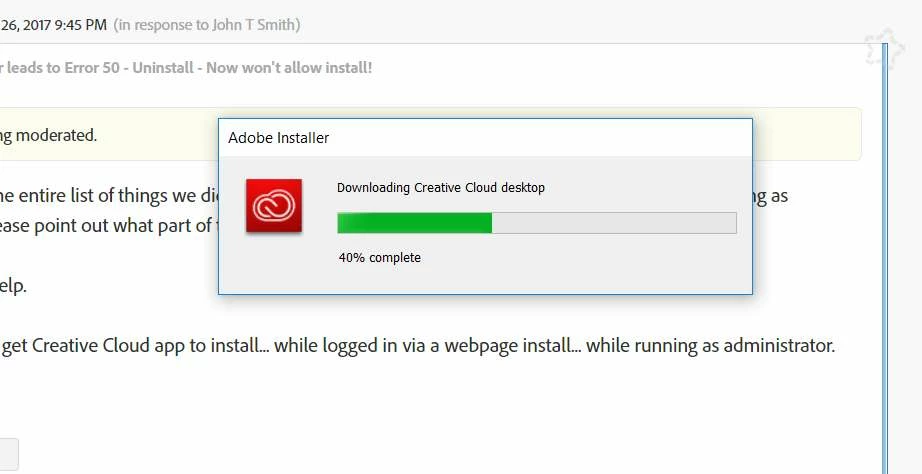
Installation starts... gets to just over 50% before the problem...

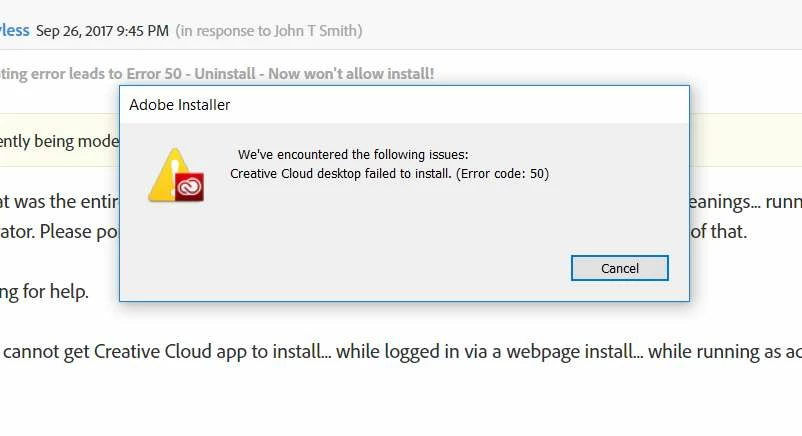
And then THIS... and all of the forum posts regarding this code have been unhelpful in solving this.

...and then we're done. Can't finish a book in InDesign that we started months ago... because we're using fonts that are synced via CC and we can't get it to work.

Help.


Jeanne Hb39010565 I am sorry you are facing a frustrating experiencing updating the Adobe Creative Cloud desktop application.  What version of Windows are you installing the Creative Cloud desktop app on when you encounter Error Code 50?

You mentioned that you completed the steps listed in Error code 2 or error code 50: Adobe Creative Cloud desktop application failed to update is that correct Jeanne Hb39010565?  If so then I would recommend utilizing the steps listed in "Failed to install" error received when installing Adobe Creative Cloud desktop app .  In particular make sure you locate and delete the OOBE folder when implementing solution 2.

If you have any additional questions Jeanne Hb39010565 please do not hesitate to update this public forum discussion.

2 replies

Participant
September 30, 2017

It took a lot of messing with the file rights to get the system to let go of enough control to even allow for the renaming to .OLD

However, it did finally work. A mess, but it finally allowed us to install CC again.

We're good.

Thx.

John T Smith
Community Expert
Community Expert
September 27, 2017
Participant
September 27, 2017

Yeah... that was the entire list of things we did based on that thread. It will not install after the cleanings... running as administrator. Please point out what part of that thread you think is THE answer, 'cuz we did all of that.

Still looking for help.

Currently cannot get Creative Cloud app to install... while logged in via a webpage install... while running as administrator.

Help?

Participant
September 27, 2017

Installation starts... gets to just over 50% before the problem...

And then THIS... and all of the forum posts regarding this code have been unhelpful in solving this.

...and then we're done. Can't finish a book in InDesign that we started months ago... because we're using fonts that are synced via CC and we can't get it to work.

Help.