

Adobe Employee
November 3, 2021
Answered

Updating one app updates all apps

  • November 3, 2021
  • 1 reply
  • 587 views

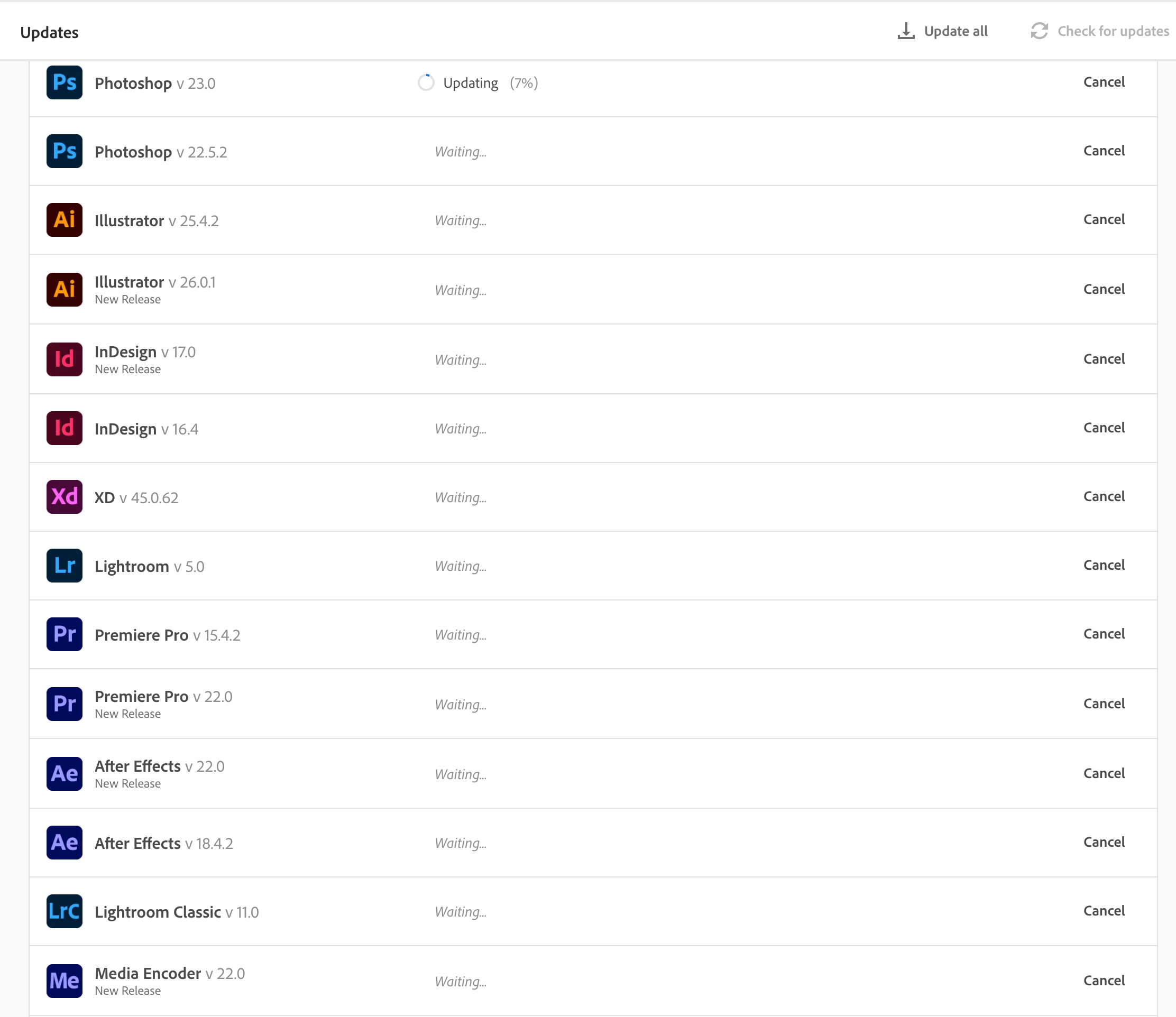
When I click one Update button in the CC Desktop app, it ends up wanting to update all my apps. See screen shot below. I clicked the Update button for Premiere Pro v22 and this is what ended up happening. Not wanting to update all my apps at this time, I had to click Cancel repeatedly on the other apps to stop the process. 


I have a new iMac, M1 chip, running macOS 11.6 (Big Sur). Is this a bug with CC Desktop running on Big Sur (or with the M1 chip)? 
 

This topic has been closed for replies.
Correct answer Jeffrey_A_Wright

Ok, thanks for the update, Stefan.  I could not reproduce the behavior you described when I ran through the update process on three different computers.


If you continue to encounter any problems with the update process, then please begin a secure chat session at https://helpx.adobe.com/contact.html?rghtup=autoOpen.

1 reply

Jeffrey_A_Wright
Community Manager
Community Manager
November 3, 2021

Stefan, you mentioned that this is a new Mac.  What process did you use to put the Adobe apps on the new computer?  Did you use the method listed in https://helpx.adobe.com/download-install/using/download-install-new-computer.html, or was the migration assistant used to copy the apps to the computer, Stefan?

Adobe Employee
November 3, 2021

I followed the method in the link you provided; I did not use a migration assistant. I was able to install just the apps I selected at first; it's when I wanted to update one of them that an "update all" process was triggered. 

Jeffrey_A_Wright
Community Manager
Jeffrey_A_WrightCommunity ManagerCorrect answer
Community Manager
November 3, 2021

Ok, thanks for the update, Stefan.  I could not reproduce the behavior you described when I ran through the update process on three different computers.


If you continue to encounter any problems with the update process, then please begin a secure chat session at https://helpx.adobe.com/contact.html?rghtup=autoOpen.
