
Christo14
Participant
December 6, 2016
Question

Updating to Muse 2017 issue

  • December 6, 2016
  • 2 replies
  • 233 views

Hi,

I'm wanting to upgrade to Muse 2017 but keep my Muse 2015.1 version.

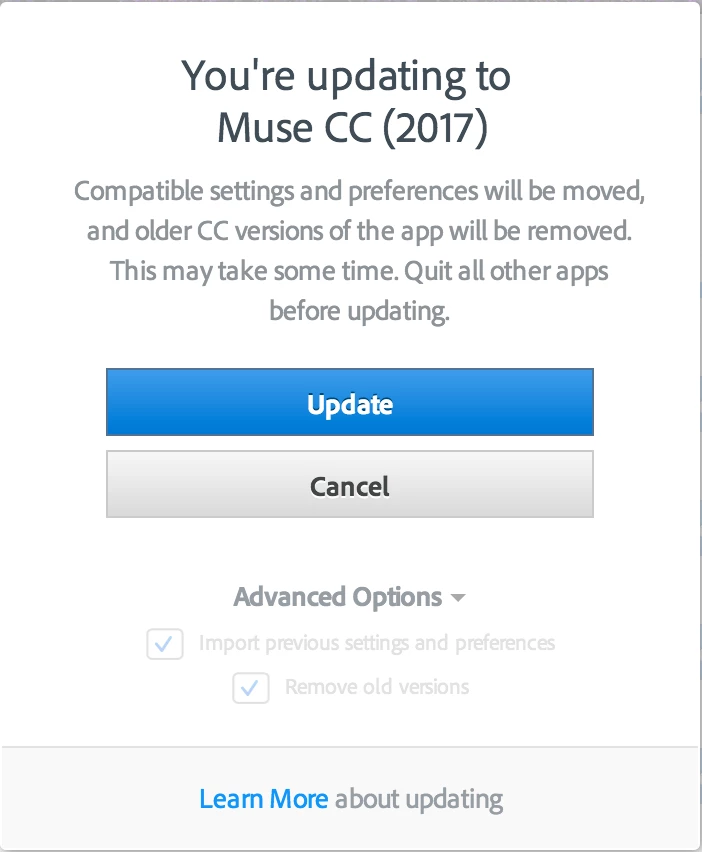
When I try to upgrade the Advance options are greyed out. See attached screen capture.

How to I retain the old version while updating to the new version as stated here:

Creative Cloud application, update, best practices, avoid disruption, smooth upgrade
This topic has been closed for replies.

2 replies

Christo14
Christo14Author
Participant
December 7, 2016

So I installed Muse 2017 on my backup Macbook Air to see what would happen.

Muse 2017 Installed and left the Muse 2015.2 version intact.

So I then to installed Muse 2017 on my MacBookPro. Muse 2017 installed but removed Muse 2015.2.

I eventually managed to reinstall 2015.2 after some fiddling and keep 2017 also.

I will work on old projects using 2015.2 and start new projects with 2017 until further notice.

My sole objective is to maintain an interruption/downtime free workflow.

Preran
Legend
December 6, 2016

Moving your post to the Creative Cloud download and install forum. The experts here are better equipped to resolve your issue.