
Participant
January 16, 2017
Answered

"validating software license" loop

  • January 16, 2017
  • 5 replies
  • 23071 views

When I try to launch Photoshop from the Adobe Creative Cloud apps menu I get a popup that says "validating software license" that spins for about 20 seconds then disappears, only to reappear shortly after and repeat, and repeat, and repeat. Photoshop never launches. It was running fine on this Windows 7 computer up until about a week ago.
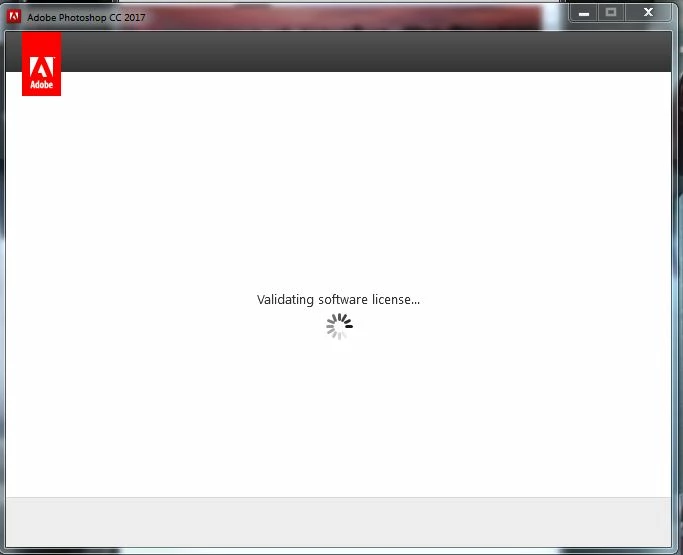
I have uninstalled and reinstalled several times. Both Photoshop alone, and uninstalled and reinstalled in combination with Creative Cloud. I have also uninstalled, deleted the folders C:\Program Files (x86)\Common Files\Adobe\Adobe PCD, C:\Program Files (x86)\Common Files\Adobe\caps, C:\Program Files (x86)\Common Files\Adobe\Adobe Creative Cloud, C:\ProgramData\Adobe\SLstore, and renamed the opm.db file, and reinstalled, only to come back to the "validating software license" loop.

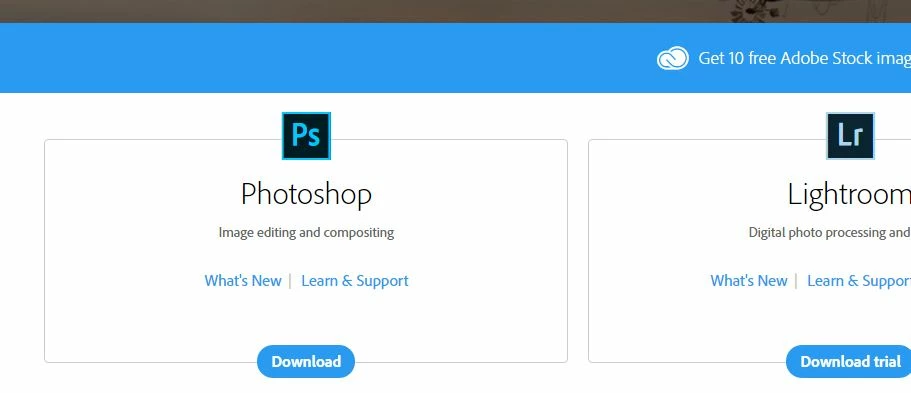
My license is valid. When I sign in to adobe.com with my email address it offers to "download" Photoshop, and not "download trial".
This topic has been closed for replies.
Correct answer kglad

quit your cc desktop app.

delete your slstore and adobe pcd folders, Configuration error in Adobe Creative Cloud or Adobe Creative Suite

restart your cc desktop app

if it still shows that attempt to validate, confirm you can connect to adobe's secure servers. for help with that and other common secure adobe.com connection problems read, http://helpx.adobe.com/x-productkb/policy-pricing/activation-network-issues.html

5 replies

Participant
March 24, 2019

This worked for me. Saved my Sunday afternoon. Thanks

kglad
Community Expert
Community Expert
March 25, 2019

you're welcome.

Known Participant
October 1, 2018

For me, what solved the issue was logging into the Creative Cloud hub and installing the update.

Participant
July 30, 2018

Same issue and yes it works. Thank you

kglad
Community Expert
Community Expert
July 31, 2018

you're welcome.

Participant
March 3, 2018

Deleting the two directories solved it for me too - thanks!

kglad
Community Expert
Community Expert
January 16, 2017

sign out and then back in to your cc desktop application using the same adobe id used to pay for your subscription:  http://helpx.adobe.com/creative-cloud/kb/sign-in-out-creative-cloud-desktop-app.html

if that fails, can you start ps from its installation directory?

BaldJJAuthor
Participant
January 16, 2017

When I click "sign out" on the CC it appears to do nothing, and going back to the CC preferences screen still displays a sign out button.

If I try to double-click photoshop.exe it also does nothing.

kglad
Community Expert
kgladCommunity ExpertCorrect answer
Community Expert
January 16, 2017

quit your cc desktop app.

delete your slstore and adobe pcd folders, Configuration error in Adobe Creative Cloud or Adobe Creative Suite

restart your cc desktop app

if it still shows that attempt to validate, confirm you can connect to adobe's secure servers. for help with that and other common secure adobe.com connection problems read, http://helpx.adobe.com/x-productkb/policy-pricing/activation-network-issues.html