


We can't verify your subscription status. Error code: 12015
Hi everyone,
I'm hoping someone has run into this before because I'm running out of ideas.
I recently purchased the Creative Cloud Pro subscription, but every Adobe application I installed (Illustrator, Photoshop, After Effects, Premiere Pro) displays the following message:
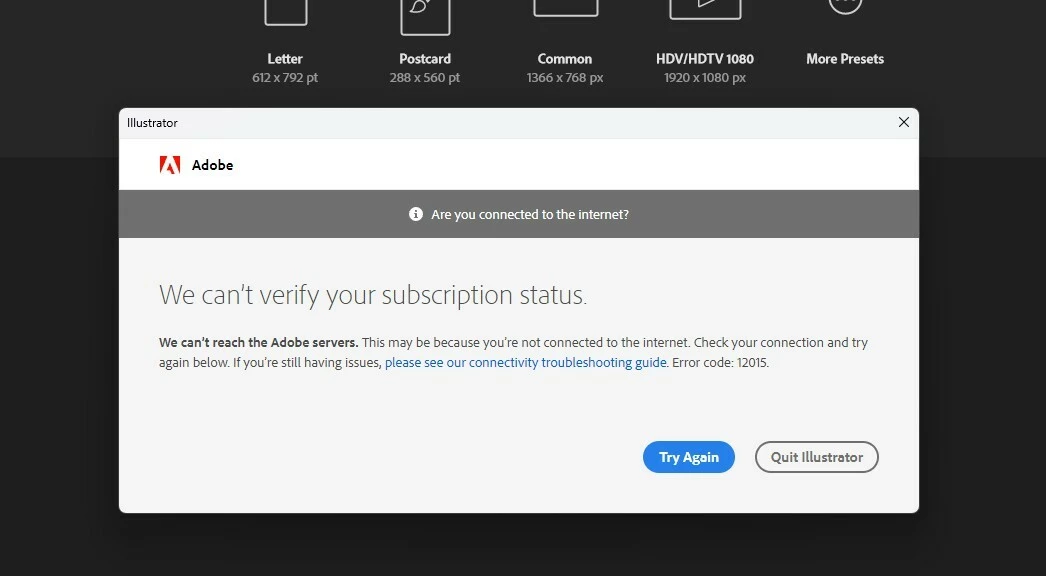
What I already did:
- Uninstalled and reinstalled Creative Cloud multiple times.
- Used the Adobe Creative Cloud Cleaner Tool.
- Restarted my PC after every reinstall.
- Verified my hosts file is clean (no Adobe entries).
- Confirmed I have internet access and can sign in to my Adobe account through the browser.
I did dig around and I noticed that these services (services.msc) are completely missing:
- Adobe Desktop Service
- Adobe Genuine Software Integrity Service
- Adobe Genuine Monitor Service
They don't appear in the Services list at all. However, the Adobe folders are still present under:
C:\Program Files\Common Files\AdobeC:\Program Files (x86)\Common Files\Adobe
including folders such as Adobe Desktop Common, AdobeGCClient, and OOBE.
Because the services are missing, I'm wondering if that's why Creative Cloud can't verify my subscription.
I've already spent several hours troubleshooting this, and at this point it's preventing me from doing my job. If anyone has experienced something similar or has any suggestions, I'd be incredibly grateful. 🙏
 AdChoices