
Inspiring
April 5, 2018
Question

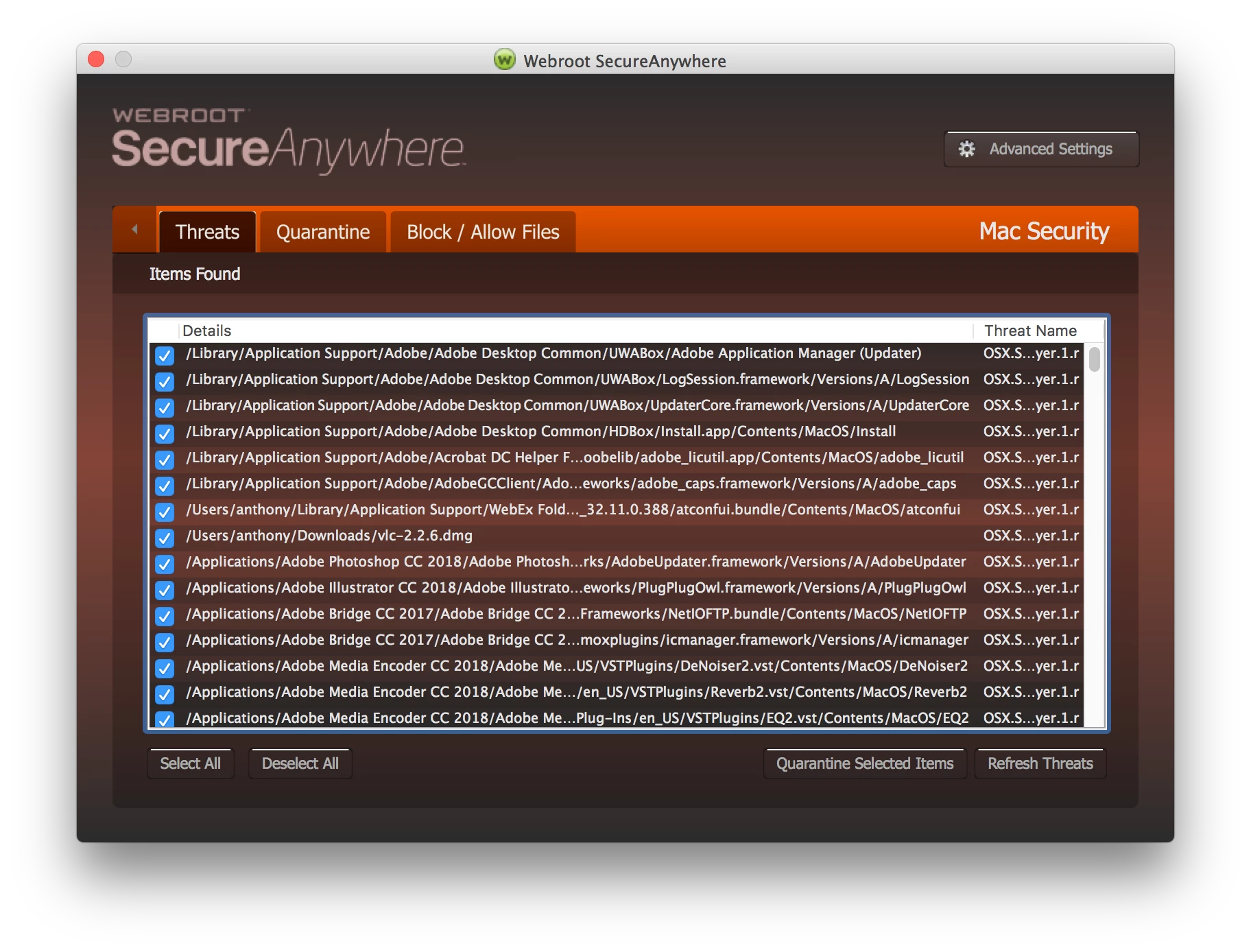
Webroot SecureAnywhere found osx.surfbuyer.1.r in TONS Adobe files

  • April 5, 2018
  • 15 replies
  • 4822 views

I'm pretty sure it's a false finding, but on a scan today on my Mac, Webroot came back with a huge list of Adobe files it thinks is infected with osx.surfbuyer.1.r. I at least hope this is false. See the image below.

Any ideas on this??
This topic has been closed for replies.

15 replies

Victory Life Church
Participant
April 5, 2018

This just happened to me and now I cannot repair my Adobe software that Webroot broke. I even downloaded a fresh copy of Creative Cloud to reinstall and it wont open it due to the error popup regarding osx.surfbuyer.1.r.

Please help!

Benjamin Rednour
Participant
April 5, 2018

I received the same error. Deleted all threats, uninstalled all of Adobe CC, rebooted, did a fresh install and am receiving constant errors when trying to reinstall. smh.

Mac OS 10.13.3

Webroot 9.0.7.50: 821

klausl7362827
Participating Frequently
April 5, 2018

you all should also know i got a TON (488) false positives from webroot this morning regardinh adobe media encoder's plugins. Be super careful; i ran malwarebytes and it said I was clean.

Participant
April 5, 2018

I got this as well. I ran Adobe updates this morning. The alert popped up when I opened Illustrator.

klausl7362827
Participating Frequently
April 5, 2018

ATTENTION EVERYONE!

PLEASE DO NOT DELETE ALL FILES AFTER THE INITIAL SURFBUYER REMOVAL! THESE APPEAR TO BE FALSE POSITIVES AND WILL MESS UP YOUR CC INSTALL! IT APPEARS THIS IS SOME SORT OF PIGGYBACK ONTO THE CC UPDATER. ONLY REMOVE THE SURFBUYER ADWARE FOR NOW.

I noticed this happens after i update an adobe program. see the comments below why you shouldnt remove the false positives at this time.

Participant
April 6, 2018

Too late for me, I had deleted some file already. It affect Premiere Pro, Photoshop, Illustrator and Support. How can I recover? Please help!

Participant
April 6, 2018

All I can suggest is that you re-run the CC installer.  If you no longer have your CreativeCloudInstaller.dmg file, re-download it.  On general principles I'd also re-boot first.