Participant
September 24, 2020
Question

What do I do from here?
  • September 24, 2020
  • 3 replies
  • 386 views

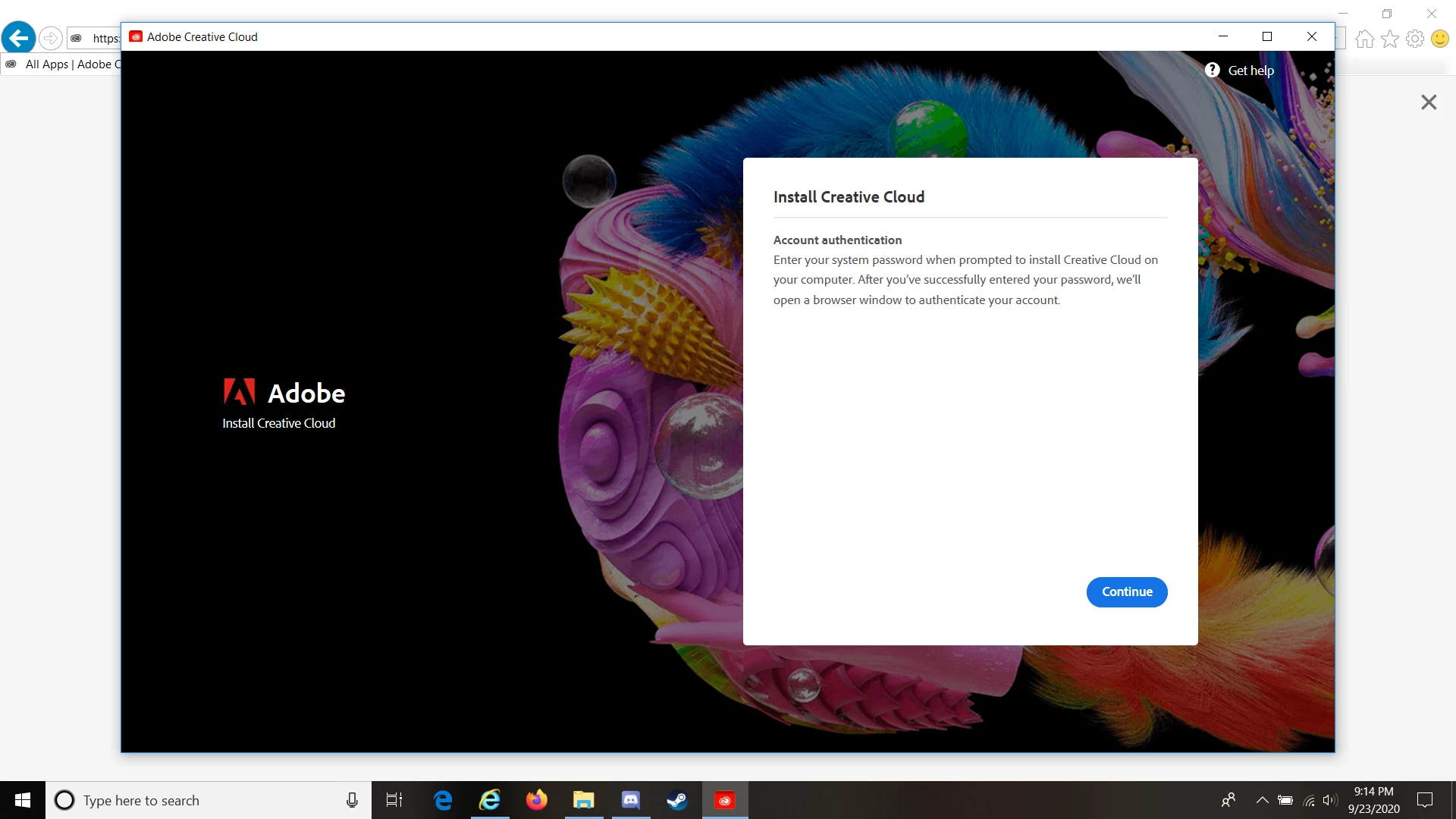
Whenever I try to download the Creative Cloud to my new computer, I get this. I cannot click continue and nothing pops up. Please please help me 

This topic has been closed for replies.

3 replies

Peru Bob
Community Expert
Community Expert
September 24, 2020

Is Windows up to date?

Grace5CF4Author
Participant
September 24, 2020

Unless I'm missing something it should be. This computer is new so I'm assuming Windows is up to date

Jeffrey_A_Wright
Legend
September 24, 2020

I am sorry, Grace5CF4, but just because the computer is new to you does not mean that available updates have been applied.  Please use the process listed in https://support.microsoft.com/en-us/help/4027667/windows-10-update to apply any system updates, as suggested by Peru Bob.


I would also recommend running whatever system utilities your computer was bundled with.  Computer manufacturers also make driver and bios updates, specifically for that model of computer, available these type of channels.  If you are unsure what utility enables updates then please contact the manufacturer of the computer.

Grace5CF4Author
Participant
September 24, 2020

Last night I got Adobe support to help me download the Creative Cloud as I was having issues downloading myself. Now the Creative cloud is stuck on a loading screen. I thought changing my internet would help but it hasn't. I'm very uncertain about uninstalling because I had so much trouble getting on my computer initially. Can somebody please help me?

The exact message is

"Creative Cloud is taking longer than usual to load."

I've had my computer off before and have restarted it like it suggests but that hasn't helped. I also clicked the relaunch option it offers but it doesn't help.

Community Expert
September 24, 2020

Did you try the direct download link?

-Manan

-Manan