BeginnerAdam
Participant
December 22, 2014
Answered

When i try to download the trial it says PhotoShop is now downloading and it never does

  • December 22, 2014
  • 2 replies
  • 236 views

Please Help

    This topic has been closed for replies.
    Correct answer Nikhil R Gupta

    Hi beginneradam,

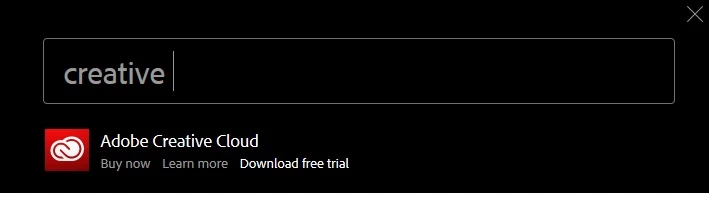
    Please Go to the Search on top right of Adobe Website, Type Creative Cloud and click on Download a free trial .
    Proceed with the download .

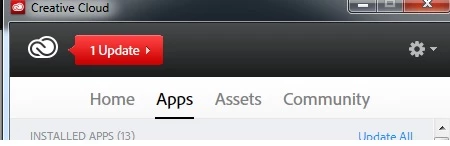
    Once it is done the Creative Cloud Desktop App will launch and you need to sign in and after that you can install the trial from the APPS menu on the top of Creative Cloud Desktop App
    If still there is a problem please mention the Operating system you are using. May be you can try to check if Creative Cloud Application is installed then uninstall it and try to install again.

    Thanks,

    Nikhil Gupta

    2 replies

    Nikhil R Gupta
    Nikhil R GuptaCorrect answer
    Legend
    December 22, 2014

    Hi beginneradam,

    Please Go to the Search on top right of Adobe Website, Type Creative Cloud and click on Download a free trial .

    Proceed with the download .

    Once it is done the Creative Cloud Desktop App will launch and you need to sign in and after that you can install the trial from the APPS menu on the top of Creative Cloud Desktop App

    If still there is a problem please mention the Operating system you are using. May be you can try to check if Creative Cloud Application is installed then uninstall it and try to install again.

    Thanks,

    Nikhil Gupta

    Adobe Employee
    December 22, 2014

    Hi Beginneradam,

    Please go through the link below and check.

    http://helpx.adobe.com/creative-cloud/kb/troubleshoot-cc-installation-download.html

    Regards,

    Anand