



Which Adobe components in Utility folder on iMac (macOS Ventura) can be deleted?
Greetings,
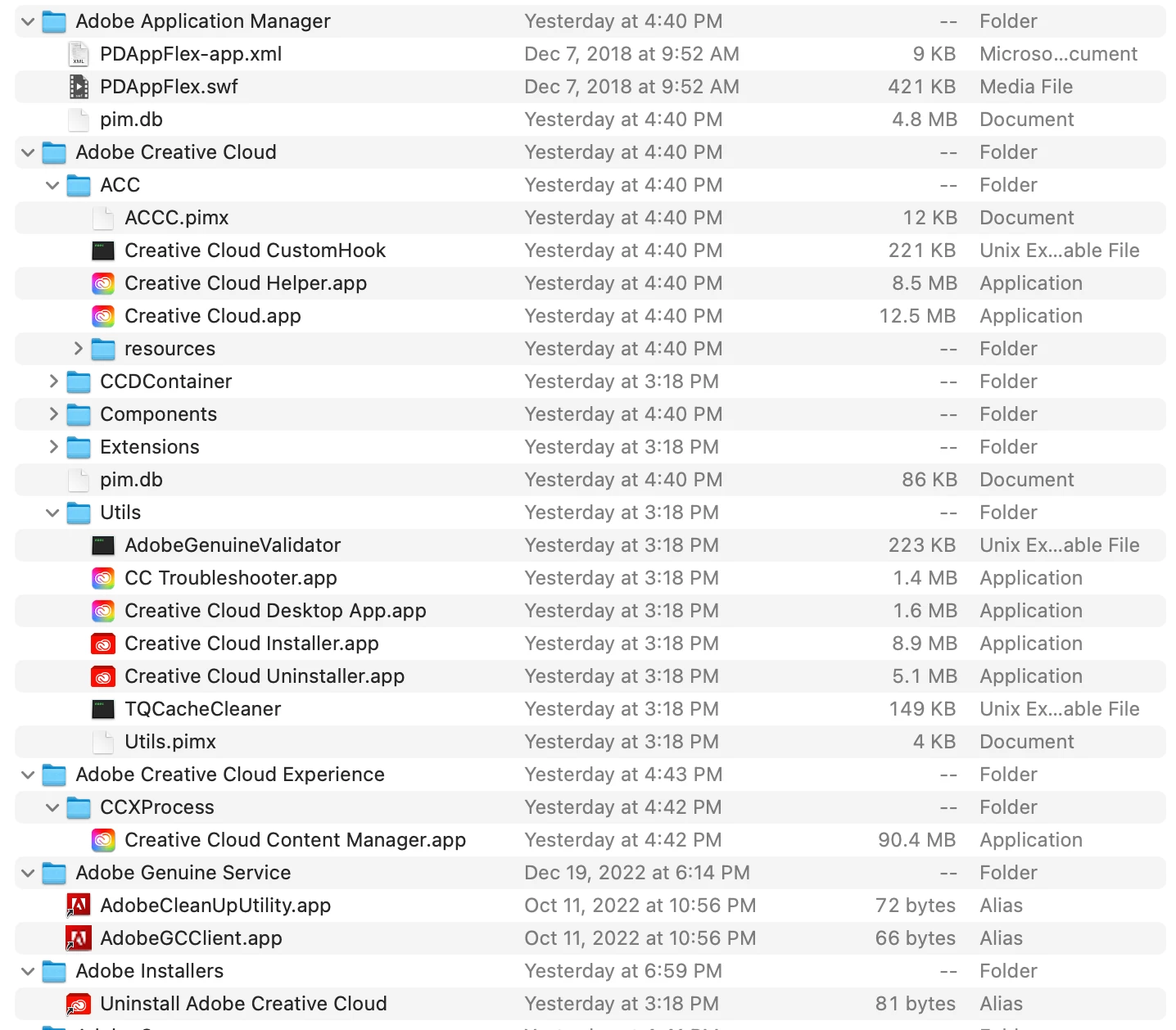
Can any of you advise me on what Adobe files I can safely trash from my Applications > Utilities folder?
I just got a new iMac computer (running Ventura) and transferred everything over from an older computer (running Sierra).
I'm sure some of this stuff is duplicate or not needed.
I have attached a screenshop showing the Adobe components in my Application > Utilities folder.
I had been using standalone CS4 on the older iMac running Sierra. For years, I felt fortunate to have an affordable working solution.
On the old computer (just a few weeks ago), I signed up for a yearly CC subscription, and the Creative Cloud App was installed and functioning, but I did not take the step to install any of the actual Adobe CC applications yet. So I know that some of these components are part of CC, particularly as indicated by the dates and the style of the icons.
Once everything was transferred to the new iMac running Ventura, I deleted every Adobe CS4 application and related files using AppCleaner.
Before I download any CC Apps, I'd like to trash whatever I can from the Applications > Utilities folder.
Any suggestions?
I see that the file "pm.db" appears twice. Will that folder "Adobe Application Manager" be used for anything once I download any of the CC Apps? And some files have similar names (the Uninstaller) and function as Alias files pointing to one file. Would I need all of them?
Thanks in advance for your help!
 AdChoices