

Participant
April 12, 2025
Question

Why can't I find previous versions of after effects?

  • April 12, 2025
  • 4 replies
  • 285 views

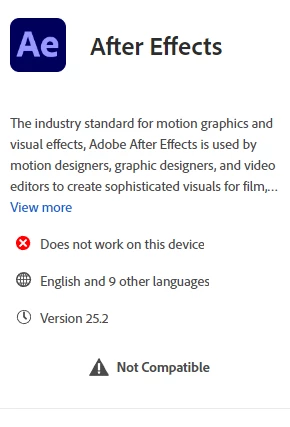
My processor is not compatible with thew new version of after effects, it can only work with versions upto 2023, I wanted to install version 23 but I can't find it.

4 replies

Nancy OShea
Community Expert
Community Expert
April 13, 2025

Most Creative Cloud apps work on these systems, no more than 2 versions back.

  • Windows 11 (64-bit) versions 24H2, 23H2; Windows 10 versions 22H2, 21H2;
  • MacOS 15 (Sequoia), 14.7 (Sonoma), 13.6.7 (Ventura).

- https://helpx.adobe.com/creative-cloud/system-requirements.html
- https://helpx.adobe.com/after-effects/system-requirements.html


Nancy O'Shea— Product User & Community Expert
Kanikas
Community Manager
Community Manager
April 14, 2025


Hi mamlaka hillc35027697, 


In addition to all the details shared above, you may try and folow steps shared in the link to check if you have the previous version available in the Creative Cloud desktop app :https://adobe.ly/3Gk1OS9;

Hope this helps! 


Thanks ^KS

kglad
Community Expert
Community Expert
April 12, 2025

in the future, to find the best place to post your message, use the list here, https://community.adobe.com/

p.s. i don't think the adobe website, and forums in particular, are easy to navigate, so don't spend a lot of time searching that forum list. do your best and we'll move the post (like this one has already been moved) if it helps you get responses.


<"moved from cc desktop">
kglad
Community Expert
Community Expert
April 12, 2025

ie, you can't use ae until your update/upgrade your computer to meet specs, https://helpx.adobe.com/creative-cloud/system-requirements.html

Community Expert
April 12, 2025

Hi @mamlaka hillc35027697,

Adobe supports and provides download for only the latest two versions of the Creative Cloud apps.

-Manan

-Manan