beehive-H
Participant
April 16, 2021
Answered

Why can't I go to the Adobe Digital Negative Converter download page?

  • April 16, 2021
  • 1 reply
  • 396 views

Adobe Digital Negative Converter download page
https://helpx.adobe.com/jp/photoshop/using/adobe-dng-converter.html
However, when I click on "Windows: Adobe DNG Converter
Loading
https://console.adobe.io/servicesandapis
I can't get to the DLL page from this page.
This has been happening for several months now.
I have tried several browsers (Waterfox, Firefox, Google Chrome, Microsoft Edge).
This topic has been closed for replies.
Correct answer AxelMatt

Please take a look here: https://helpx.adobe.com/photoshop/using/adobe-dng-converter.html


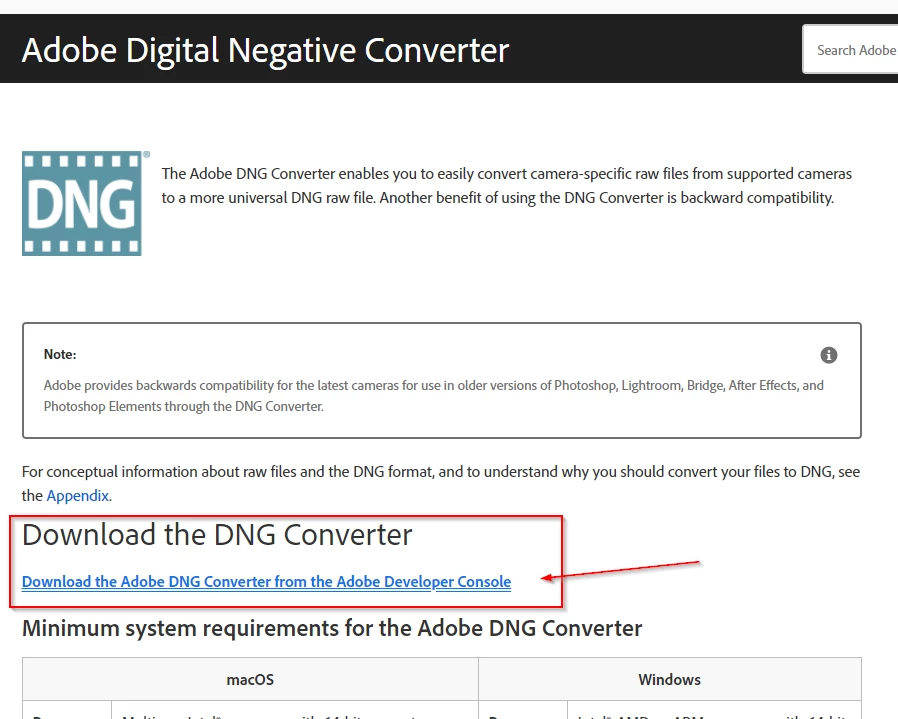
Click on "Download....." 


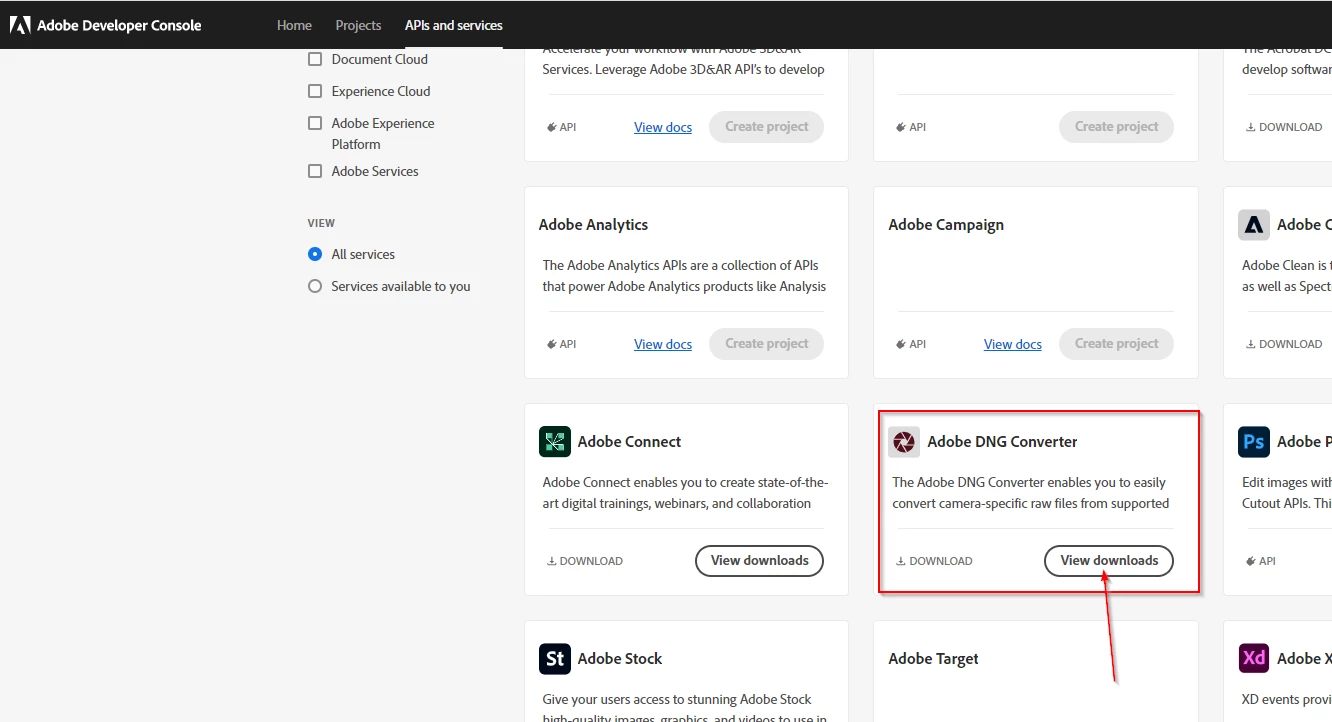
Scroll down a little bit and click on "View downloads".


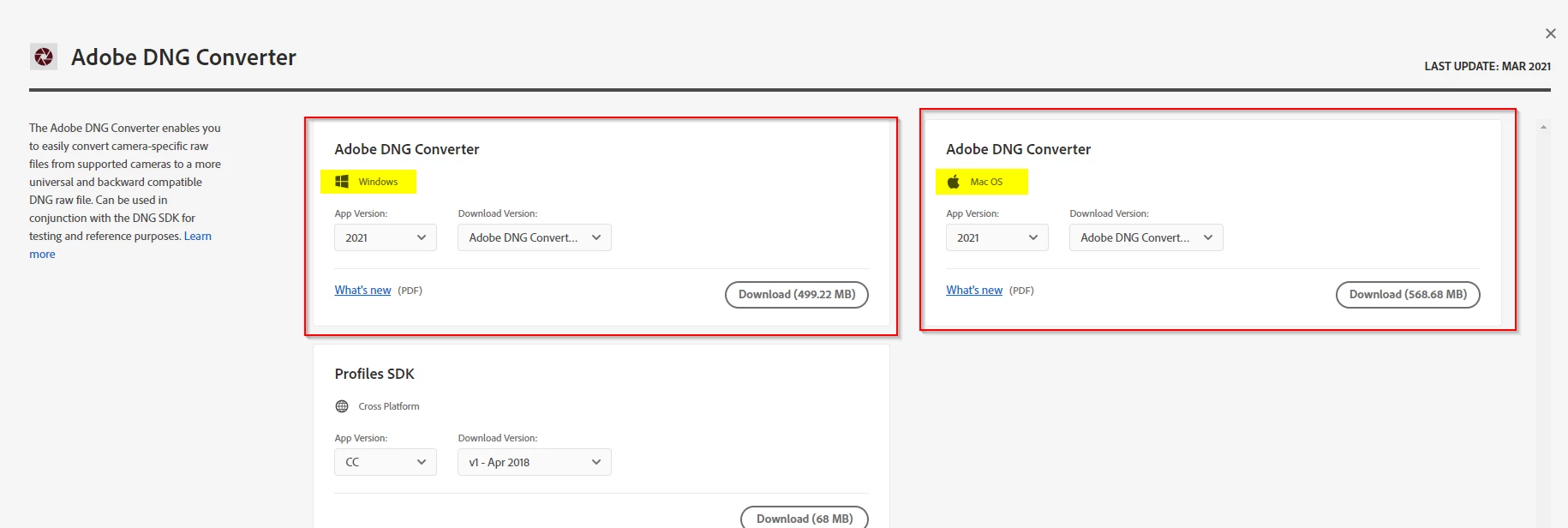
Choose the appropriate download for your os.


1 reply

AxelMatt
Community Expert
AxelMattCommunity ExpertCorrect answer
Community Expert
April 16, 2021

Please take a look here: https://helpx.adobe.com/photoshop/using/adobe-dng-converter.html


Click on "Download....." 


Scroll down a little bit and click on "View downloads".


Choose the appropriate download for your os.


My System: Intel i7-8700K - 64GB RAM - NVidia Geforce RTX 3060 - Windows 11 Pro 25H2 -- LR-Classic 15 - Photoshop 27 - Nik Collection 8 - PureRAW 6 - Topaz Photo AI
beehive-H
beehive-HAuthor
Participant
April 16, 2021

Thanks!


I opened the URL you gave me in Google Chrome.
After being asked to sign in to Adobe
https://console.adobe.io/servicesandapis#
I was able to go to the above page.


From there I chose to download the Adobe DNG Converter and was able to successfully download version 13.2.


Thank you very much for your help.