

Answered
Why do Adobe CC apps appear in the Creative Cloud app to install when I have the 2018 versions?
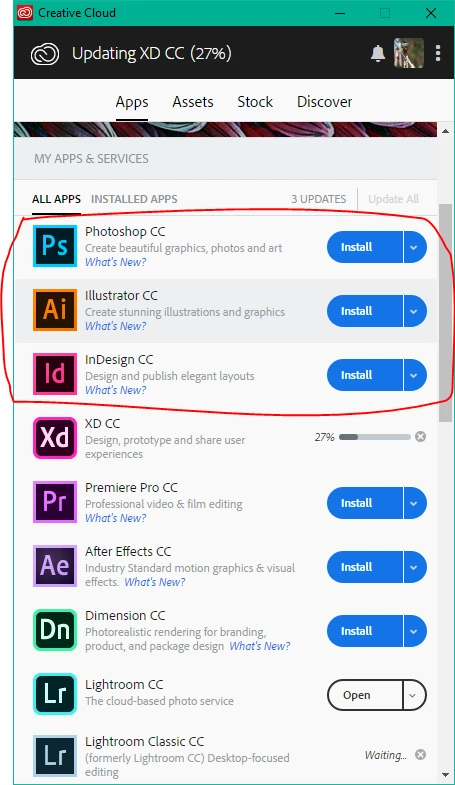
I have the Photoshop CC 2018 and other software installed but all I can see in the CC app is "Photoshop CC", "Illustrator CC" etc. without the year tag. Are these older versions?
I cannot find the 2018 versions listed anywhere so cannot install updates that I can tell. It's confusing. I don't seem to be using the very latest version of Photoshop as the Select Subject feature is missing but can't work out how to update it (Red ring added onto screenshot). The "Installed Apps" tab doesn't show the 2018 version either.
 AdChoices