



Janos Thanatos
Known Participant
September 30, 2026
Answered

Why is my CC Desktop not removing older versions of the apps?

  • September 30, 2026
  • 3 replies
  • 20 views

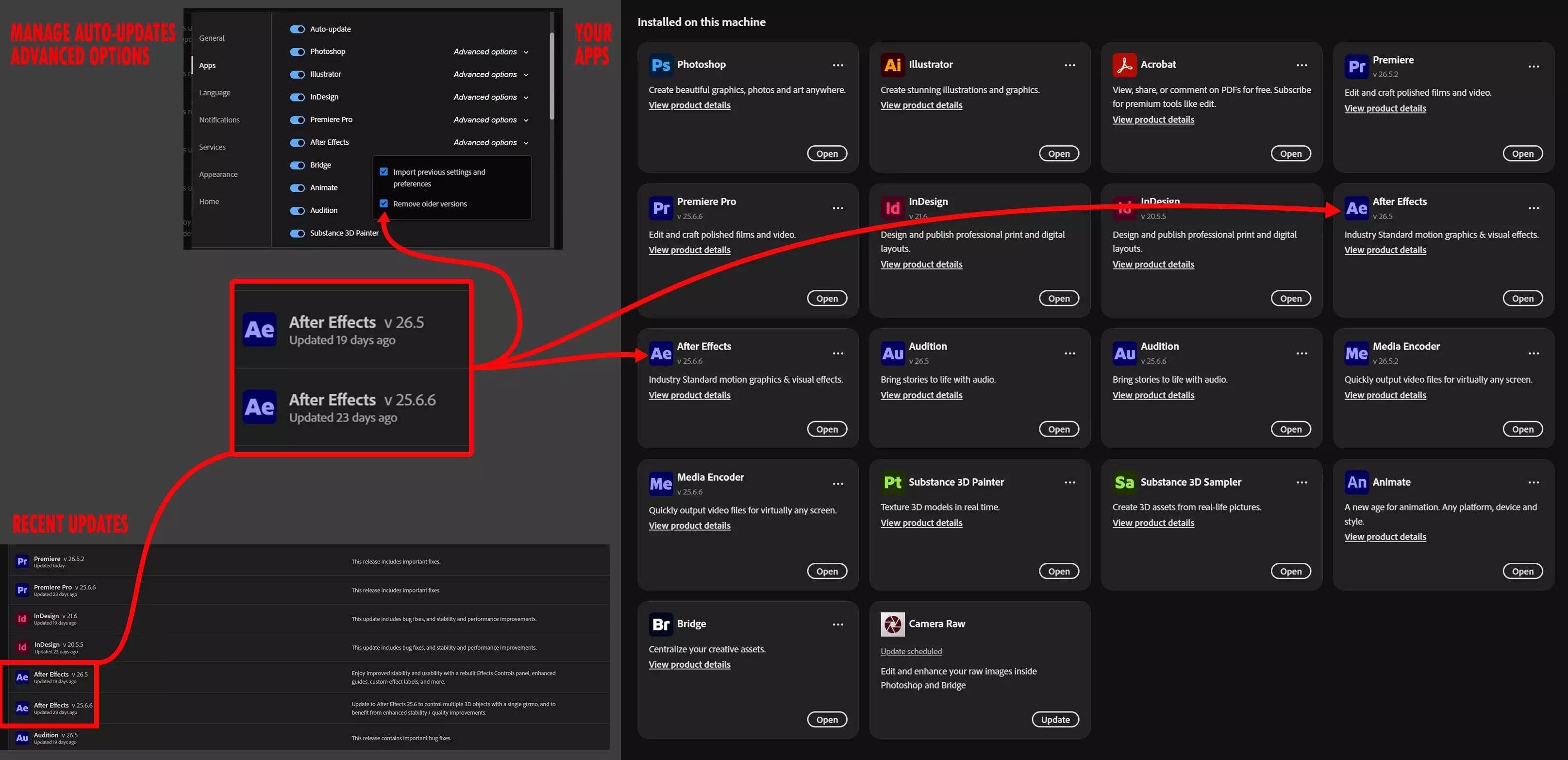
This screenshot of relevant parts of the CC Desktop shows that, despite having selected ‘Remove older versions’ from the advanced settings of ‘Manage auto-updates’ two version of some apps are kept and updated too. Manual uninstallation is a temporary fix until the release of the next major version update. Is this how it is supposed to behave? Can I set it to retain only one copy of each app at a time? 🤔
 

    Correct answer kglad

    assuming your cc desktop setting for installed apps has not changed, when updating a major version, you’re offered the option to remove the previous verion.  if that’s not selected, the previous version will remain.


    at any point, you can choose to uninstall a version using your cc desktop app.  do not uninstall manually.


    https://helpx.adobe.com/creative-cloud/help/uninstall-remove-app.html

    3 replies

    Nancy OShea
    Community Expert
    Community Expert
    October 5, 2026

    I always keep the previous version until I’m certain the newer one works on my machine & doesn’t disrupt my workflow. 

    Better safe than sorry.  

    If all goes well the first week, I UNINSTALL via the Creative Cloud desktop app.


    Nancy O'Shea— Product User & Community Expert
    AkanshaAshra
    Community Manager
    Community Manager
    September 30, 2026

    Hi ​@Janos Thanatos 

    Thank you for posting on the community.

    What you're seeing is generally expected behavior. The"Remove older versions" setting is designed to remove previous versions during future major-version updates, but it doesn't always retroactively remove versions that were already retained. Because of this, it's possible to see both the current and previous major versions of some Creative Cloud applications installed side by side.

    To keep only the latest version going forward, make sure Auto-update is enabled and Remove older versions remains selected in the app's Advanced Options. However, if older versions are already present, they may need to be removed manually, as changing this setting does not always uninstall previously retained versions.

    ^Akansha

    kglad
    Community Expert
    kgladCommunity ExpertCorrect answer
    Community Expert
    September 30, 2026

    assuming your cc desktop setting for installed apps has not changed, when updating a major version, you’re offered the option to remove the previous verion.  if that’s not selected, the previous version will remain.


    at any point, you can choose to uninstall a version using your cc desktop app.  do not uninstall manually.


    https://helpx.adobe.com/creative-cloud/help/uninstall-remove-app.html
