
DandyMan
Participating Frequently
January 3, 2014
Answered

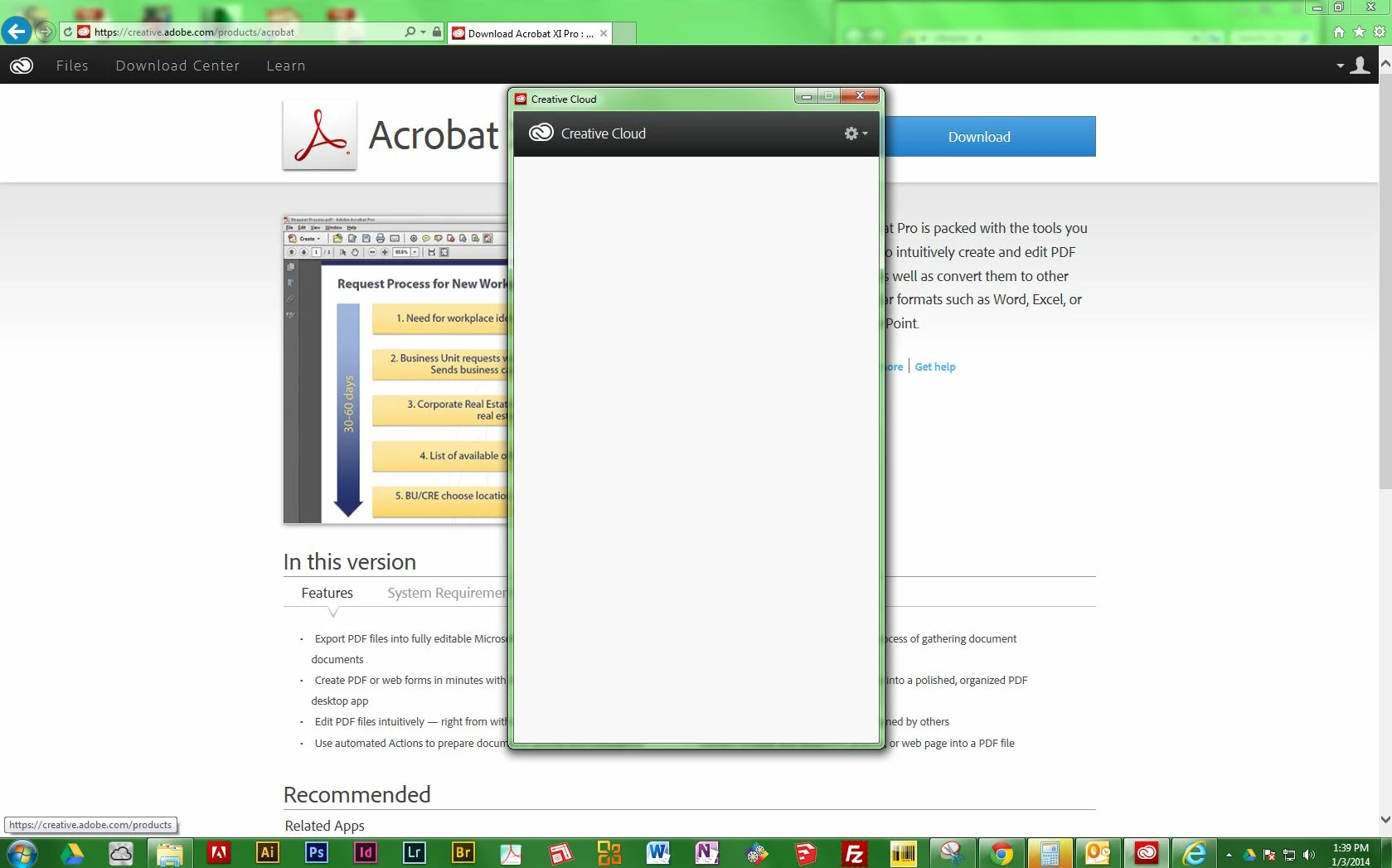
Why is my Creative Cloud desktop app completely blank??

  • January 3, 2014
  • 3 replies
  • 1557 views

Why is my Creative Cloud desktop app completely blank as shown below?

-All of my other apps work fine.

-I am up to date on payment.

-I have downloaded the CC update to see if that fixed the problem, which it did not.
This topic has been closed for replies.
Correct answer Kuldeep Kandpal

Hi DandyMan,

Please follow the below link

Follow solution 2

http://helpx.adobe.com/creative-cloud/kb/aam-lists-removed-apps-date.html.

Regards

3 replies

Participating Frequently
February 4, 2014

I have Windows 7 Premium.

I've tried all the following in the previous posts to no avail, except for creating new windows account. New account was the only way for it to work and I did not want that.

I finally figured out the root of all evil. The ampersand in Windows user folder name (not the Windows displayed user name).

If you have ampersand (&) or other non-alphabet characters in windows user folder name (Example: C:\Users\Bob & Mary), then Flash Builder will fail to install (happened to me), Creative Cloud will display white screen, and/or other miscellaneous problems.

I confirmed this to be true and works:

1) I had blank Creative Cloud window as shown in the first post.

2) I renamed the display username and window user folder name by doing the instructions here:

   http://www.ghacks.net/2011/03/28/how-to-change-a-windows-account-name-and-user-profile-folder-name/

   (Example: Change from "Bob & Mary" to "Bob n Mary" - without the quotes)

3) After logging back in my newly renamed account, I opened Creative Cloud and login interface shows up! :-)

John Waller
Community Expert
Community Expert
January 3, 2014
DandyMan
DandyManAuthor
Participating Frequently
January 3, 2014

Thank you John. Kuldeep's answer worked, though it looks as if your's would have too. I'm suprised I did not see your linked post, as I had all the keywords in my title.

Kuldeep Kandpal
Kuldeep KandpalCorrect answer
Participating Frequently
January 3, 2014

Hi DandyMan,

Please follow the below link

Follow solution 2

http://helpx.adobe.com/creative-cloud/kb/aam-lists-removed-apps-date.html.

Regards

DandyMan
DandyManAuthor
Participating Frequently
January 3, 2014

Thank you Kuldeep. This worked!