
Inspiring
July 20, 2021
Question

Are my local files accessible on Creative Cloud? I've lost them!

  • July 20, 2021
  • 2 replies
  • 511 views

A never-before situation occurred this morning that I cannot figure out or correct.


Working on a Mac (Big Sur), I store my local files in a "lampp" folder that I've used reliably since mid-may. I'd previously used "xampp."


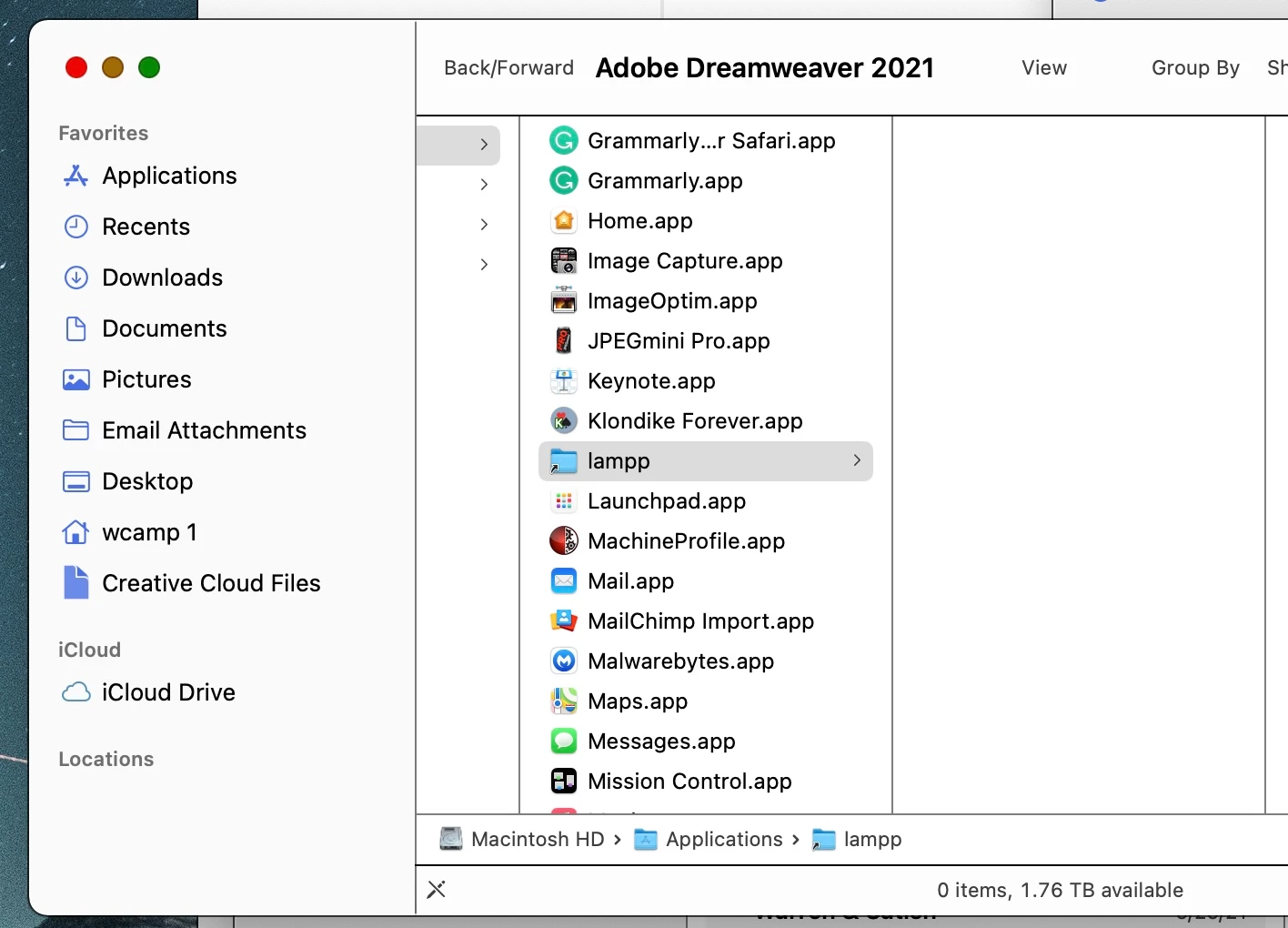
When I opened DW 21.1, none of my files appeared in the list of files. So I checked the "lampp" folder in my Applications folder. As my first screenshot reveals, the folder was empty.
 

I then tried to manage the DW app by selecting the local site folder. Sadly, after browsing for that lampp folder and its files, . . .
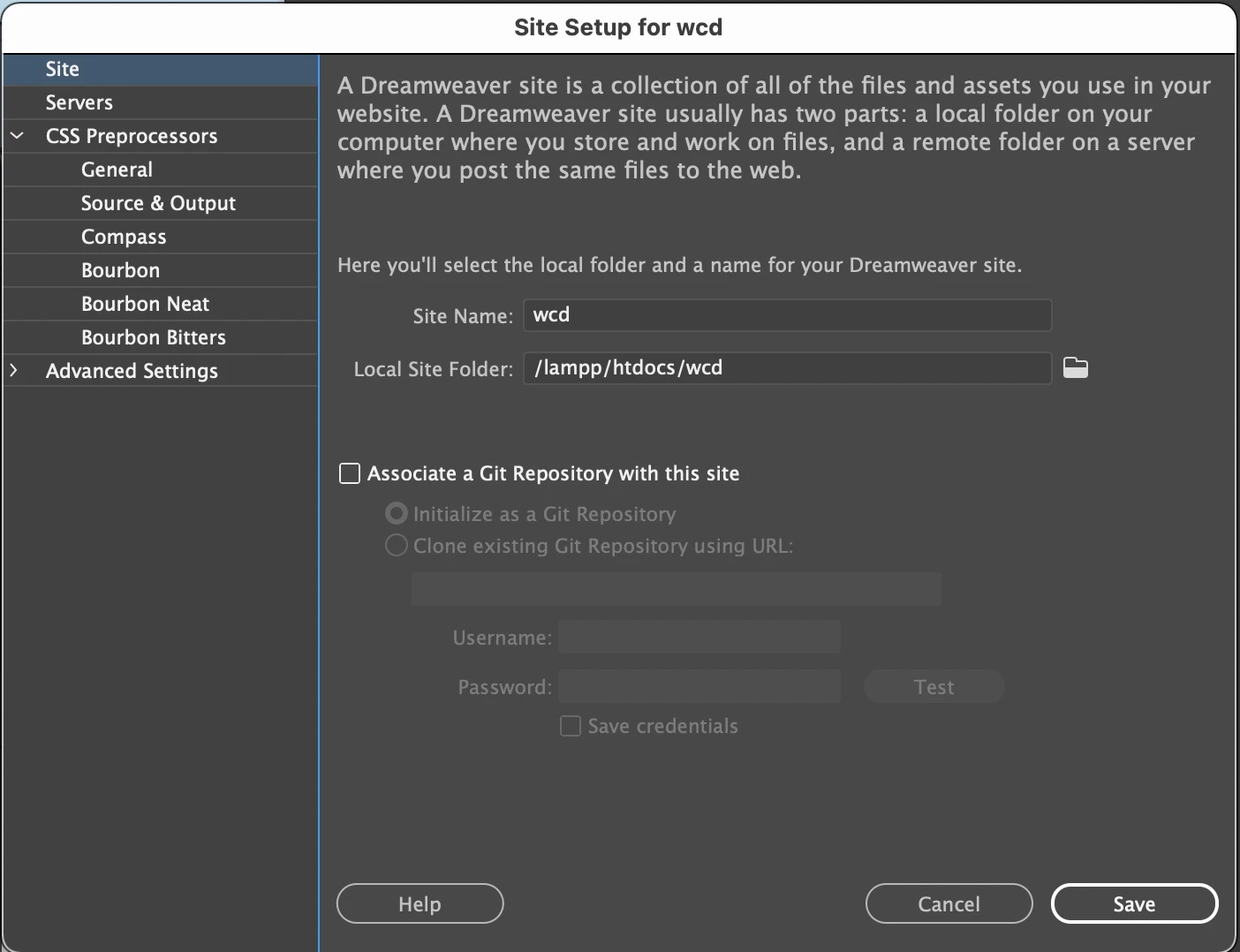
 

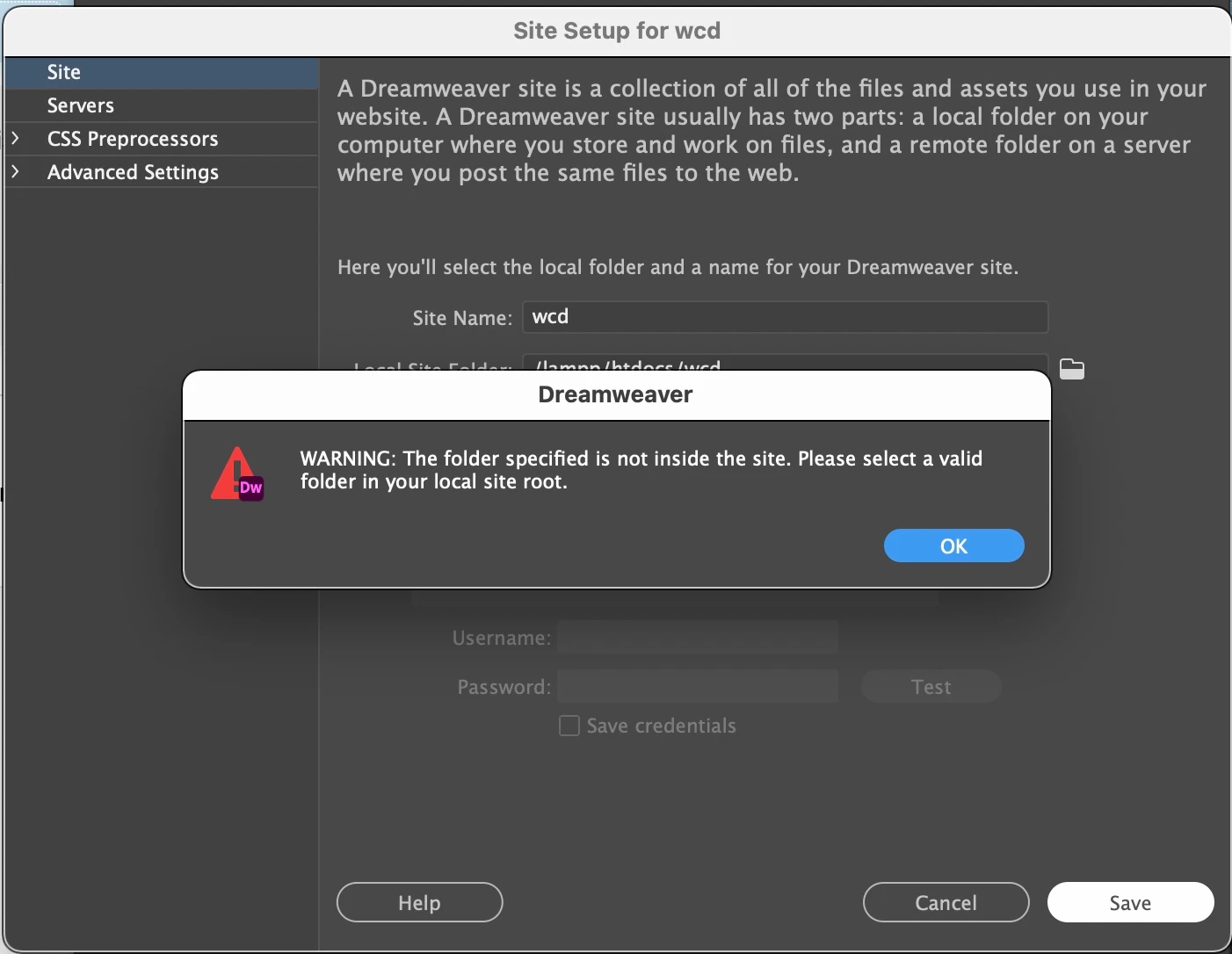
. . . I got this message.


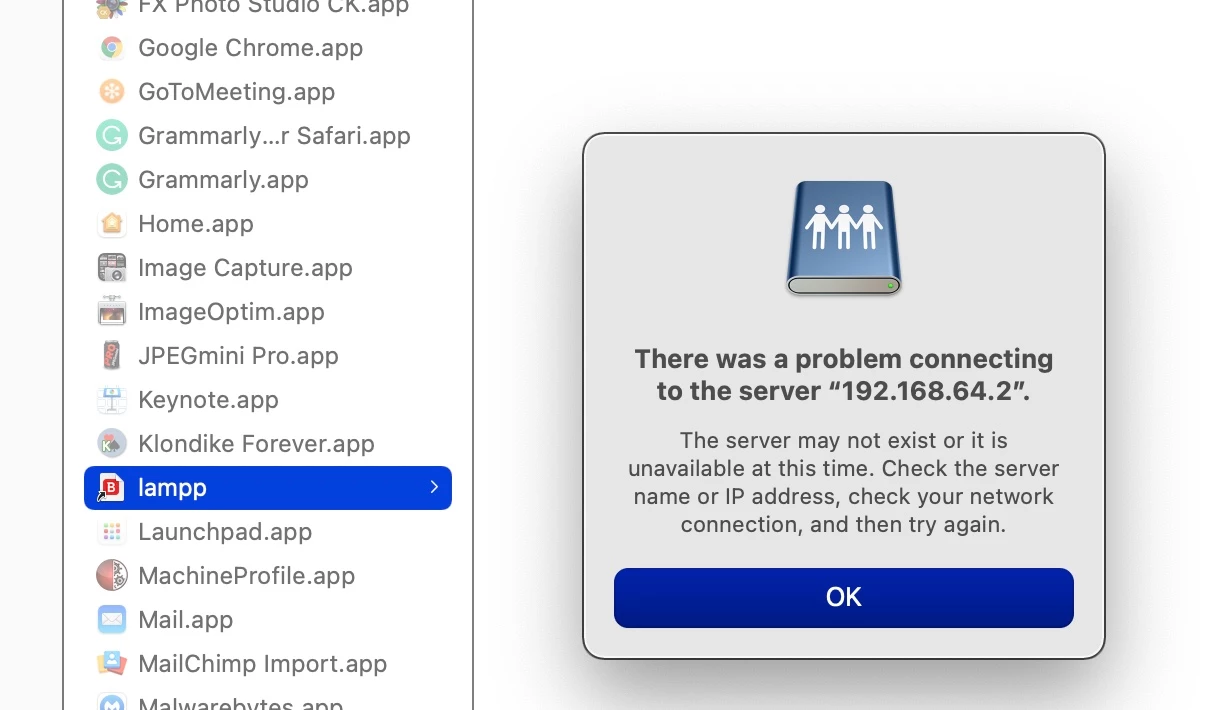
So I then double-clicked the lampp alias in the Applications folder and got this message.
 

Finally, I did a Spotlight Search for the folder and its files and got this message.
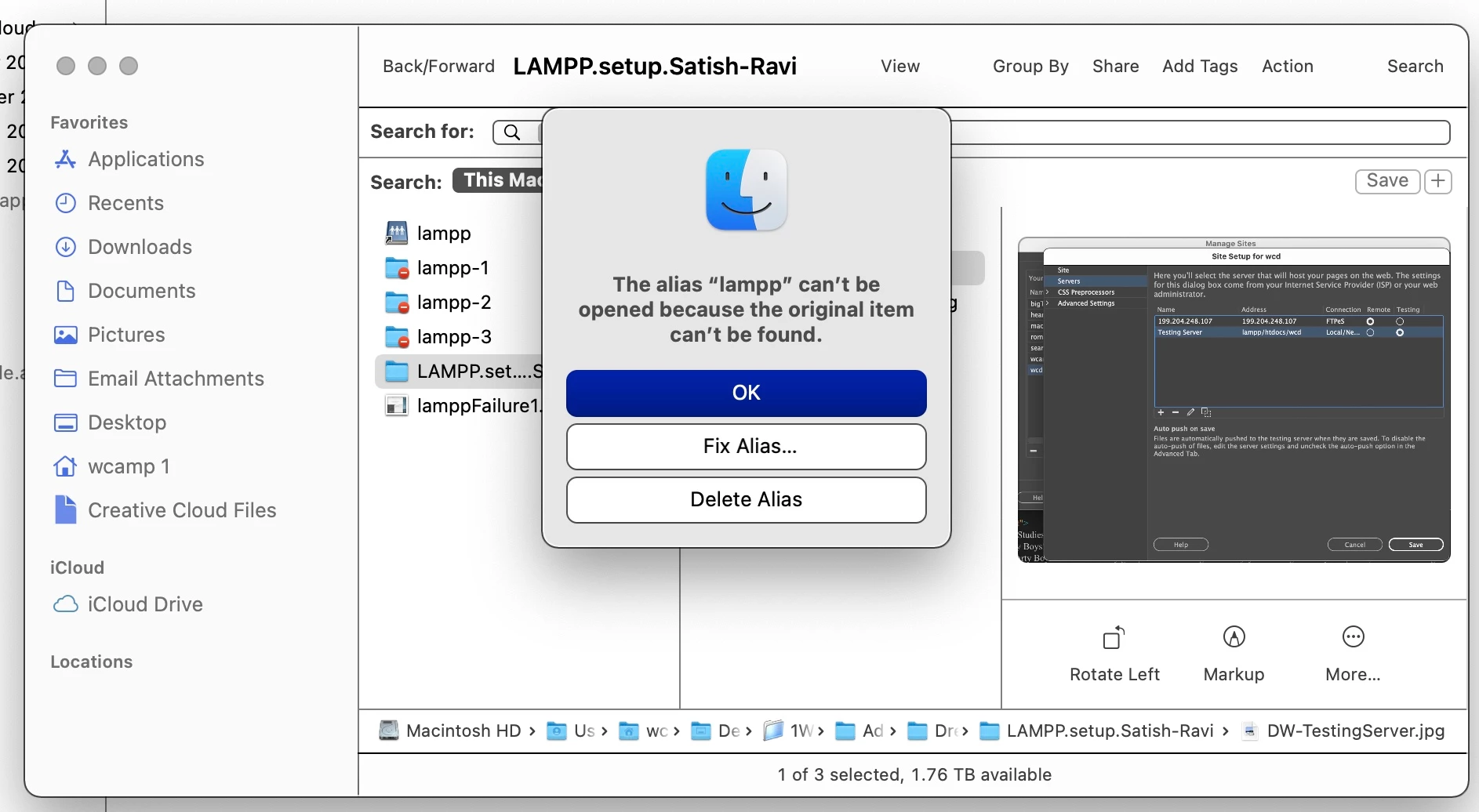
I clicked "Fix" but nothing was done.

I don’t know what to do to locate the current files! The file names don’t get recognized. (The files in my old XAMPP folder are stale.)


I assume that my files that have been stored in my lampp folder are stored safely on Creative Cloud. I do NOT know how to retrieve them.


Please advise. Thanks, verrrrrry much!

Warren

    This topic has been closed for replies.

    2 replies

    Nancy OShea
    Community Expert
    Community Expert
    July 20, 2021

    Can you connect to your remote server?

    Are you able to GET files (down arrow) from your server?


    Nancy O'Shea— Product User & Community Expert
    wcampAuthor
    Inspiring
    July 21, 2021

    Hello, again, Nancy:


    Yes, I can connect to my remote server list of files, including for my root directory: wcd.

    However, when I attempted to download the files from the remote server to my local files folder, I received several "X' icons for key files, including my Home page's index.html. This new screenshot shows the result of my download attempt.


    Does this help you diagnose the fix or a workaround to retrieve the missing files? Sure hope so. Thanks, Nancy and Ben.

    Nancy OShea
    Community Expert
    Community Expert
    July 21, 2021

    1. I would use a dedicated S/FTP client like free FileZilla to GET files from the server to a newly created folder on the computer's primary hard drive.


    2. Use the Adobe CC Cleaner Tool to wipe old DW (all versions) from the system.
    https://helpx.adobe.com/creative-cloud/kb/cc-cleaner-tool-installation-problems.html

        2a. Restart computer.

        2b. Open CC Desktop App and update to latest version.

        2c. Install latest version of Dreamweraver CC from CC desktop app.


    3. Open DW and create a new site definition that points to your newly created folder in #1.


    Hope that helps.


    Nancy O'Shea— Product User & Community Expert
    Community Expert
    July 20, 2021

    The Creative Cloud is just the name of the suite. Your files are not synced with the cloud or any cloud out of the box.  Do you have a time machine backup connected to your Mac? Have you tried restoring from that?


    Based on what I am seeing your "lampp" folder has a network address of 192.168.x.x.  So the folder was never on your computer to begin with it was on a local network computer and you simply had an alias to that computer on your own.  Do you know of any other computers/servers that are on your local network that this may have been linked to?

    wcampAuthor
    Inspiring
    July 20, 2021

    Thanks for sending me your prompt e-reply, Ben.

    Yes, I've had only the alias folder to those files. Unfortunately, I cannot recall which local network computer I used to store my files. I have no other device than my reliable iMac. And I know of no other computers or servers that are on my local network, except of course my host server: Should I enquire of that host server???


    Regarding Time Machine backups, I back up every couple of days, alternating two external drives. For no apparent reason, the files don't appear in either of my latest backups.


    Here's what I find on one external drive.


    On my second drive, here's what's in the latest backup.


    Finally, I checked way back in May — when I started using "lamp" and see that there were no backed-up files on June 1, from the beginning, as this screenshot reveals.


    Can you suggest what more I can do to retrieve my essential files?


    Thanks, in advance, Ben.

    Community Expert
    July 20, 2021

    If you cannot access them on your remote server, you may need to find the network drive they were on or unfortunately they may be lost. In this instance, why you can't find them on your time machine is because they were never on your computer to begin with. So because of this, time machine never created a backup of the files.