Known Participant
March 11, 2019
Answered

Dreamweaver: Graphic doesn't appear in Live View but does in design view

  • March 11, 2019
  • 2 replies
  • 421 views

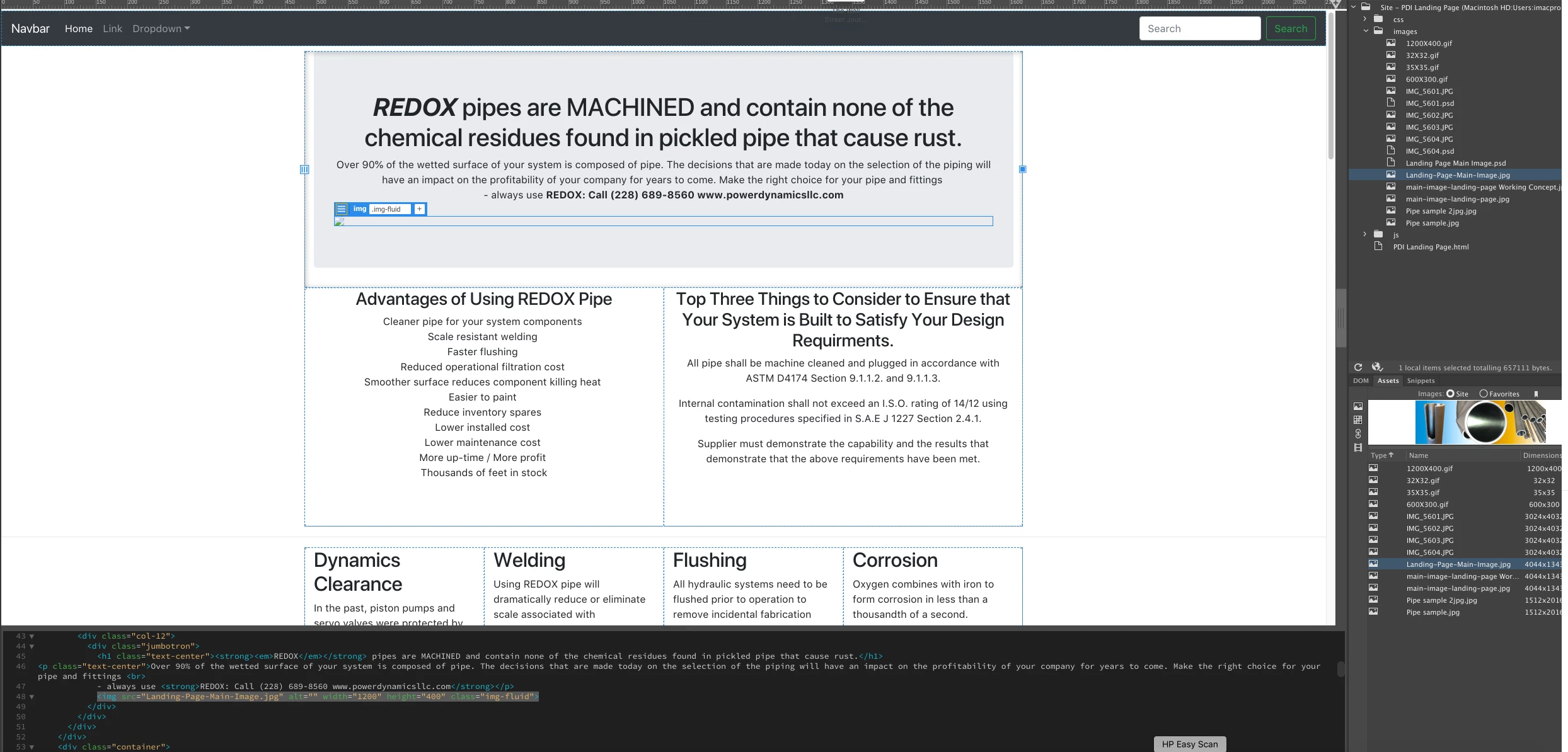
My main graphic on this page, Landing-Page-Main-Image.jpg, won't appear in live view.  Any help would be appreciated.  I havent used Dreamweave in a while so it could be something simple.  Regards,  Micheal
This topic has been closed for replies.
Correct answer Nancy OShea

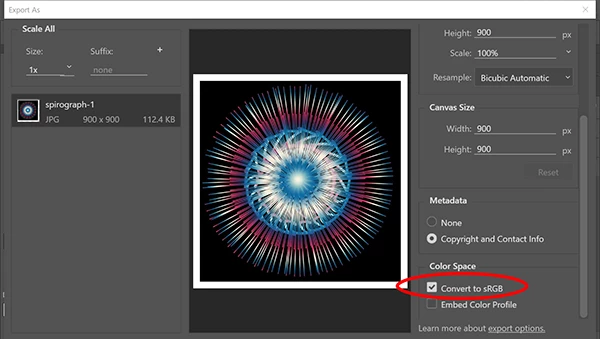
Is your JPG optimized for the web and saved in sRGB color mode, not CMYK?

If unsure, open the JPG in Photoshop and go to File > Export > Export As.  See screenshot

.

2 replies

Nancy OShea
Community Expert
Nancy OSheaCommunity ExpertCorrect answer
Community Expert
March 11, 2019

Is your JPG optimized for the web and saved in sRGB color mode, not CMYK?

If unsure, open the JPG in Photoshop and go to File > Export > Export As.  See screenshot

.

Nancy O'Shea— Product User & Community Expert
Jon Fritz
Community Expert
Community Expert
March 11, 2019

Verify the file path is correct.

I don't see the "images" folder in your file path. The current path will only work if you were to save the .html page into that folder.

It should be src="images/Landing-Page-Main-Image.jpg"

...if you're working from the PDI Landing Page.html file.