
Answered
How do you tell dreamweaver its time to move down?
Yet again - I know just enough to get into trouble.
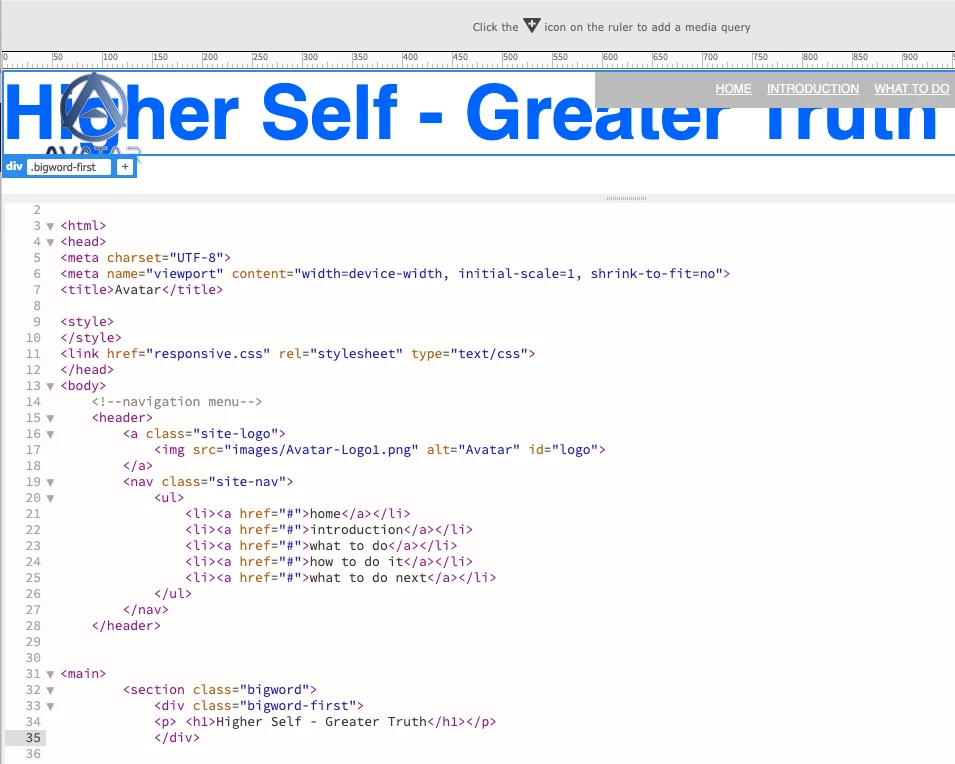
Hopw do I tell it that it goes UNDER the header?

Yet again - I know just enough to get into trouble.
Hopw do I tell it that it goes UNDER the header?
I am sorry for being so dense. As I had said before it's been a while since I've done this. I had included a picture in the previous posting but it didn't show up.
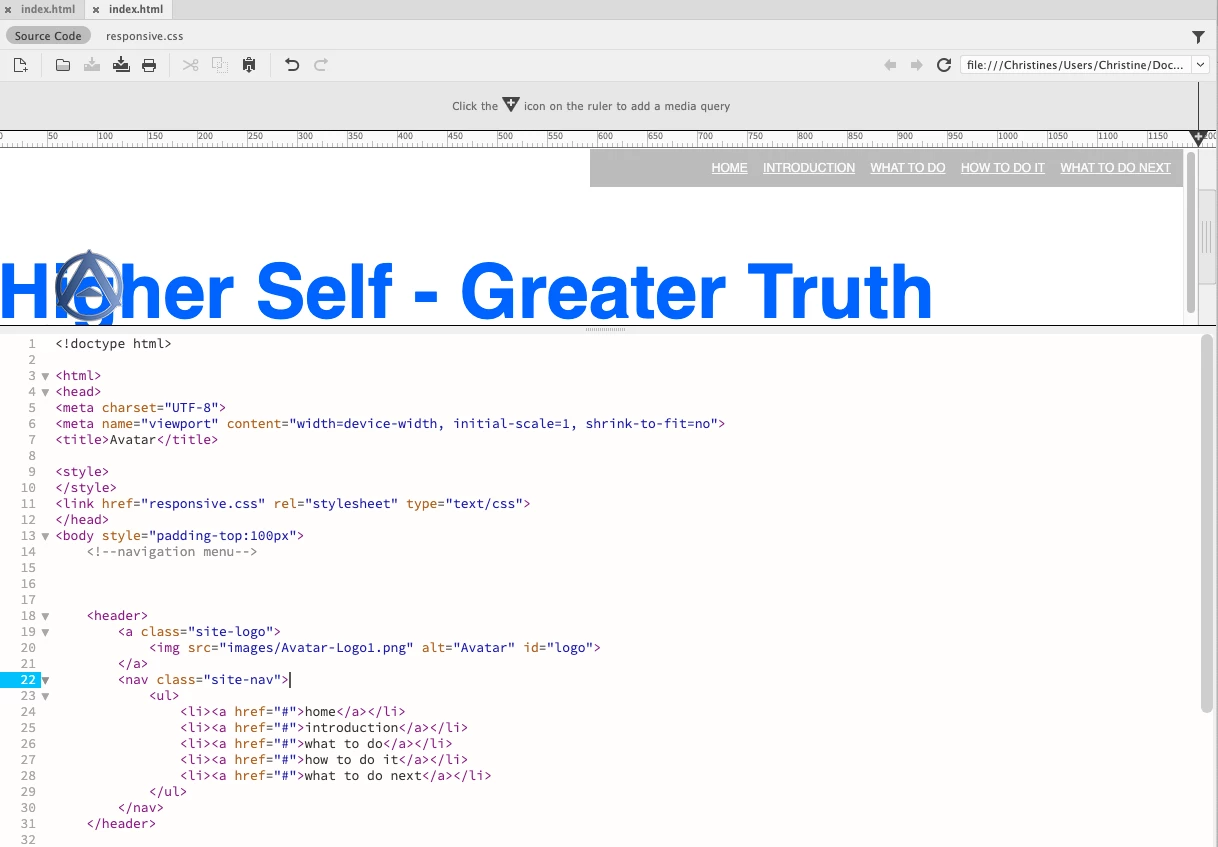
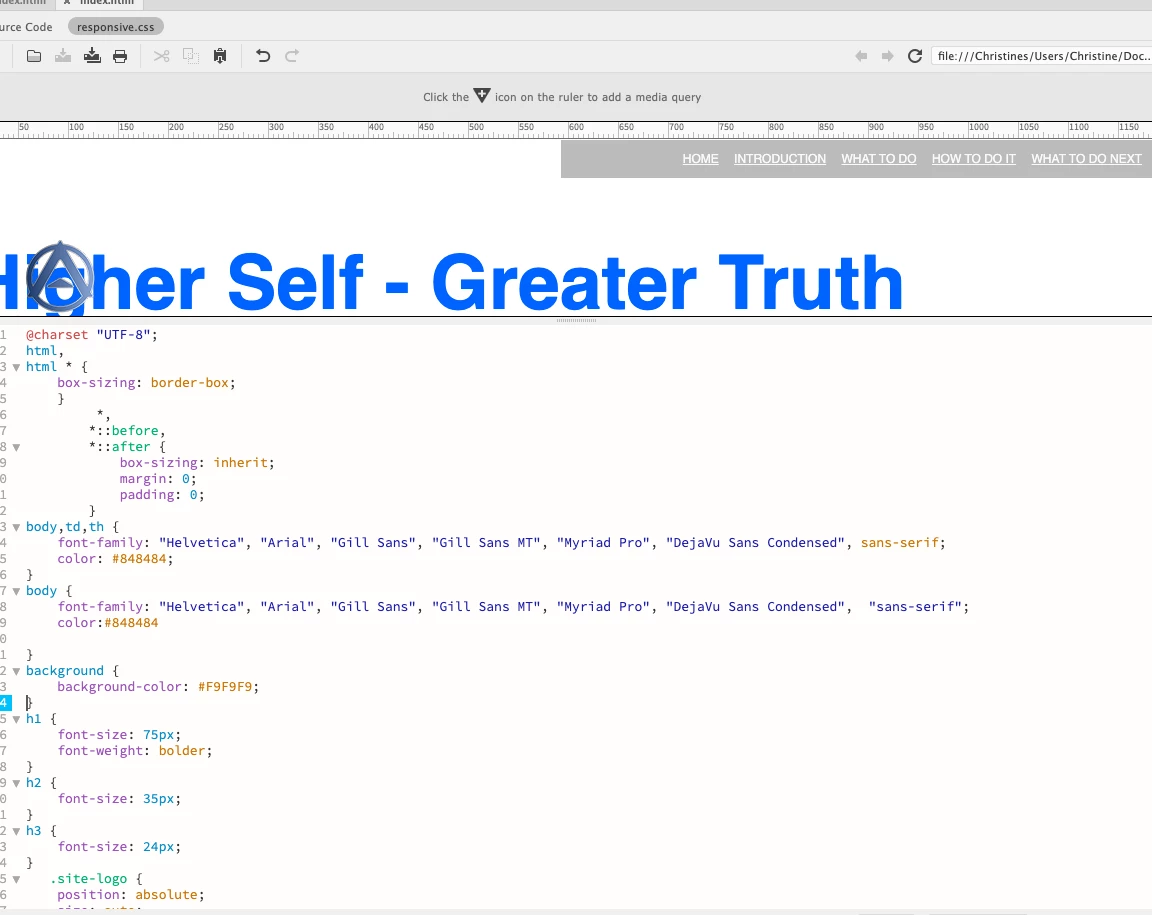
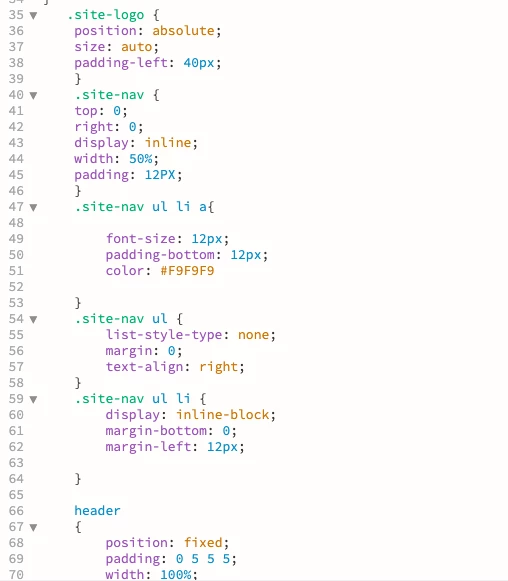
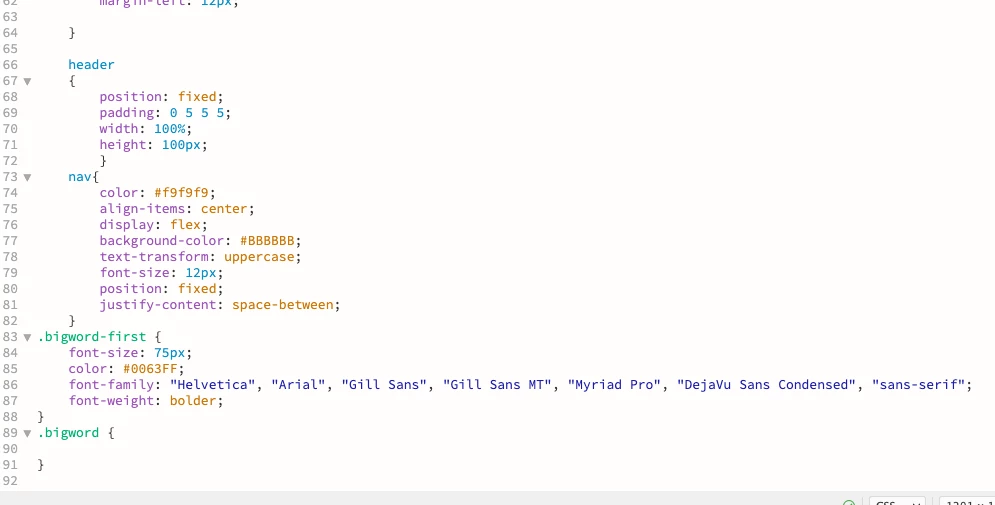
You can take a look at these or give me a site where I can post them.
A simple fix would be to remove 'position: absolute' from the 'site-logo' selector - there is no need for any positioning on that selector. You don't really even need any positioning on the 'nav' either.
See the example code below:
<!DOCTYPE html>
<html lang="en">
<head>
<meta charset="UTF-8">
<meta name="viewport" content="width=device-width, initial-scale=1.0">
<title>Site Navigation</title>
<style>
body {
font-family: helvetica, arial, sans-serif;
margin: 0;
}
header {
position: fixed;
top: 0;
width: 100%;
display: flex;
justify-content: space-between;
align-items: center;
padding: 0 0 0 50px;
}
.site-nav {
width: 75%;
}
.site-nav ul {
display: flex;
justify-content: center;
margin: 0;
padding: 20px;
background-color: #bbb;
}
.site-nav li {
margin: 0 10px;
padding: 0;
list-style: none;
}
.site-nav a {
font-size: 12px;
text-transform: uppercase;
color: #fff;
}
main {
width: 90%;
margin: 5em auto 0 auto;
}
</style>
</head>
<body>
<header>
<a class="site-logo">
<img src="images/Avatar-Logo1.png" alt="Avatar" id="logo">
</a>
<nav class="site-nav">
<ul>
<li><a href="#">home</a></li>
<li><a href="#">introduction</a></li>
<li><a href="#">what to do</a></li>
<li><a href="#">how to do it</a></li>
<li><a href="#">what to do next</a></li>
</ul>
</nav>
</header>
<!-- START MAIN CONTENT -->
<main>
<h2>Main Content</h2>
</main>

</body>
</html>
Already have an account? Login
No account yet? Create an account
Enter your E-mail address. We'll send you an e-mail with instructions to reset your password.


 AdChoices