Participating Frequently
July 1, 2011
Question

Setting up and testing php with MAMP

  • July 1, 2011
  • 2 replies
  • 3441 views

I just downloaded and installed MAMP according to this tutorial:

http://www.adobe.com/devnet/dreamweaver/articles/setup_php.html#articlecontentAdobe_numberedheader_1

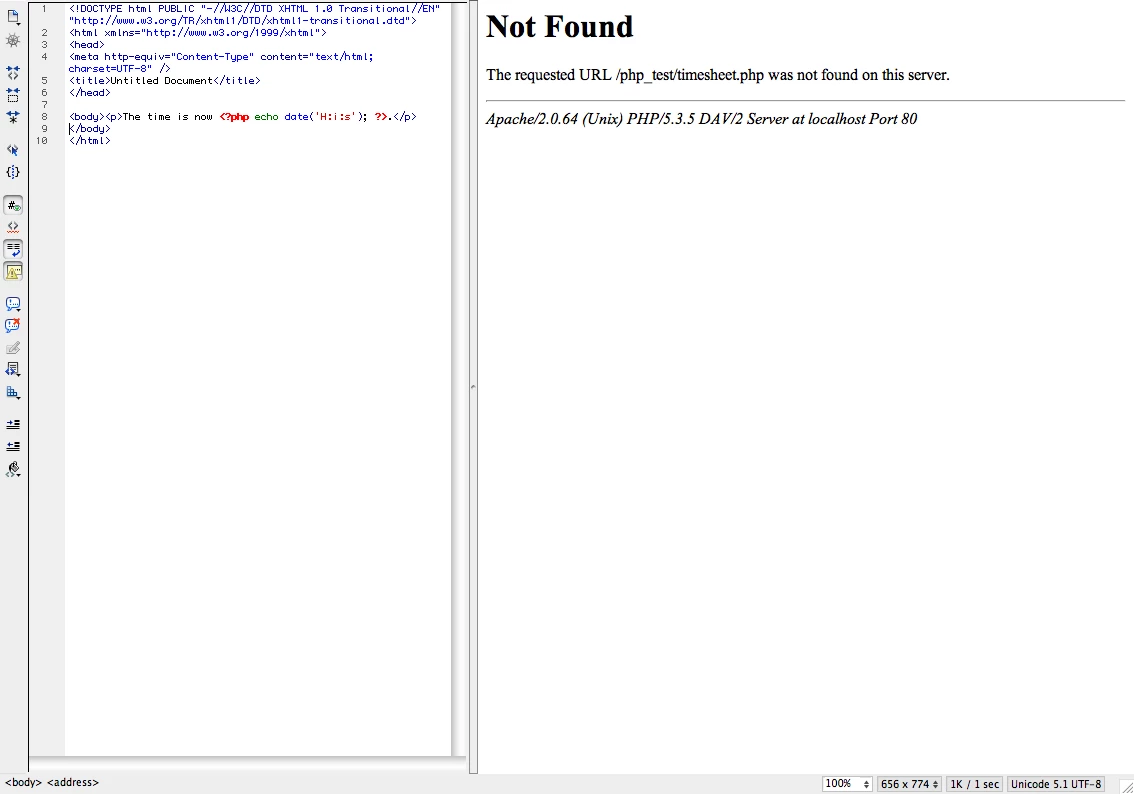
When I test to see if php is working I get this:
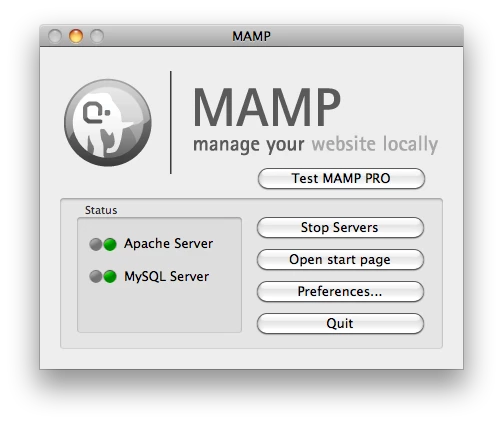
I know that Apache Server and MySQL server are running because of this:
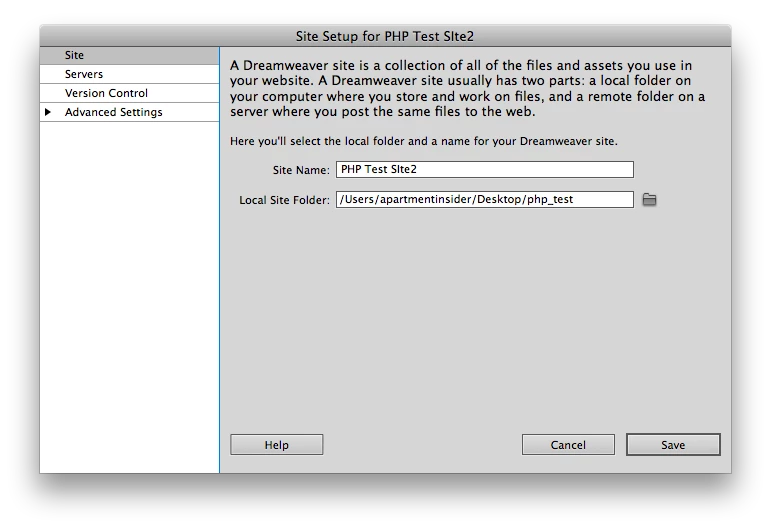
I think the problem is with the site definition here
OR Here

How can I trouble shoot to find out what the problem is?

Many MANY thanks in advance.

This topic has been closed for replies.

2 replies

David_Powers
Inspiring
July 1, 2011

bestplaceinaustin wrote:

I just downloaded and installed MAMP according to this tutorial:

http://www.adobe.com/devnet/dreamweaver/articles/setup_php.html#articl econtentAdobe_numberedheader_1

As the tutorial tells you,the files should be in the document root of the testing server. On MAMP, the document root is located at /Applications/MAMP/htdocs.

The reason it's not working is because you have located the files on your Desktop.

Local site folder and Server folder should be /Applications/MAMP/htdocs/php_test.

July 1, 2011

Have you uploaded the file you are trying to view to the testing server?

Gary

Participating Frequently
July 1, 2011

Thanks Gary,

I think I did. As an experiment, I uploaded a practice php file onto my real sites server and then went to the php document by typing in www.myREALsite.com/hello.php and to my surprise it worked and said "hello world". I further tested the hello.php file by adding the code from the tutorial I was following which resulted in displaying the time.

I now realize that I was mistaken in thinking that I needed to set up a local server with MAMP to use anything PHP related. My ultimate goal is to put a form on my site that will email me when someone leaves fills in the boxs. I'm currrently using a tutorial that shows how to accomplish this with flash but I am unable to test it because the area where the form should appear has a prompt which says that a newer version of flash is needed (I've followed the link and re-downloaded the newer version from multiple computers and ended up with the same prompt).

Any suggestions on getting a functional simple form on my site would be greatly appreciated.

By the way Gary, you've already given me a suggestion on an earlier post and I tried to follow the tutorial at http://www.paulgdesigns.com/learncontactform.php   and wasn't able to make it work but after my most recent attempt, I think I may know why. I think I wasn't uploading the php file to the site. I'm going to follow your tutorail again and see if I've learned anything new since my first attempt.

July 1, 2011
Have you uploaded the file you are trying to view to the testing server?

There's no such thing as uploading a file to a local testing server. Local testing server is your computer. The file is on your computer. There's nothing to upload because it's already there. You upload to your remote server after the testing is completed locally.

MAMP Pro has setting to set virtual host. In MAMP Pro/Hosts/General tab you can click the + icon to add new virtual host. name it from the right column and determine the location on your computer where the files reside for the host, or website, that you are creating. There's plenty of information on this, including the tutorial you are following.

The goal of setting up a local testing server and virtual host is to enter http://localhostname in your browser and see your php page. The goal is not to upload the files to your host and visit http://yourdomainname.com and see your content. That is not the purpose of a testing server! If you are using your server to test your php development then others can visit the site online and exploit vulnerabilities. For instance, the contact form script you referenced is vulnerable to injection attacks. I have warned the poster of this countless times and they continue to disregard the risk. That's what happens when you are lead by the blind though. Minimal mention of the risk involved. Russian roulette is being played when you "test" your php scripts on a live server. You are opening yourself up to those same risks when you test scripts live.

Once you get php info to display on http://localhostname you have accomplished the goal of successfully setting up your local testing server. This is highly recommended when you are doing any dynamic development, including the development of a contact form script. Re-read the MAMP localhost setup tutorial and do additional research on how to set your local testing server using MAMP Pro. Also do yourself a huuuge favor and read up on email injection attacks.

best,

Shocker