Acrobat-Reader printing creates mystery file.
I am having an issue with Reader and Acrobat on our Enterprise desktop image. Using the same installation source (transformed msi using Adobe tuner) on the Citrix server environments do not have the same issue. (only Reader on Citrix)
Image=
Windows XP SP3
Internet Explorer 6
Reader and Acrobat 9.x (testing with multiple versions of 9.x show it is not version specific)
Here is what you do to recreate the issue.
open any pdf in Reader or Acrobat.
print the file.
The directory the pdf you printed now has a new file. The name of the file differs based on the printer you print to.
Example of file names using 2 seperate printers=
USB brother hl-1440 connected directly to the laptop via usb. "USB001" 0 bytes
Network attached Ricoh printer via Windows 2008 print server. "IP_10.46.152.250" 0 bytes
I used Process Monitor to see what is actually creating the file thinking it might be the print driver.
I am attaching a screen shot. I hope it is readable. The process creating the file is AcroRd32.exe
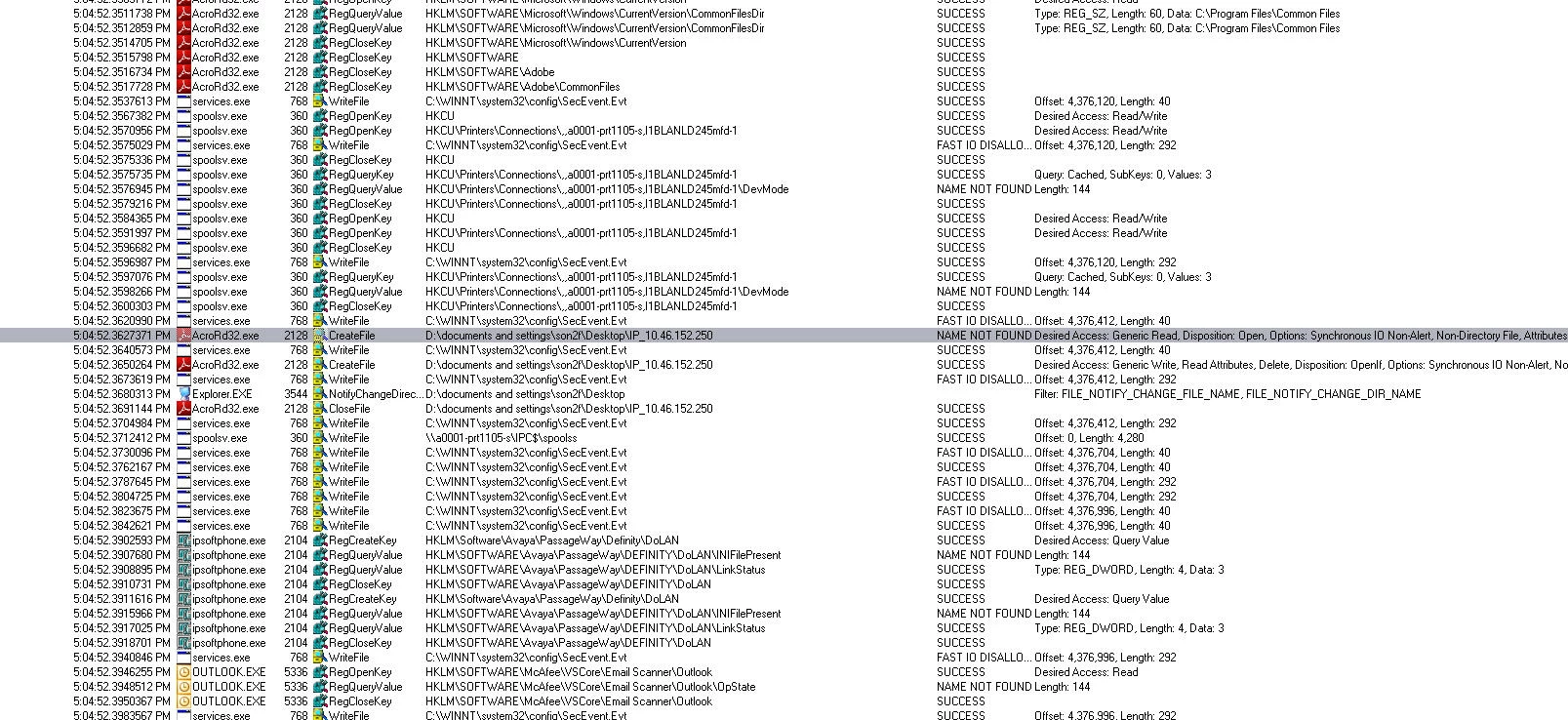
Date & Time: 3/11/2010 5:04:52 PM
Event Class: File System
Operation: CreateFile
Result: NAME NOT FOUND
Path: D:\documents and settings\son2f\Desktop\IP_10.46.152.250
TID: 5132
Duration: 0.0005615
Desired Access: Generic Read
Disposition: Open
Options: Synchronous IO Non-Alert, Non-Directory File
Attributes: N
ShareMode: None
AllocationSize: n/a
------------------------
Description: Adobe Reader 9.1
Company: Adobe Systems Incorporated
Name: AcroRd32.exe
Version: 9.1.0.163
Path: C:\Program Files\Adobe\Reader 9.0\Reader\AcroRd32.exe
Command Line: "C:\Program Files\Adobe\Reader 9.0\Reader\AcroRd32.exe" "D:\Documents and Settings\son2f\Desktop\lifeIns.pdf"
PID: 2128
Parent PID: 3544
Session ID: 0
User: MAST_HODC\son2f
Auth ID: 00000000:000186f5
Architecture: 32-bit
Virtualized: n/a
Integrity: n/a
Started: 3/11/2010 4:50:51 PM
Ended: (Running)
Modules: ( I have this info. Dont think it is much help. THere is a lot.)
 AdChoices