


Acrobat Standard/Pro 2017, evaluation of TRANSFORM (MST) during installation fails
Hello,
we deploy Acrobat Standard and professional as IT service provider for the public service in our environment 2017. It's about 220 clients in total. For many, the update must be made by the version XI.
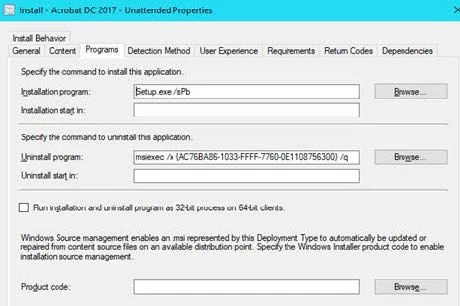
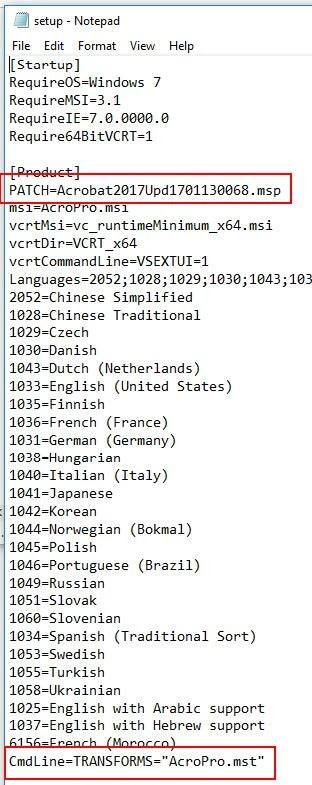
The deployment is performed with SCCM 2007 on Windows 7. The package now consists of the installation files of version 1701130051 + the current patch version 1701130099. The installation is configured with the "Acrobat Customization Wizard DC", so via MST. The classic track licensing is performed with a volume license with the option "Grant Offline Exception".
The installation in the package happens via a PowerShell script. This is the syntax of our basic installation: msiexec.exe /i AcroPro.msi transform = AcroStan.mst EULA_ACCEPT = YES DISABLEDESKTOPSHORTCUT = 1 /qn / l * v C:\Windows\Temp\AcroStd_2017_17.008.30051.log The next stept installs the patch.
Since a few versions, we have the problem of the initial installation was incompletely performed. It the adjustments of the MST are no longer applied apparently. For example, the licensing is not applied and the adjustment of the '"online services and features" are completely ignored. It makes it seem that the MST is completely ignored. The behaviour already exists in the basic installation.
After the first start of the installed product the licensing procedure starts. It starts with the login with the Adobe-ID. Cause we use the classic track we have no seperate user IDs.
Everything worked up to version 17011.300.70. These were the versions we have used for the update of Acrobat XI in our surrounding. Then essentially only the updates were carried out, so the installation of MSP. This does not change the licensing of the installed product.
The conversion of the remaining Acrobat XI versions we currently cannot carry out with the current behaiour.
At the moment we install the functioning version and then perform the latest update. This is a workaround and meaningful only in exceptional cases.
I've tried quite a bit. Usually, I have used the previous package and only replaced the MSP.
I downloaded the complete sources of the installation files with the version 17.008.30051 from the Adobe site and rebuild the package with it.
I've recreated the MST.
I have used the installation sources of the old package and combined with the new MST.
I have tried the installation string also without SCCM and powershell in a console.
All this does not led to success.
At the moment, I'm completely at a loss what is the cause and how I can proceed.
 AdChoices