Hi @Dave29384986gi1y,
Thank you for reaching out, and we understand how frustrating it is to have a user blocked from Acrobat Pro right after what should have been a smooth migration.
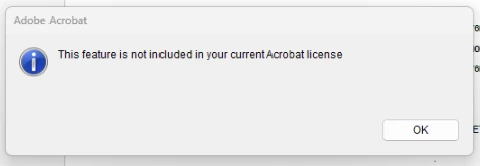
The error "This feature is not included in your current Acrobat license" indicates that Acrobat is authenticating against the user's old personal Adobe ID account rather than the new enterprise one, even though both share the same email address. When that happens, the app doesn't recognize the enterprise Acrobat Pro entitlement, which triggers this message.
This happens because Adobe treats the personal Adobe ID and the enterprise account as entirely separate accounts, with no licenses or data shared between them, even when they use the same email address. To resolve it, the user needs to sign back in explicitly via the enterprise route:
Sign out of Acrobat completely. Go to Help > Sign Out and make sure the application is fully closed.
Relaunch Acrobat and sign back in. After entering the email address, the app should present an account chooser asking whether to continue with a "Personal account" or a "Company or school account." The user should select Company or school account, which routes them through your organization's SSO to authenticate against the enterprise license.
If the account chooser doesn't appear (this can happen when a default sign-in was previously saved), have the user go to https://adobe.ly/4wEzVKs, navigate to Account and Security > Sign-in and Security, and turn off "Select my profile automatically." After saving, sign out of Acrobat and sign back in. The chooser should now appear.
For reference on account and profile selection: https://adobe.ly/4uONFAo
Give those steps a try and let us know how it goes. Happy to assist further if needed.
Thanks,
^BS



 AdChoices