


Participant
March 5, 2019
Answered

Adobe "Files" tab stuck "Checking for update"

  • March 5, 2019
  • 6 replies
  • 2000 views

When I install Creative Cloud on my new computer, the files tab is stuck saying "Checking for updates",
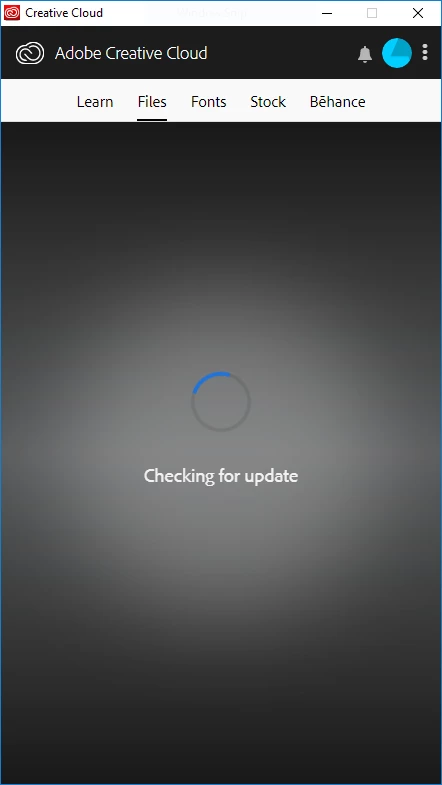
and the Creative cloud sync option is grayed out. I have tried reinstalling and running the program as admin but I am still having issues.

Any suggestions?

OS:

Windows 10 pro

Version 1803

    This topic has been closed for replies.
    Correct answer alisterblack

    Thanks for the update, Jeff, and my apologies for the delay in response.  I have moved this discussion to the Deployment for Creative Cloud for Team, Enterprise, & CS forum.  The community in this forum may be more familiar with the environment you have described in post #2.

    You may need to avoid using your personal license on the lab computer, if no other suggestions are given in this public forum discussion, Jeff.


    You may need to enable the Apps panel in the Desktop App.

    Disable updates and Apps panel for the Creative Cloud products

    6 replies

    Jeffrey_A_Wright
    Legend
    March 5, 2019

    Jeff1212, have you faced any problems when installing previous Creative Cloud updates?  Please utilize the steps listed in How to fix the "Failed to install" error when installing Adobe Creative Cloud desktop app  to remove and reinstall the Creative Cloud desktop app.

    You are welcome to update this public forum discussion if you have any questions.

    jeff1212Author
    Participant
    March 6, 2019

    Jeff,

    The install ran normally and everything besides the font and files tab on the desktop app works fine.

    I have tried the CC Cleaner tool with no results.

    The computer I am trying to install CC on is also in a weird situation (Let me explain):

    • The computer is part of an editing lab that uses per-device licencing for the adobe suite, so all the Creative Cloud apps are already installed (But no CC desktop app)
    • I downloaded the Desktop app and I am trying to connect to my personal adobe CC suite account for the file sync only
    • I am not using the computer as an admin normally (However I do have admin access if necessary)

    Thanks for the help,

    Jeff

    Jeffrey_A_Wright
    Legend
    March 6, 2019

    Thanks for the update, Jeff.  What type of Creative Cloud membership did your company purchase?