
Adobe MAX 2023: What's New in the Digital Video and Audio Space

Hi Everyone, hope MAX treated you well! Dive back into the creative goodness with our on-demand MAX Sessions. Whether you missed out or want a replay, we got you covered, and don't sleep on the MAX 2023 sneaks—they're mind-blowing glimpses into the future!
At MAX 2023, we announced some exciting updates for Digital Video creatives in your organization or team.
To get your organization or team members access to these new features, do the following:
- For self-service packages, update to the latest versions of Digital Creative apps using the Creative Cloud Desktop app.
- For managed deployments, update your packages or create a new package and deploy them inside your organization.
Welcome to Premiere Pro 24.0!
What's New
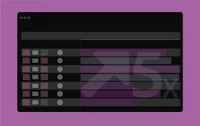
The new high-performance timeline drawing is more interactive and responsive for buttery smooth editing and trimming.
For more details, see this link.
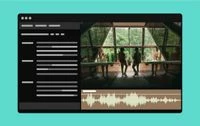
New Text-Based Editing features
With Text-Based Editing, you can now delete all pauses with a single click and get more control over your transcript view. With multichannel audio support, you can also choose to re-transcribe an audio file using a specific channel or a mix of all channels. For more information, check out this link.
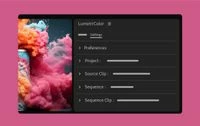
Simplified color settings and higher-quality tone mapping make it easier to produce great-looking work without extra complicated steps.
Color Settings consolidates many color selections into a single tab so you can quickly and easily make changes and view the result. For more information, see this link.
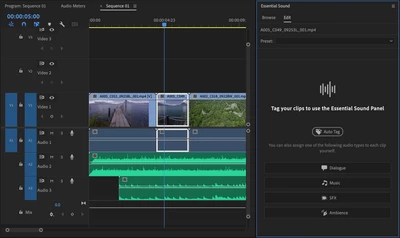
Automatically tag audio files as Dialogue, Music, SFX, or Ambience to reveal controls in the Essential Sound panel to give you immediate access to the most relevant tools to create professional sound.
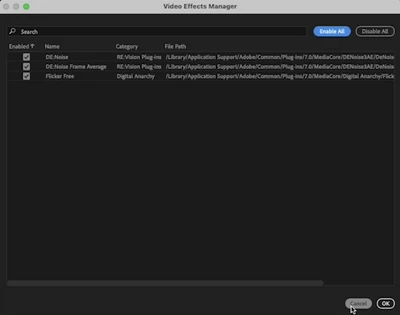 Effects Manager
Video Effects Manager lets you manage all your third-party plugins in one place. Quickly identify, troubleshoot, and disable incompatible plugins to improve system stability so you can get back to work faster. For more information, see this link.
 Project templates for fast setup
Save projects as templates so you can get started with bins, sequences, or assets already organized.
Save projects as templates so you can start your new project with bins and sequences already organized. For more information about project templates, see this link.
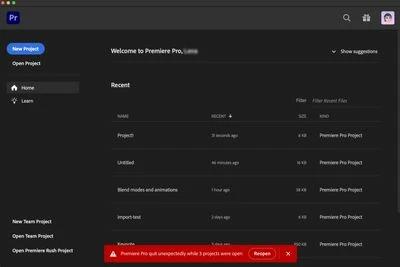
Restore projects through Recovery mode
You can now easily recover and restore the last saved state of your open projects in case Premiere Pro quits unexpectedly. For more information, see this link.
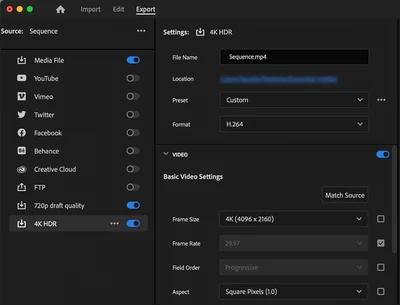
Retain custom destinations in Export mode
You can add, edit, and keep a single set of custom destinations in Export mode for all clips and sequences in any project. For more information about Export Mode, see this link.
Premiere Pro Beta
Check out the latest features and discussions about Premiere Pro Beta in the forums here.
Complete documentation for Premiere Pro 24.0 features
Welcome to After Effects 24.0
After Effects 24.0 is Here
Greetings, After Effects Users!
The October release of After Effects 24.0 is here, packed with exciting new features and a host of bug fixes! You can grab this exhilarating update right now from the Creative Cloud desktop app. Let's dive into all the amazing possibilities awaiting you!
System Requirements
The system requirements for After Effects 24.0 have changed. Please visit the System Requirements page for details.
What's New

A new AI model extracts objects from footage faster and more accurately than ever and requires fewer corrections. Refine your results for a beautiful composite, even when tracking objects that overlap or working with hard-to-mask footage, such as hair and transparencies.
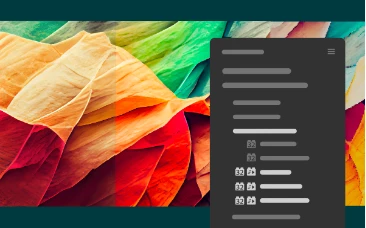
OpenColorIO workflow enhancements
Additional OpenColorIO effects under the Effects & Presets panel add flexibility to this industry-standard color interchange workflow.
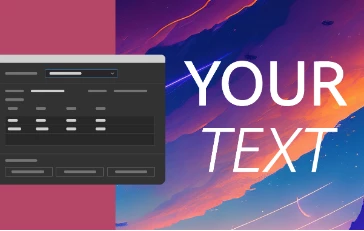
New scripting hooks for text and font manipulation save you time and effort while working with complex text animation workflows.
Welcome to Adobe Audition (v.24.0)!
The October 2023 release of Adobe Audition (v.24.0) is now available for download from the Creative Cloud desktop app. This update provides bug fixes, stability & performance improvements. The update is recommended for all users.
If you are experiencing any issues, please create a new thread explaining your problem so we can help.
List of issues fixed in Audition v24.0
- Silence was added at the beginning and end during the mp3 export.
- Post recording, a file was locked - not able to edit or exit the app, needed force quit.
- Fixed the "Destination is full or no longer available" error during mp3 export.
- Improved scrolling with the trackpad in a waveform and multitrack view.
For more information on fixed issues, visit the Fixed Issues page.
Please refer to this link to learn about the updated OS requirements for Adobe Audition v24.0.


 AdChoices