
Participant
July 29, 2020
Answered

Adobe XD being blocked by system administrator

  • July 29, 2020
  • 2 replies
  • 3795 views

Hi everyone,


We are getting the error: “This app has been blocked by your system administrator” when trying to run the application on any client device.


Background:

  • Platform: Windows 10 version 1809 X64
  • Installed through Creative Cloud desktop client
  • No Applocker enabled
  • No Smartscreen enabled


The group policy suggested in the troubleshooting guide
Location: Computer Configuration > Windows Components > App Runtime.

Policy Name: “Block launching Windows Store apps with Windows Runtime API access from hosted content”.  Is currently set to “not configured” state.


The other group policy Location: Computer  Configuration >  Administrative Templates > Windows Components / Store >
Policy Name: “Disable all apps from Windows Store.” Is currently set to “not configured” state.


Please advise on any further troubleshooting steps.

Thanks
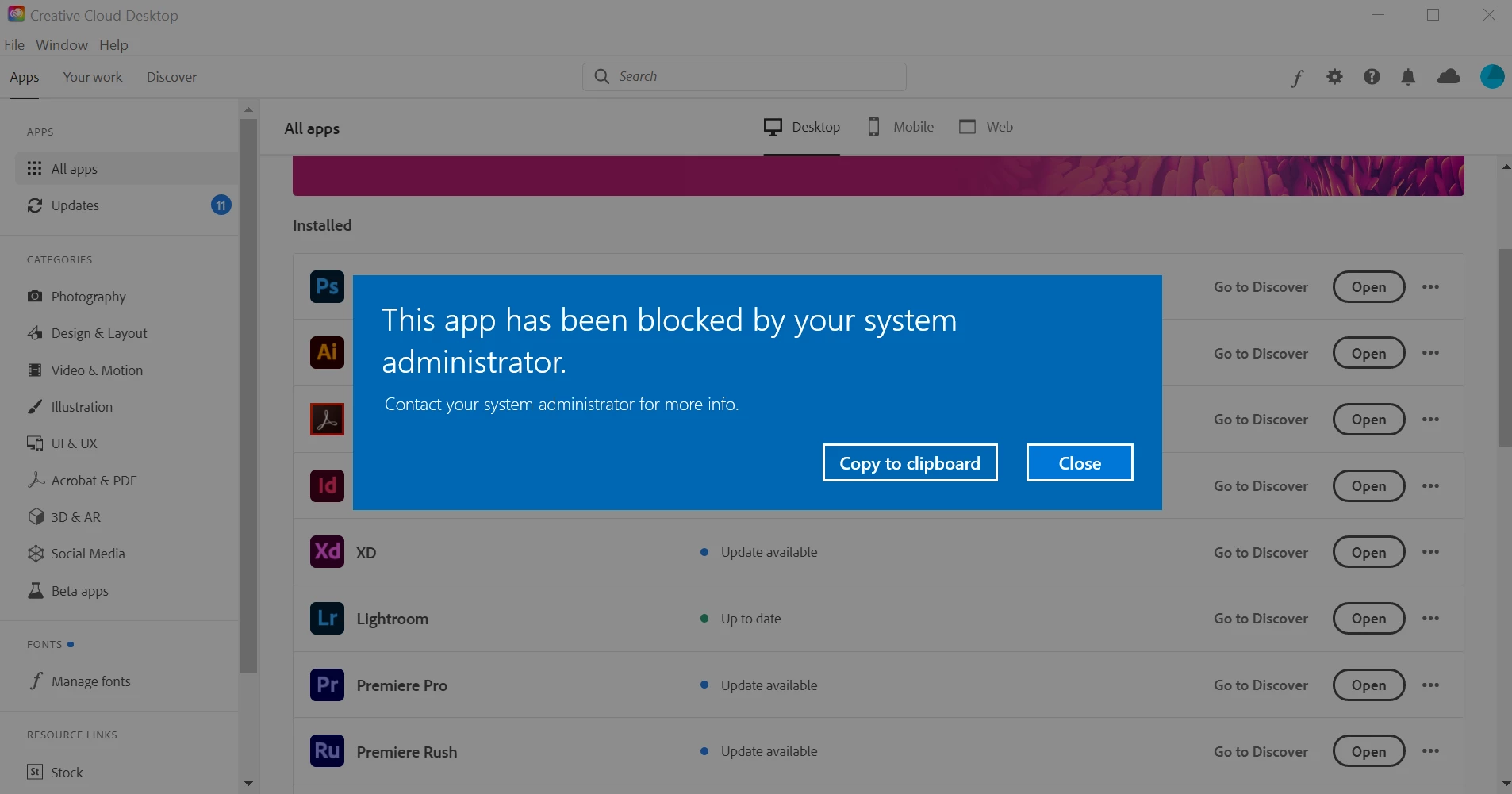


[Edited By Moderator to include the screen shot]

This topic has been closed for replies.
Correct answer SuJoshi

If the machine is managed by an organization's IT team, the group policies at the organization domain level might be overwriting local group policies. Contact your IT Administrator to check and confirm. You can create a support case so that our technician can check the settings if the issue persists or you can contact the support team directly by initiating a chat session, click on the chat icon on the bottom right corner of this page: https://helpx.adobe.com/support.html.

2 replies

SuJoshiCommunity ManagerCorrect answer
Community Manager
July 30, 2020

If the machine is managed by an organization's IT team, the group policies at the organization domain level might be overwriting local group policies. Contact your IT Administrator to check and confirm. You can create a support case so that our technician can check the settings if the issue persists or you can contact the support team directly by initiating a chat session, click on the chat icon on the bottom right corner of this page: https://helpx.adobe.com/support.html.

Just Shoot Me
Legend
July 29, 2020

Isn't this a question for MS and or a Win 10 site?

Not sure why you have posted in the Adobe Download & Install forum? Are you having a problem downloading Adobe XD or installing it on your computer?


Also.


So people don't have to download the image you have attached to your post please Edit your post to remove the Attached screen shot and Include it in the body of the text of your post.

You do that by Clicking the "More..." link at the bottom of your post, Selecting "Edit Message" and then use the "Insert Photos" icon in the tool bar at the top of the Post/Reply/Edit dialog box like this.


Thank you.

Participant
July 29, 2020

Hi. I'd rather attach the screenshot thanks. My personal choice. As a user. And yes, I am in the right forum. Thanks for your really useful advice. Looking for someone with knowledge about the problems installing XD in a corporate, restricted environment. Thanks. 

Just Shoot Me
Legend
July 29, 2020

Then I suggest you speak to your Corp Administrator that is Restricting your use of this program.

It has nothing to do with XD or any Adobe program.