Participant
August 13, 2026
Question

An account created with the work email address and was created as a personal

  • August 13, 2026
  • 1 reply
  • 29 views

Hello adobe team, we need some help here. I'm appreciate all the effort with this...

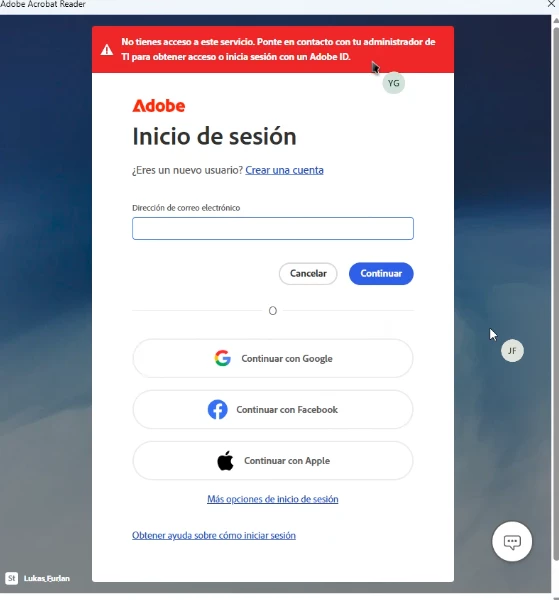
I work in a private hospital in Costa Rica, and we have some corporate subscriptions, between them we have an employer that need to be part of our corporate tier, she needs use Adobe Acrobat but the worker makes the mistake that create a personal account with the corporate address, so now we need to resolve this in somehow. We add the user in the portal but when the user tries to sign in the Adobe product shows as a personal account and no corporate. There's something that we can do here with this? We also tried delete the personal account, but I don´t know how long takes this process but nothing changes, we also tried eliminated for the corporate tier and add her again, but the same error. We love all the help that you can provide us with this…
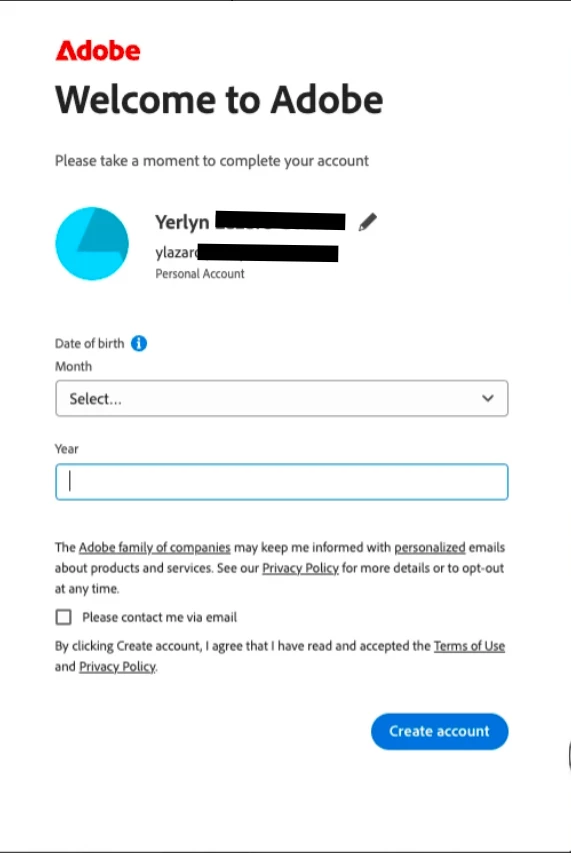
 

[Admin - screenshot redacted - personal information removed]


    1 reply

    Community Manager
    August 13, 2026

    Hi ​@efficient_realiste7ca ,

    Thanks for the details, and we understand how frustrating it is to get stuck like this right after setting up a new user's account.

    The personal account was created on the work email, so that email now has two things on it: her personal account and the corporate access you assigned. Adobe is logging her into the personal one, which has no license, so Acrobat drops to Reader mode and shows the "you don't have access to this service" error. That's why deleting the account and re-adding her changed nothing. The issue isn't what's on the account. It's which account she's signing into.

    First thing to try: have her sign out of Acrobat fully, then sign back in with the work email. When the account options come up, she needs to pick Company or School, not Personal. That's the side your corporate license sits on, and once she's in on that account Acrobat pulls the license and the error clears.

    If she signs back in and doesn't get the choice at all, it's because a default sign-in is saved and Adobe skips the account chooser. To bring it back:

    1. Sign in at account.adobe.com with the work email.
    2. Go to Account and security > Sign-in and security.
    3. Turn off Automatic profile selection.
    4. Sign out of Acrobat fully, then sign back in.

    She should now get the prompt to choose Personal or Company or School. Have her pick Company or School.

    If the choice still doesn't show up after that, tell us, there's something on the account side to check.

    Reference: https://helpx.adobe.com/business/enterprise/setup-onboarding/sign-in-and-access/sign-in-to-adobe-apps.html

    Please give that a try and let us know how it goes, we're happy to help further.

    Thanks,
    ^AV