I mean the Updates from the applikations which version is over 2015 i cant download them .
And i didnt suppressing them.
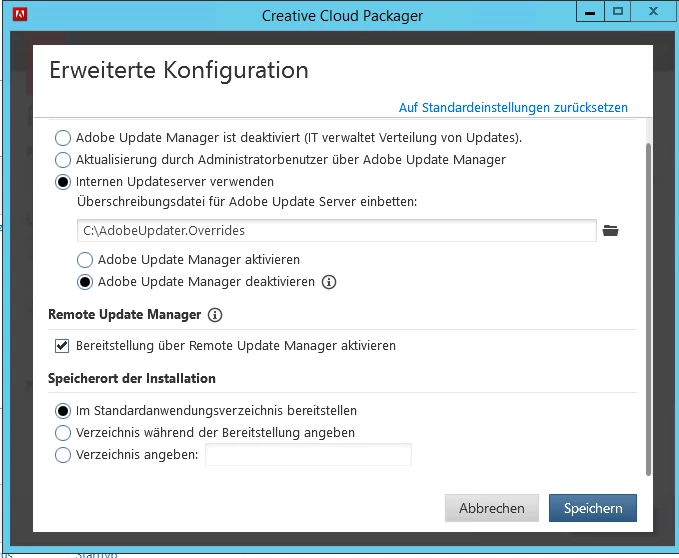
Should i try it on a Client which isnt setup by an Image of this tool?
OK I think we need to dig further into which apps AUSST is not downloading.
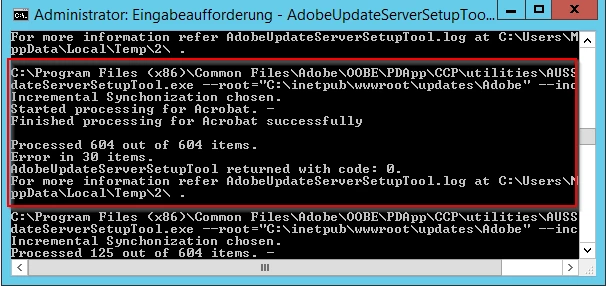
These are listed in your AdobeUpdateServerSetupTool.log stored below;
Windows: %temp%
macOS: ~/Library/Logs
Open AdobeUpdateServerSetupTool.log with a text editor and go down to the end. you can see some Items like below;
03/29/17 12:35:29:877 | [INFO] | | AAMEE | HUM | HUMInterface | | | 14120 | Item failed F:\inetpub\wwwroot\updates\Adobe\updates\oobe\aam20\win\PhotoshopCameraRawForElements14-9.1\9.5.50\setup.zip.
03/29/17 12:35:30:095 | [WARN] | | AAMEE | HUM | HUMInterface | | | 14120 | Unable to download update file F:\inetpub\wwwroot\updates\Adobe\updates\oobe\aam20\win\PhotoshopCameraRawForElements14-9.1\9.5.50\setup.zip. Error Code (1). Retrying now ...
03/29/17 12:35:31:811 | [INFO] | | AAMEE | HUM | HUMInterface | | | 14120 | Item failed F:\inetpub\wwwroot\updates\Adobe\updates\oobe\aam20\win\PhotoshopCameraRawForElements14-9.1\9.5.50\setup.zip.
1. Go the directories with errored items and remove.
2. Run AUSST with incremental mode ( --incremental). Errored items will be downloaded.




 AdChoices