
AUSST with filterFilePath and Acrobat/Captivate
We use AUSST and the filterFilePath parameter to determine which application versions are available to users. I specify the codes of the necessary products in filterConfig.xml from here https://helpx.adobe.com/enterprise/kb/apps-deployed-without-base-versions.html
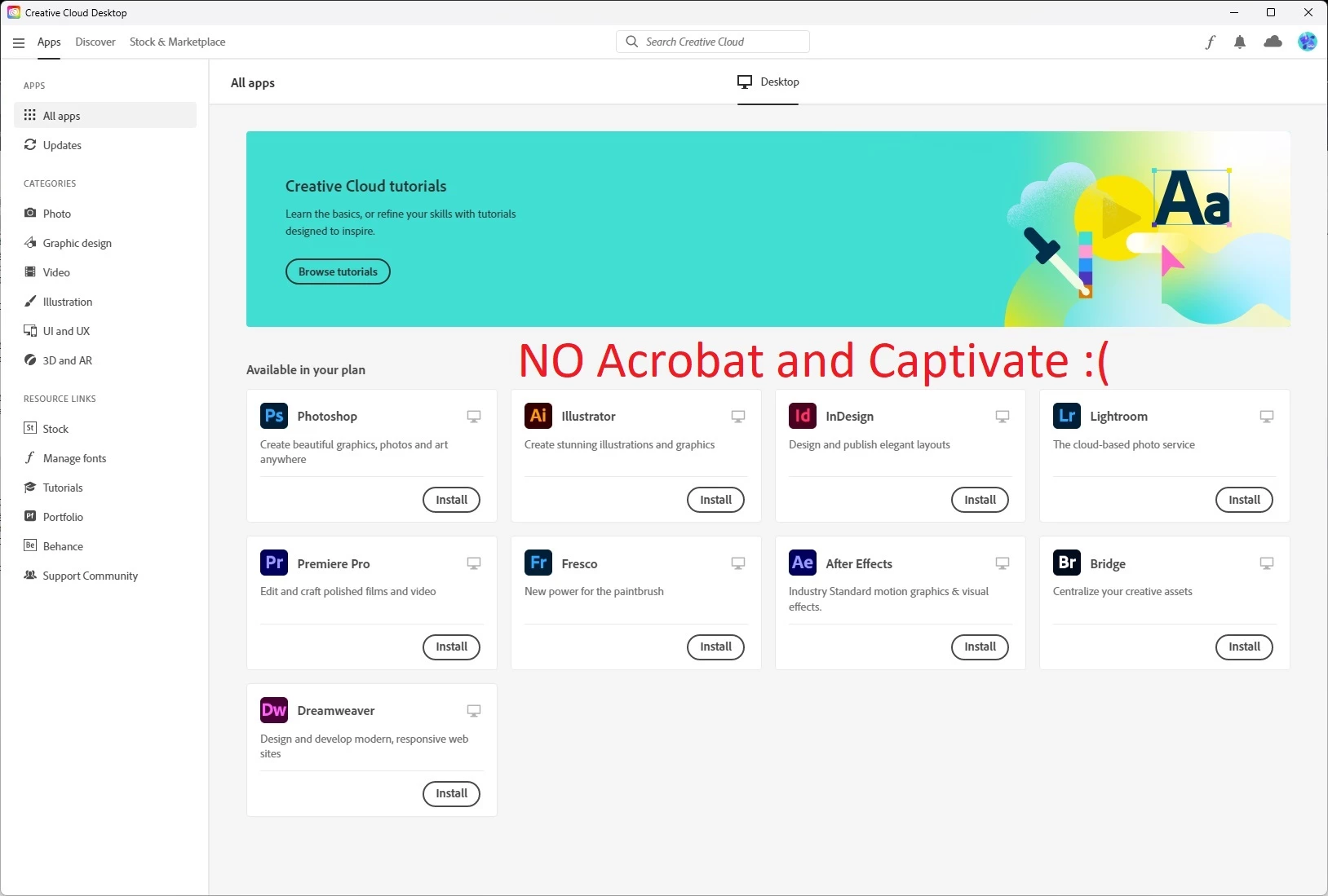
But there are no codes for Acrobat and Captivate, and when I distribute AdobeUpdater.Overrides to users, they can't install Acrobat or Captivate apps from the Creative Cloud Desktop App.
My filterConfig.xml file:
<Filters>
<Filter>
<GroupName>Group1</GroupName>
<FilterValue>AEFT,KBRG,DRWV,FRSC,ILST,IDSN,LRCC,PHSP,PPRO</FilterValue>
</Filter>
<Filter>
<GroupName>Group2</GroupName>
<FilterValue>AEFT,KBRG,DRWV,FRSC,ILST#26.0#26.2.0,IDSN,LRCC,PHSP#23.0#23.5.2,PPRO</FilterValue>
</Filter>
</Filters>
And what's in the CC Desktop App:
How to configure AUSST to download products and updates by groups from the filterConfig.xml file AND Acrobat, Captivate and other applications that do not have SAP codes to list in the filterConfig.xml?


 AdChoices