


Bug Report: Bug Report Systems on Adobe's Website Do Not Work At All
It seems like every single system to submit a bug report or feature request on Adobe’s website is broken.
I first noticed this when, while attempting to share a feature request, I clicked the “Share Feedback” button in the Adobe admin console, which can be accessed by clicking the help icon in the top right of the console. Nothing happened.
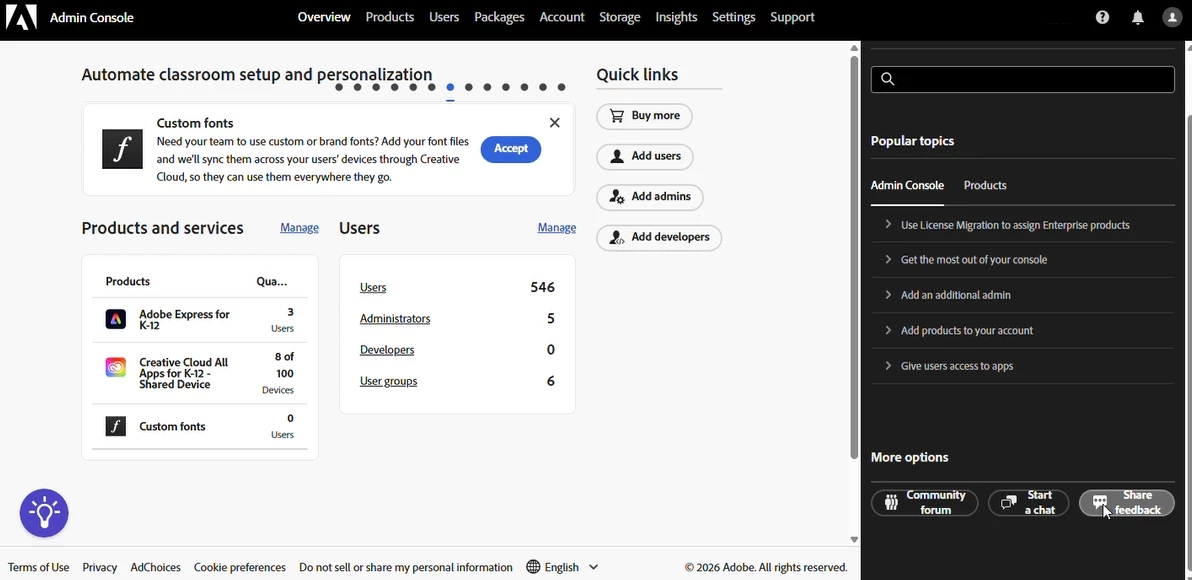
Attempting to find the appropriate place to submit a bug report led me to a chat with a live agent, who helped me troubleshoot and ensure the issue was not user error. We confirmed the issue was present across Google Chrome and Mozilla Firefox on two separate computers. No errors appeared in the JavaScript console when clicking this button.
I was then sent to https://www.adobe.com/products/wishform.html by both the assistant and Adobe’s support helpdesk software, which is supposedly a link to a form that would allow a user to submit feature requests and bug reports. However, this page does not have any forms on it whatsoever. The page is written like it should have a form, but there’s nowhere to enter information or submit it.
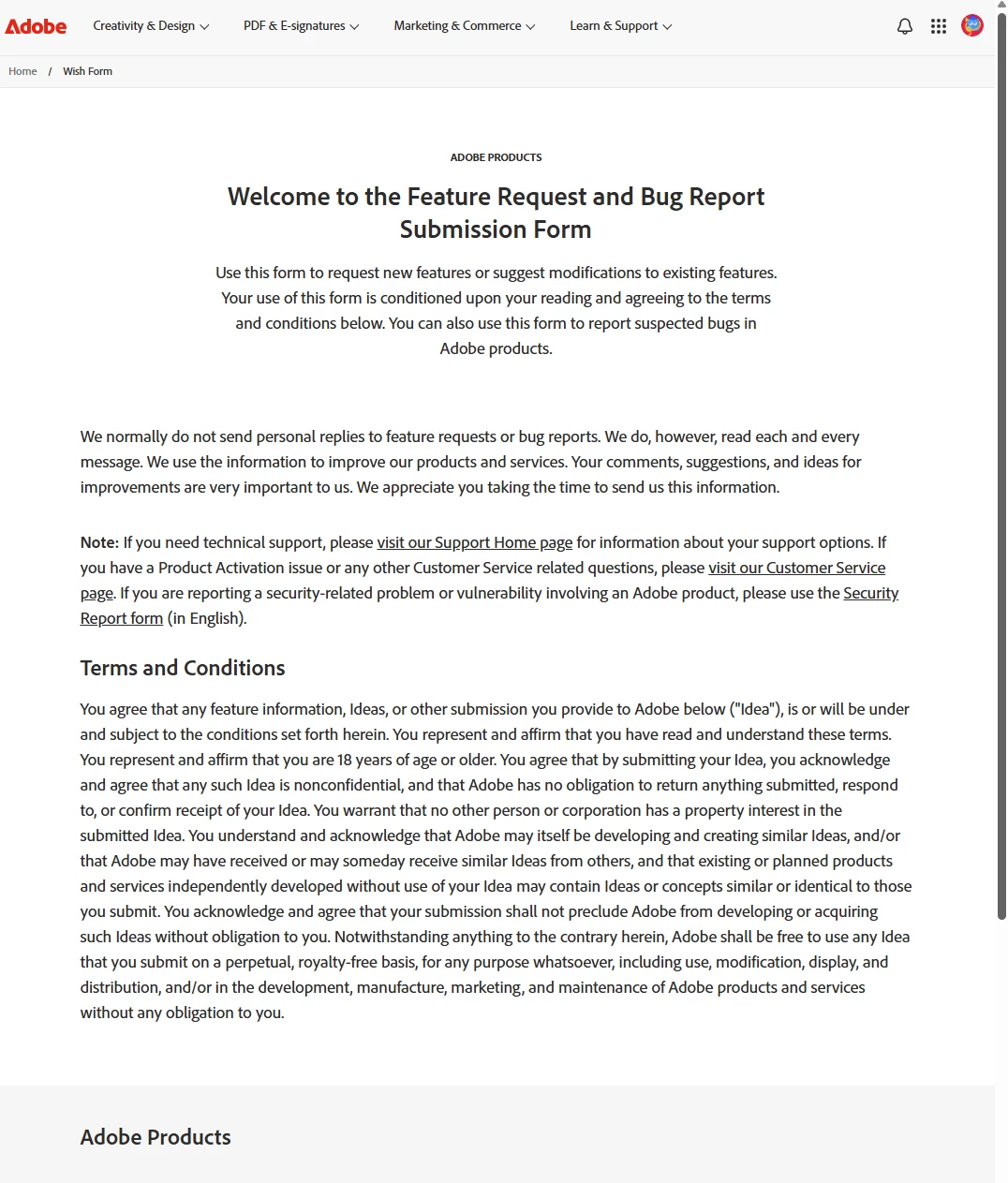
The assistant apologized that they could not help and offered to notify a senior of the problem, which was helpful, so I’m doing my part in reporting the issue here as well.
Rather meta to submit a bug report that I can’t submit a bug report, no?
 AdChoices