


Inspiring
Oct 12, 2019 6:43 PM UTC
Answered

Can't seem to install any Application - Need IT Admin Permission Mac

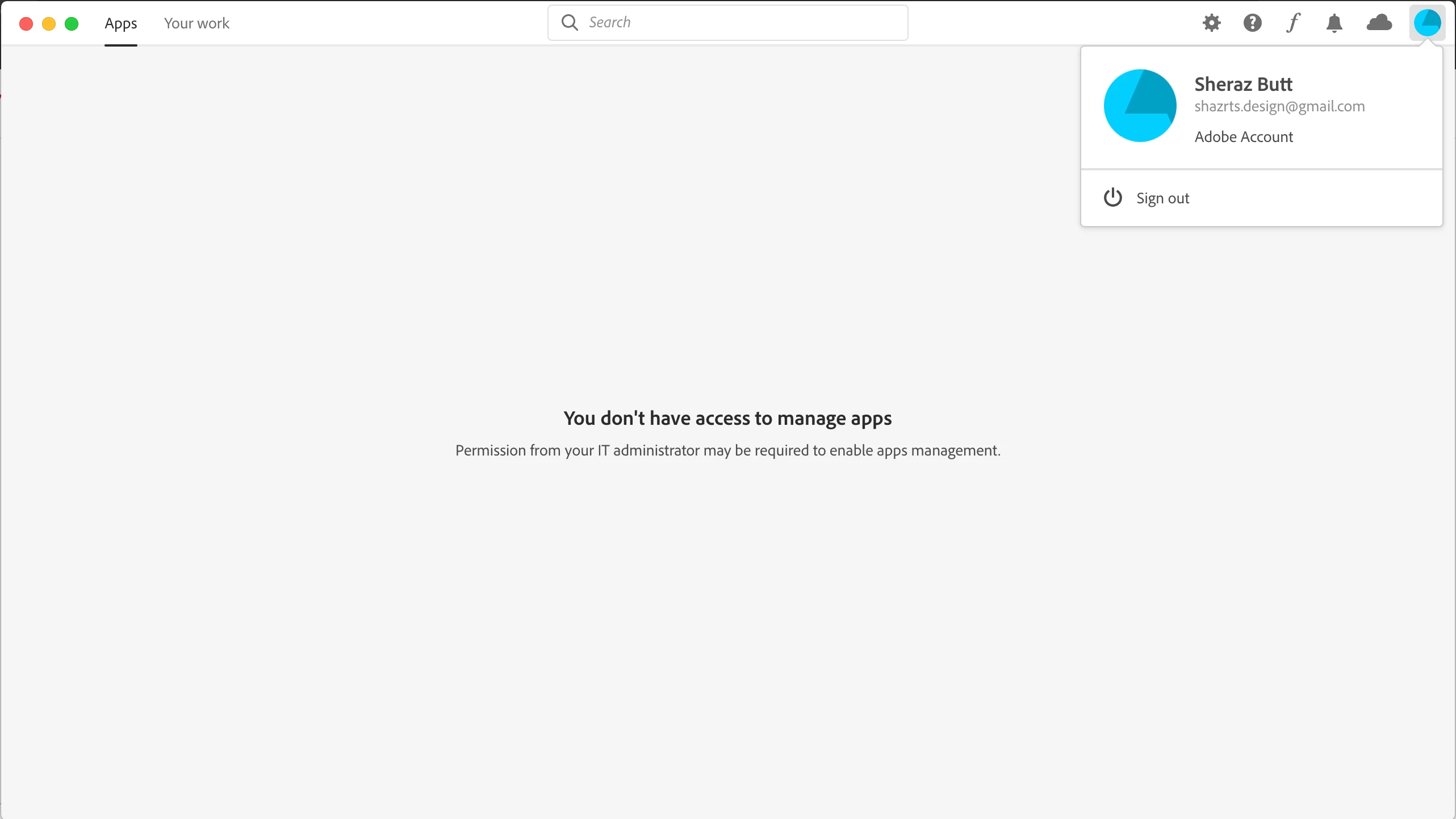
I need to install Adobe XD but the creative cloud desktop app won't let me install because apparently I don't have the access to manage applications. This is so weird because this is my personal laptop. How can I not have the access on my own laptop. The error further states "Permission from your IT Administrator may be required to enable app management".

Attaching the screenshot for proof. Please help me asap as I have a project pending and the deadline is approaching me like a rocket at this stage. Thanks !!

UPDATED

FOUND THE SOLUTION. THANKS TO ADOBE CUSTOMER SUPPORT TEAM

First of all you need to close all adobe processes from activity monitor and also ensure that creative cloud application is closed.

After closing processes, you need the access the following file if you are using macOS. 
/Library/Application Support/Adobe/OOBE/Configs/Serviceconfig.xml

Open it and then change values "false" to "true" and then save the file. 

Now you will be able to install apps from creative cloud application.
ShazrtsCorrect answer
Inspiring
Oct 15, 2019 8:54 PM UTC

FOUND THE SOLUTION. THANKS TO ADOBE CUSTOMER SUPPORT TEAM

First of all you need to close all adobe processes from activity monitor and also ensure that creative cloud application is closed.

After closing processes, you need the access the following file if you are using macOS. 
/Library/Application Support/Adobe/OOBE/Configs/Serviceconfig.xml

Open it and then change values "false" to "true" and then save the file. 

Now you will be able to install apps from creative cloud application.


28 replies

Nancy OShea
Community Expert
Community Expert
Oct 12, 2019 7:51 PM UTC

This may be your personal laptop but... what kind of CC account do you have?  The error message implies you're not logged into an individual account but rather a Teams or Enterprise account for which you need permission from the IT admin to install apps.

Translate
Nancy O'Shea— Product User & Community Expert
ShazrtsAuthor
Inspiring
Oct 13, 2019 7:34 AM UTC

I used a new email and uninstalled everything. Tried again and the error still remains. How come the new email falls under the enterprise or teams account?

Translate
Just Shoot Me
Legend
Oct 12, 2019 7:35 PM UTC

What exact version of OS X are you using?

Translate
ShazrtsAuthor
Inspiring
Oct 12, 2019 7:38 PM UTC
Version 10.14.5
Translate
Just Shoot Me
Legend
Oct 12, 2019 7:04 PM UTC

Oh I moved your screen shot image to be inline with your post instead of bein Attached.

In the Future use the Insert Photos icon in the Tool bar to included images, insert them into, inline with the text.


Translate
Just Shoot Me
Legend
Oct 12, 2019 7:01 PM UTC

Sign Out then restart your Mac then Sign back in to the CC DTA.


Are you signed in to your Mac with an Administrators account and not a normal Users account?


Do you have other Adobe Apps installed? If you do are they working properly, do they open and function properly?

Translate
ShazrtsAuthor
Inspiring
Oct 12, 2019 7:30 PM UTC

I tried shutting down my mac and trying to install again but as soon as I open XD installer dmg , the dialog attached as a screenshot pops up in my creative cloud desktop app. I currently have no other adobe apps installed.

Also I am using my own administrators account on my mac.

Translate