Participating Frequently
November 2, 2016
Answered

Cannot deploy CC 2015 or 2017 from network

  • November 2, 2016
  • 21 replies
  • 11501 views

I cannot deploy creative cloud in our environment over the network.  We use a combination of SCCM and WDS to deploy creative cloud and nothing is working.  I am creating a 64-bit package with Photoshop, Illustrator, Premier, In Design, and Acrobat DC.  If I silently run the install from a network drive it installs Acrobat/Distiller and than suddenly rolls everything back and fails.  If I double-click the setup.exe to just see what happens, it fails within a few seconds.  However if I COPY the Adobe Package Folder I created LOCALLY to the desktop and run the setup silently or just double-click the .exe it installs 100% without an issue.  What is the problem?  Thank You.

    This topic has been closed for replies.

    21 replies

    Known Participant
    May 1, 2017

    So this build of the CCP came out last week and I redid all our adobe packages using it. 

    If I double click setup.exe, after downloading the build folder locally, it usually installs Acrobat only and then exits.  I then ran it a second time and 3 more apps installed.  I then gave up and reverted to the previous snapshot to try again.

    This is on a VM while making an image without AV installed. 

    I'm going to try using msiexec /q next time but I hear that doesn't install Acrobat.

    I don't have high hopes for installing over the network without copying files first but I'll try that later. 

    Known Participant
    May 1, 2017

    This image has an older version of CC that we just wanted to update with a minimum of effort.  The default package of Acrobat, Illustrator, and Media encoder installed with no issue.  The full collection was deployed on top of that and that is what is failing.

    I restored the VM snapshot and did a full uninstall of CC, Acrobat, and Reader DC.  All that remained were Photoshop Elements 15, Premiere Elements 15, Presenter 11 and Captivate 9 (all installed with the same, newest edition of CCP). 

    I double clicked Setup.exe and again it installed Acrobat and then stopped.  I ran setup.exe again and I expect it'll quit after 3 apps or so, just like last time.  I'm going to try and power through it by running it a dozen or so times to try and get this image out on time.

    The MSI log files seem to have about 1000 lines of logging dedicated to VC redistibutables and a bunch of nonsense.  You'd think the PDAPP log would be more readable but I can't even figure out which Adobe suite app it failed on.  I submit a vote of no confidence.  Let's get Emperor Palpatine in there to fix this.

    Known Participant
    May 16, 2017

    It turns out the new Cloud App (Project Felix) is not compatible with Windows 7.  I was able to find this answer through a long mediation with the force and finding this cryptic error message on line 1655 of pdapp.log. 

    The HDPIM Setup Process return code is (190).” 

    Thank goodness someone else on a forum knew that this means that Project Felix is incompatible.  I mean if you have an installer that is thousands of lines of code, the priority shouldn't be on prerequisite checks and readable error messages.

    alisterblack
    Inspiring
    March 29, 2017

    Creative Cloud Packager will update automatically to the latest version (unless you have unchecked that option)

    alisterblack
    alisterblackCorrect answer
    Inspiring
    January 6, 2017
    matthiasg78224390
    Participant
    January 12, 2017

    After removing Project Felix from the package, it works (network installation using msi file results in no Acrobat DC installed). Running setup.exe as administrator from network (important, otherwise gives an error) works without errors. It would have been better to put a remark that it is Windows 10 only, but at least I have something I can work with.

    Participant
    December 15, 2016

    Confirmed Windows installation of individual deploy of Adobe Acrobat via network/MDT now working fine

    thanks for the work on this!

    alisterblack
    Inspiring
    December 6, 2016

    Hi All,

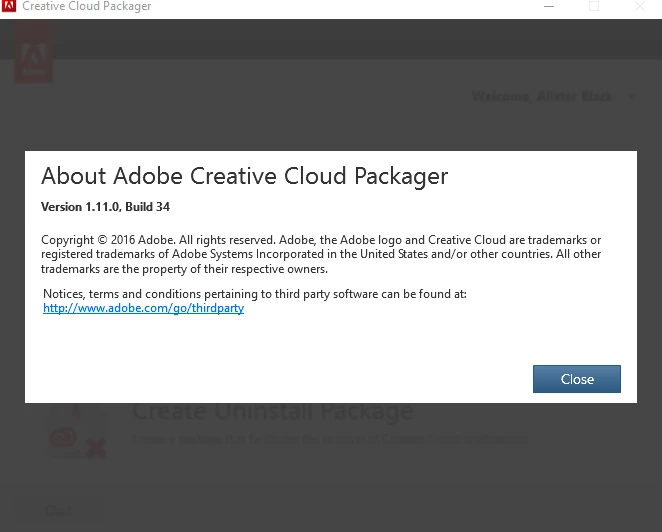
    There is an update for Creative Cloud Packager released today.

    It contains a fix for the issue discussed in this thread.

    Please install the update, build a new package and try to deploy that. Let us know any feedback.

    Business

    Default enablement of updates via Apps Panel setting in CCP

    Now when admin enables apps panel, product updates will get enabled by default .

    Customer Success

    Uninstall package creation

    Added a new workflow to create uninstall packages to enable admins to remove the products based on selection (applicable CC onwards only).

    This is mainly recommended for those who do not have original packages used to deploy those products.

    Tech Debt/Security

    Use of IAM roles for authentication

    Helps improve security by pulling the credentials on the fly rather than storing the key in source code.

    Fix for security vulnerability “Dirty Cow” in AMI

    Picked up enterprise security approved AMIs with the fix for this vulnerability which was recently discovered in Linux kernel.

    Major Bug Fixes

    Install of CCP Package failing from network drive on windows

    Admins will now be able deploy packages stored at shared network location.

    Package not getting deployed in another locale on Mac OS

    Admins will now be able to deploy that same package again in another locale by changing the info.plist file as detailed in KB article https://helpx.adobe.com/creative-cloud/packager/deploying-packages.html

    Fix for intermittent hang on package creation progress screen

    Package creation will no longer hang at 99-100% when creating multiple packages in the same CCP session.

    kbhalla
    Participating Frequently
    December 6, 2016

    Thank you!  I will try this today.

    Karan

    kbhalla
    Participating Frequently
    December 2, 2016

    I got the following reply from Adobe Enterprise Support:

    "Greetings from Adobe Enterprise Support.

    We understand your concern and would like to recommend to deploy the creative cloud package after copying the package on the local drive as this has always been a recommendation from Adobe ."

    I've followed up saying that this isn't an acceptable solution and quoted the staff member post on this forum saying that the Adobe engineers are aware and working on the issue.

    Come on Adobe!  Even a status update would be great at this point...

    Karan

    marcs8733063
    Participant
    December 2, 2016

    Having the same issue here where I can deploy the software locally, but not from a network share (actually trying to deploy from an MDT server).  Would love an answer to this issue.  Have had no problems with older products, just the 2017 versions.

    Compared the the PDApp.log files from a successful local install vs a failed network install, and they diverge on line 51 where the failed machine has the Folder does not exist line listed below.

    12/02/16 11:59:53:305 | [INFO] |  | ASU | DeploymentManager | DeploymentManager |  |  | 364 | Provisioning Tool path is (C:\Users\ADMINI~1\AppData\Local\Temp\{2C62A837-EF4A-47AA-BBA2-537543F18371}\\{49DBF034-94D6-4E2C-91E5-C5CD67D8D3E6}).

    12/02/16 11:59:53:309 | [INFO] |  | ASU | DeploymentManager | Utilities |  |  | 364 | Folder does not exist

    KdorshAuthor
    Participating Frequently
    November 30, 2016

    Still no answer from Adobe.  I emailed one of the engineers asking for an update. 

    jkunk5646
    Participant
    November 29, 2016

    I am having the same issue with network deploy of 2017 on a Mac using a DMG file.  As long as I copy the DMG to the local HD it installs fine but if I try from a network share point (AFP) it errors out.  Same procedure works fine with 2015, of course I haven’t built a 2015 Mac installer in a month or 2.

    Participant
    November 29, 2016

    This issue is killing us on PCs. It doesn't work with SCCM either. Maybe it would if you had SCCM copy the entire installer to the local disk but we already know about that workaround and its too slow.

    @jkunk5646 Macs are working ok for us. We build the 2017 installer pkg, create a new ~22GB read/write dmg, drop the installer into it and then convert it to a read only dmg. Then we can mount that dmg over the network (smb or afp) and run the installer from it, all scripted. I'm not sure what the "best practice" is to deploy on a mac but we could not ever get a pkg to install from a network share so this has been our process since CS4.

    jkunk5646
    Participant
    November 29, 2016

    I guess I left out a step, I do use Disk Utility to make a DMG of the installation folder created by CC Packager.  I have used the created DMG to install past versions of CC over the network for several years now without any issues, until 2017 came along.  Now I have to copy the DMG to the local hard disk to get 2017 installed.  I would be interested in seeing  the scripts that you use to install CC with.

    I also having the same installation issues on PCs as well.

    jdk

    babeers
    Participating Frequently
    November 29, 2016

    I'd like to know about this as well. How can something so simple be broke this easily, then take this long to fix?