
Participant
February 9, 2023
Answered

Cannot log into new company account

  • February 9, 2023
  • 1 reply
  • 866 views

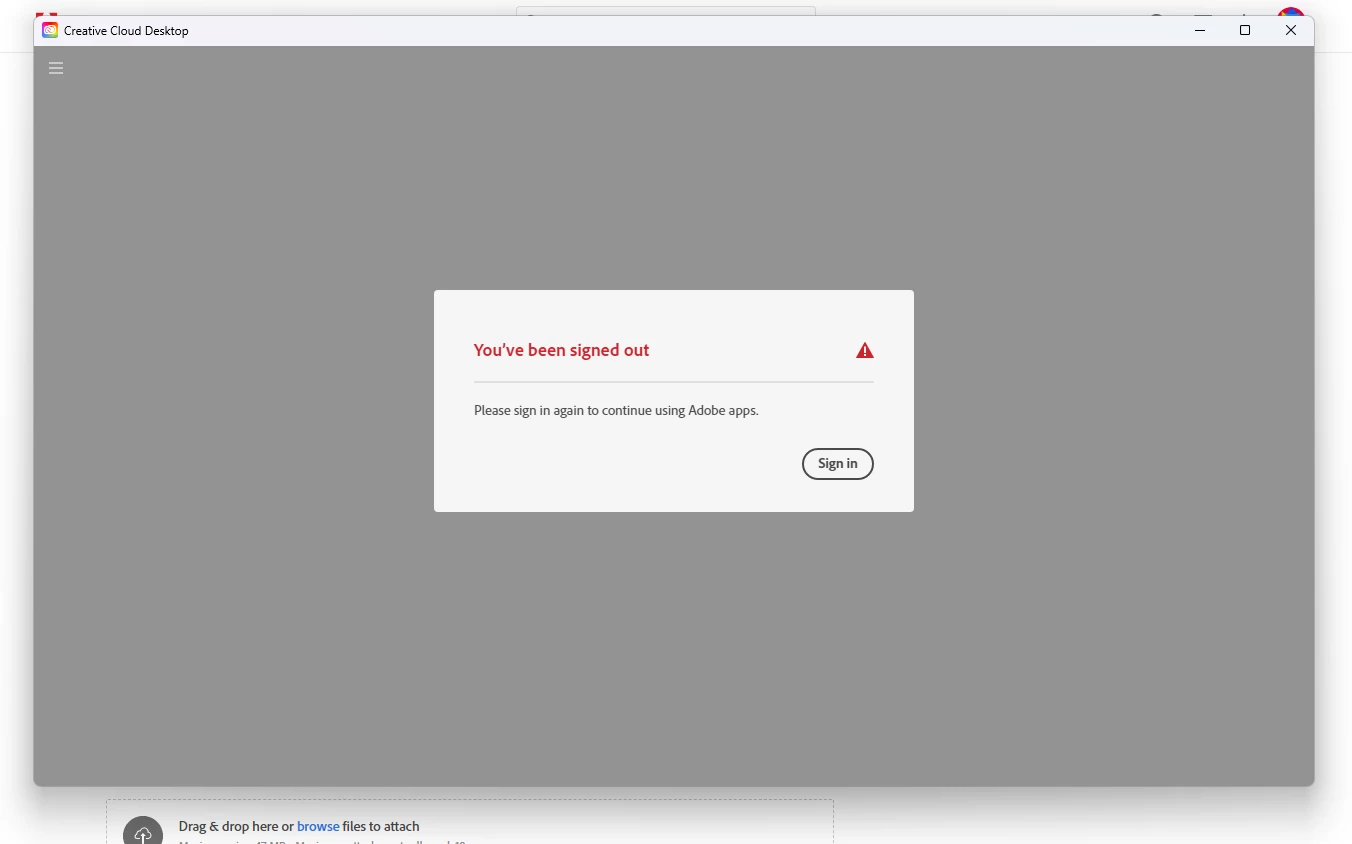
I recently graduated high school (yay!) which meant that my adobe subscription ran out unfortunately. Luckily, my university offered it for free with my course that im doing (yay!), but i cannot access it for some reason. I tried to log into creative cloud but all the app does is open, display an error message that says "you have been signed out, please sign back in" and then when i click the prompt that says "sign in" the message disappears for a moment and then comes back. after a while it stops displaying the message and im left to watch the loading wheel spin forever. I cant login.
When i login on the web, its fine! i can do that just fine! but as soon as i try to install creative cloud or any other app it just displays the previously mentioned error message. Ive basically deleted the whole adobe suite from the entire system and then reinstalled creative cloud about four times and nothing is working. it still seems to remember that there was an old account that is no longer active but it wont let me log into my new account. There is seemingly nothing i can do because i havent been able to find a post anywhere that has the same problem that i have. Please get back to me soon 🙂
This topic has been closed for replies.
Correct answer kglad

start at the top here - https://helpx.adobe.com/manage-account/kb/troubleshoot-creative-cloud-sign-out-sign-in.html


if that fails,


1. go to the bottom section : "Remove Adobe User and Adobe App Certificates" - https://helpx.adobe.com/in/download-install/kb/adobe-license-issues-keychain-credential-mgr.html and follow the steps.  


2. then uninstall the cc desktop app, https://helpx.adobe.com/creative-cloud/help/uninstall-creative-cloud-desktop-app.html


3. and reinstall the cc app install the cc desktop app by using the download links at page bottom here, https://helpx.adobe.com/in/download-install/kb/creative-cloud-desktop-app-download.html

1 reply

kglad
Community Expert
kgladCommunity ExpertCorrect answer
Community Expert
February 9, 2023

start at the top here - https://helpx.adobe.com/manage-account/kb/troubleshoot-creative-cloud-sign-out-sign-in.html


if that fails,


1. go to the bottom section : "Remove Adobe User and Adobe App Certificates" - https://helpx.adobe.com/in/download-install/kb/adobe-license-issues-keychain-credential-mgr.html and follow the steps.  


2. then uninstall the cc desktop app, https://helpx.adobe.com/creative-cloud/help/uninstall-creative-cloud-desktop-app.html


3. and reinstall the cc app install the cc desktop app by using the download links at page bottom here, https://helpx.adobe.com/in/download-install/kb/creative-cloud-desktop-app-download.html