
Participant
March 7, 2023
Answered

Cannot open psdc (cloud doccument) in Photoshop

  • March 7, 2023
  • 2 replies
  • 586 views

Hey. I just dowload a share files from another account, following theses steps:

https://helpx.adobe.com/enterprise/using/upload-reclaimed-assets.html


But i cant abble to upload the "PSDC" files again.

If I trie to open with Photoshop, show this error
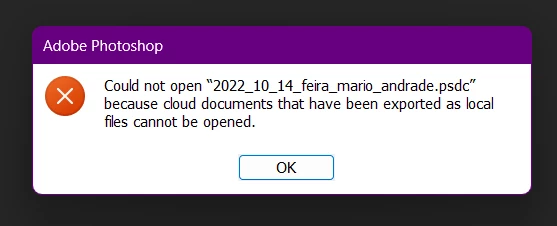
 

When I trie to upload via Creative Cloud App, show this error
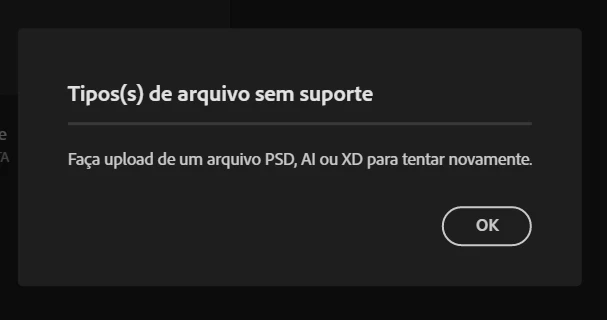
 

(Filetype not supported - Upload a PSD, AI or XD to try again)


Please help! I have a lot of GB's of Photoshopo Cloud Files that i need to acess.
 

Correct answer Kevin Stohlmeyer

Hi @fernandoe30606490 the document you listed has this exact scenario mentioned - you put them in the wrong location.


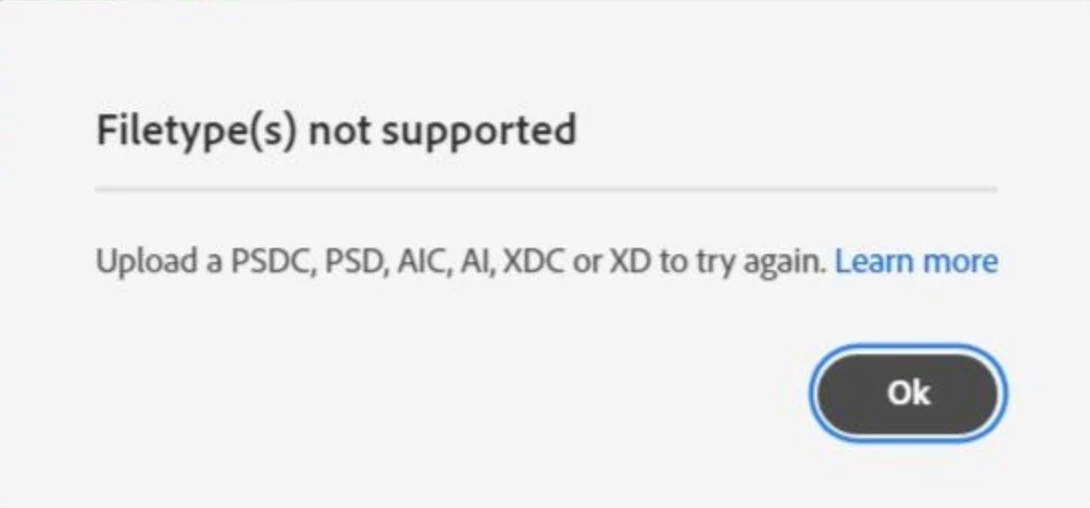
If you upload any downloaded asset to an incorrect Creative Cloud folder, or upload an unsupported asset type, the following message is displayed


To avoid the error, ensure the following:

  • Upload assets, such as .aic,.psdc,.xdc files in the cloud-content folder only to the FilesYour Files folder in the Creative Cloud desktop app. Do not upload the files to FilesYour libraries in the Creative Cloud desktop app.
  • Only upload files with the extension .cclibc to the FilesYour Libraries folder in the Creative Cloud desktop app.

2 replies

Kevin Stohlmeyer
Community Expert
Kevin StohlmeyerCommunity ExpertCorrect answer
Community Expert
March 8, 2023

Hi @fernandoe30606490 the document you listed has this exact scenario mentioned - you put them in the wrong location.


If you upload any downloaded asset to an incorrect Creative Cloud folder, or upload an unsupported asset type, the following message is displayed


To avoid the error, ensure the following:

  • Upload assets, such as .aic,.psdc,.xdc files in the cloud-content folder only to the FilesYour Files folder in the Creative Cloud desktop app. Do not upload the files to FilesYour libraries in the Creative Cloud desktop app.
  • Only upload files with the extension .cclibc to the FilesYour Libraries folder in the Creative Cloud desktop app.
kglad
Community Expert
Community Expert
March 7, 2023

<moved from cc services >