stuart  w22689353
Inspiring
March 10, 2016
Answered

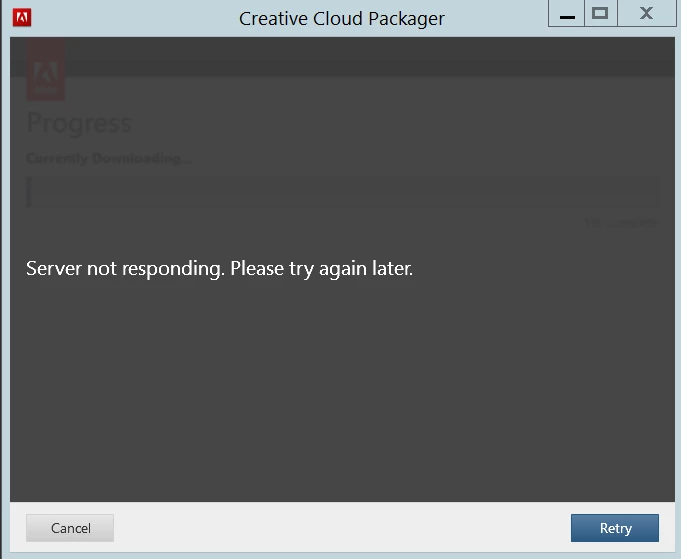
CCPackager - Server not responding. Please try again later
  • March 10, 2016
  • 5 replies
  • 2748 views

It's been 7 hours and 15 days - well almost. Any thoughts.

This topic has been closed for replies.
Correct answer puneeta23771395

Hi,

This issue occurs if there is a firewall restriction and Adobe Urls and ports are not whitelisted.

I am sharing the list of ports and Urls in the private message. Please get them whitelisted and then try again.

You can also try following steps

1) Close all adobe related processes in task manager (Core sync, services for adobe desktop app, adobe desktop service, Adobe IPC broker, AAM updater)

2) Navigate to c://users/username/appdata/local/adobe/oobe and rename Opm.db to opm.old

3) try launching CCP again and try to create the package.

5 replies

Participating Frequently
February 14, 2017

What is the whitelisted info please

puneeta23771395
puneeta23771395Correct answer
Participating Frequently
March 10, 2016

Hi,

This issue occurs if there is a firewall restriction and Adobe Urls and ports are not whitelisted.

I am sharing the list of ports and Urls in the private message. Please get them whitelisted and then try again.

You can also try following steps

1) Close all adobe related processes in task manager (Core sync, services for adobe desktop app, adobe desktop service, Adobe IPC broker, AAM updater)

2) Navigate to c://users/username/appdata/local/adobe/oobe and rename Opm.db to opm.old

3) try launching CCP again and try to create the package.

stuart  w22689353
Inspiring
March 10, 2016

Outstanding service.

We had left a single url in our block list from previous testing.

ccmdls.............. working now - many thanks.

puneeta23771395
Participating Frequently
March 10, 2016

You are welcome.