Participant
August 14, 2026
Question

ChatGPT Adobe Plugin- Your organization does not allow access to third party applications

  • August 14, 2026
  • 5 replies
  • 36 views

Hi,


With an educational licence for Adobe Creative Cloud 'CCE All Apps for K-12' Is it possible to use the ChatGPT 'Adobe' Plugin?


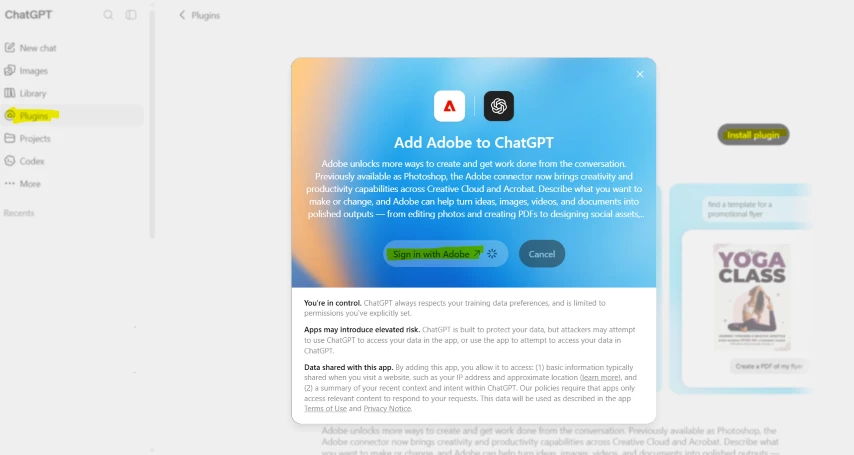
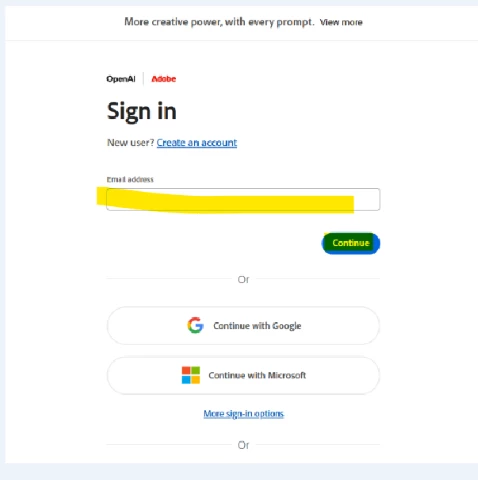
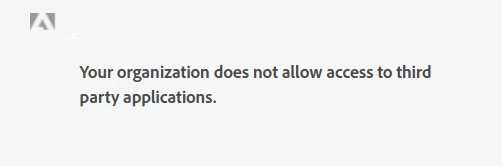
The issue is when a user tries to install the Adobe Plugin with ChatGPT (Free Tier) it prompts you to sign in, once you do this the following message is shown:


'Your organization does not allow access to third party applications.'


I have looked in the Adobe Admin Console and cannot locate an option to allow/configure this under:

Admin Console → Products → App Integrations.


Enter Account Details

Many Thanks

    5 replies

    Participant
    August 17, 2026

    Hi ^AV,


    I am getting a little confused now ;-) can you point me in the right direction please.
     

    Looking around the Adobe Admin console, I cannot find or a locate a configured authorization policy.

    Under Products > Integrations and add-ons > App integrations, this section is blank with no entries.


    Can you also clarify these points please.:


    1) 'A staff/educator account set to 18+ wouldn't hit that particular gate'


    Is the user role 'Educator' 18+ automatically, or do I need to set this somewhere?


    2) 'The error you're seeing is coming from an app-authorization policy on your Adobe org,'


    As I understood it from looking in the Adobe Admin console and from you previous reply: 


    'ChatGPT isn't configured or enabled from the Adobe Admin Console. It's added on the ChatGPT side (Settings > Apps & Connectors). The Products > App Integrations section in the Admin Console is only for apps from the Adobe Exchange marketplace'


    Many thanks


    Community Manager
    August 17, 2026

    Hi ​@active_Wave6c71,

    No confusion on your end, that one's on me. My last reply muddied two things that are both actually true, so let me untangle them.

    The App Integrations bit first. You've got it exactly right: the ChatGPT connector is added on the ChatGPT side, and Products > App Integrations only ever lists Adobe Exchange marketplace apps. So a blank list there is expected, and there's nothing for you to set up or find in that section for this. My mention of an "authorization policy" was pointing at that same spot, so please ignore it. Dead end, and my fault for sending you there.

    On your two questions:

    The "Educator" role is an Admin Console access role, it just controls what that user can do in the console. It's not an age setting, and assigning it doesn't mark anyone as 18+. Age is tied to the date of birth on the Adobe account itself, so there's nothing to toggle. And since your users sign in with Enterprise ID rather than Google federation, the under-18 Google approval flow I brought up in my first reply doesn't apply to you at all. Let's drop that one.

    So here's what's actually going on: your Enterprise ID sign-in gets blocked before you can authenticate, but guest works. That points to a restriction on your org's account, and it's not something you can see or change from the Admin Console yourself. This is where our support team needs to look directly.

    Please open a case from Admin Console > Support, and include the exact error, that guest sign-in works while Enterprise ID doesn't, and that you're authenticating with the ChatGPT Adobe connector. That guest-vs-Enterprise ID detail is the useful one, so make sure they see it.

    Please let us know how it goes.
     

    Thanks,
    ^AV

    Participant
    August 17, 2026

    Hi ^AV,


    Thank you for your reply.


    We have not currently federated Adobe into our Google Workspace environment and are using the 'EnterpriseID' option with our domain specified under Settings/Directory.


    When our domain was validated, this was done so using the Google option.


    I have added the test Adobe user to the user role 'Educator' in Adobe Admin


    Tests are being performed on a Windows 11 PC.


    Using the Free Tier of ChatGPT when I add the Adobe Plugin and sign in using an 'EnterPriseID' user, this is when you see the message 'Your organization does not allow access to third party applications.'


    As a test, if I select the sign in as guest option when prompted, this works.


    Not sure if relevant as we using 'EnterPriseID' however on the Google Side:

    - This is a staff account

    - The Age setting in Google Workspace on the OU where the test user is:

    All users in this group or org unit are 18 or older
    Don't select if this group or org unit has any users under 18


    Is this because I am trying to use the ChatGPT Adobe plugin with an Adobe K-12 licence?


    Community Manager
    August 17, 2026

    Hi ​@active_Wave6c71,

    Thanks for the thorough follow-up, and for running the guest sign-in test. That detail (guest works, Enterprise ID sign-in gets blocked) is genuinely useful for narrowing this down.

    Since you're on Enterprise ID rather than Federated ID through Google, this isn't the under-18 Google Admin Console approval path, so you can set that aside. A staff/educator account set to 18+ wouldn't hit that particular gate. The error you're seeing is coming from an app-authorization policy on your Adobe org, which is separate from anything you'd configure on the Google side.

    One thing worth checking in the Adobe Admin Console first: under Products > App Integrations, there's an authorization policy that controls whether users can grant third-party apps access to your organization's content. Even with app integrations broadly allowed, a connector can still be blocked at authentication if the policy is set to block access, or if the specific app hasn't been permitted. It's worth confirming how that policy is configured for your org. Reference: https://adobe.ly/3UijQeE

    If the policy is already set to allow access and the Enterprise ID sign-in is still blocked, that points to a restriction on your organization's account that we'll want to look at directly. In that case, please open a case from the Admin Console > Support tab, and include the exact error, the guest-vs-Enterprise ID test result you shared here, and that you're authenticating with the ChatGPT Adobe connector. That'll let the team check the specific policies applied to your org.

    To answer your direct question: no, this isn't a limitation of the K-12 license itself. The block is about how third-party app authorization is configured for your org, not the plan type.

    Please let us know what you find, we're happy to keep helping.
     

    Thanks,
    ^AV

    Community Manager
    August 14, 2026

    Hi ​@active_Wave6c71 ,

    Thanks for the detailed writeup, that context helps a lot.

    Quick clarification on where this is controlled, because it explains why you're not finding a setting: the Adobe plugin for ChatGPT isn't configured or enabled from the Adobe Admin Console. It's added on the ChatGPT side (Settings > Apps & Connectors). The Products > App Integrations section in the Admin Console is only for apps from the Adobe Exchange marketplace, so this connector won't ever appear there. That part is expected. You can see how the connector is set up here: https://helpx.adobe.com/firefly/web/app-integrations/adobe-connectors/adobe-connector-overview.html

    The message you're seeing, "Your organization does not allow access to third party applications," along with the "Enterprise ID" header on the sign-in screen, points to an identity and access control on your organization's side rather than a per-app toggle in Adobe. On K-12 accounts specifically, there's an added layer: third-party application access for users under 18 is governed by an approval step, and for Google-managed setups that approval is done in the Google Admin Console under API controls / App Access Control, not in Adobe. That's the most common reason a third-party sign-in gets blocked before you can authenticate on a K-12 deployment.

    To point you to the right fix, a few things would help:

    1. How are your users' identities set up: Federated ID through Google, through Microsoft/Azure, or something else? The block lives with whoever manages that sign-in.
    2. Is the account you're testing with a staff/educator account or a student account? Under-18 student accounts are handled differently.
    3. When you hit the error, are you signing in with your school-issued Adobe credentials, or a personal Adobe account?

    Once we know the identity setup, we can tell you exactly where the approval needs to happen.

    Thanks,
    ^AV