
Participant
August 23, 2022
Question

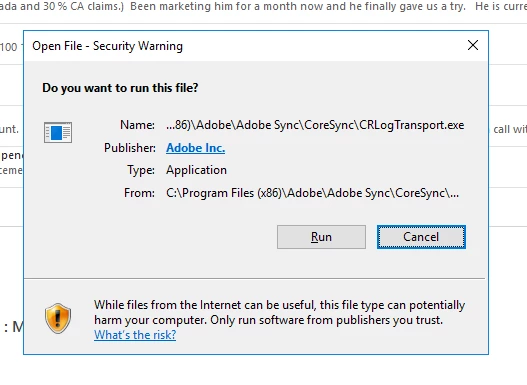
Constant security warnings
  • August 23, 2022
  • 2 replies
  • 344 views

 Users on our remote desktop server keep getting these prompts for just about every Adobe process. The CEO is working from home and has gotten 30+ of them today. This started after an automatic update last week. Why is this happening and how do I stop it?

This topic has been closed for replies.

2 replies

Community Manager
August 24, 2022

Please confirm if you or the IT team made any changes in Group Policies or Permissions last week. 

Also, confirm if the prompt is coming when launching any application or opening any files/PDFs.

Participant
August 24, 2022

I can configm that no GP or permission changes have occured in the last month. The prompt does not occur opening documents. It happens on login / reconnection

Community Manager
August 24, 2022

I would recommend contacting the support team directly by initiating a chat session, click on the chat icon on the bottom right corner of this page: https://helpx.adobe.com/support.html as multiple users are impacted.

kglad
Community Expert
Community Expert
August 24, 2022

<moved from download&install>