



Create DC Reader MSI with added MSP
I want to create a single MSI installer which includes the current base MSI (Reader DC 2018.011.20035 English for Windows 10) AND the MSP that comes with it.
I downloaded the current exe installer from the distribution portal and extracted the files shown below from it:
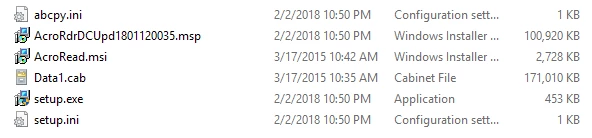
Is there anyway that I can update the MSI with the contents of the MSP file into a new MSI?
I tried the msiexec /a acroread.msi /p acrordrdc1801120035.msp target=c:\newloc but it just created a new AIP. I don't know why but I was hoping it would have given me a patched MSI.
Perhaps there's a way I create a new MSI file from the contents of c:\newloc?
Am I barking up the wrong tree trying to do this? The reason I need a single MSI is to deploy via Intune which only supports MSI. I've read the recent threads on Intune deployment but I don't have the luxury of shared locations to put the MSP in and reference with the Intune app deployment package.
If anyone knows of a fancy (or not so fancy) way of creating a patched MSI I would love to hear it...
Thanks
Matthew
 AdChoices