This topic has been closed for replies.
Correct answer Govardhan.V

The new ACCC App has released the version of 4.2.0.211. Can U offer the offline download links?thanks~~


Download links :

Download Creative Cloud desktop app

22 replies

Participant
November 20, 2019

Dude just download the full cc app from here
https://helpx.adobe.com/download-install/kb/creative-cloud-desktop-app-download.html
this way it doesnt need to retrieve all the installation files online

Participating Frequently
September 19, 2019

If you're on wifi, try to use mobile hotspot from your cell phone plan. That solved my problem!!

Bani Verma
Legend
August 9, 2017
Kadza Neon
Participating Frequently
August 8, 2017

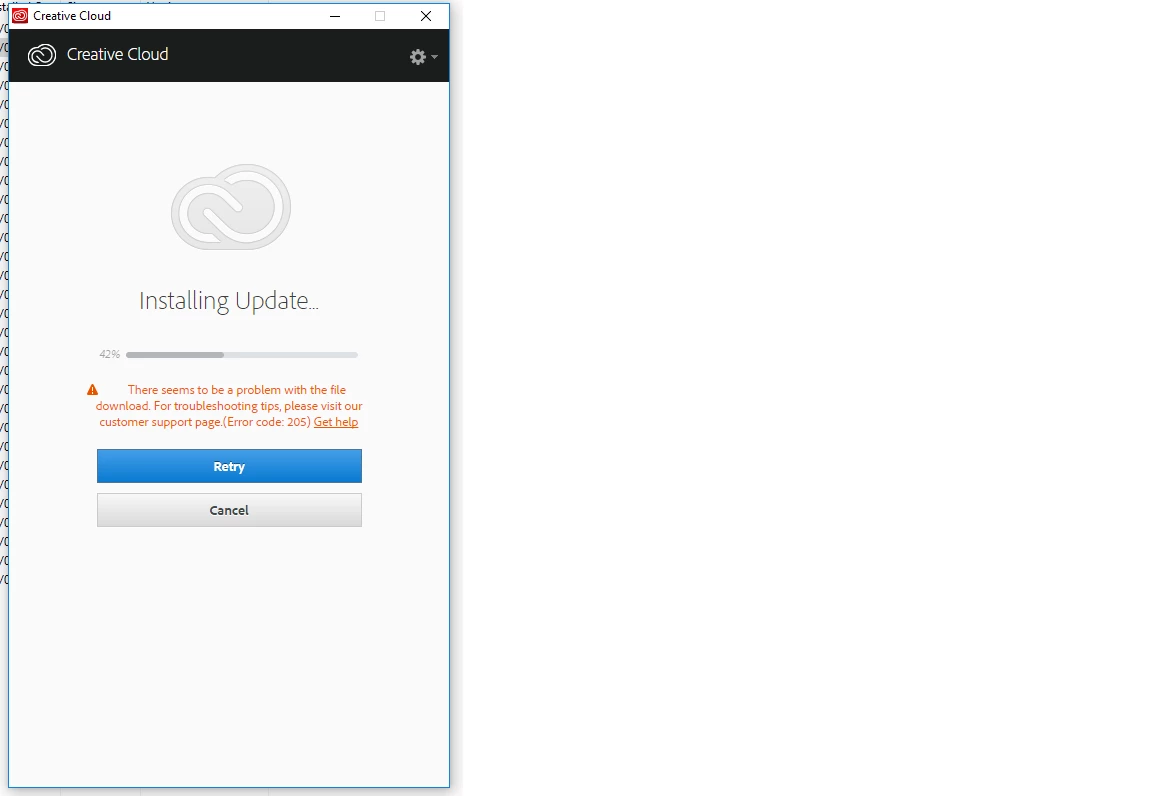
We have noticed that all our MAC users are having no issue with updating CC, but the users with PC all get stuck between 40 and 42%

Govardhan.V
Participating Frequently
August 8, 2017

Did you tried with Offline installer file which is 316MB in size?

Kadza Neon
Participating Frequently
August 8, 2017

yes downloaded it, unzipped and ran setup.

should I take PC off internet and then do the install or does it mater, I am remotely logged into the PC.

I can go to his desk and try if you think it will make a difference

kglad
Community Expert
Community Expert
August 8, 2017

empty your temp and tmp folders

quit your desktop app

right click the app exe>click 'run as administrator'

retry downloading

Participant
August 8, 2017

Hey kglad,

Where can I find the temp files and is this the only fix?

Govardhan.V
Participating Frequently
August 8, 2017

Press Windows button (located between Ctrl and Alt buttons) along with R button together at a time , you will get a run command window.

Type in below command and hit 'Enter' key.

%temp%

It will open Temp folder. ( You can skip the files which cannot be deleted )