
Participant
December 20, 2022
Beantwortet

CRL download error - cannot connect to server

  • December 20, 2022
  • 2 Antworten
  • 1585 Ansichten

Hello,

I have changed two Adobe Business IDs to be Federated IDs to our Azure environment.  That is working correctly.  However, now the digital signatures for the migrated IDs have stopped working.  I am getting an error when trying to sign:


CRL download error
Location: ldap:///CN=***,CN=***,CN=***,CN=Public%20Key%20Services,CN=Services,CN=Configuration,DC=***,DC=com?certificateRevocationList?base?objectClass=cRLDistributionPoint

Cannot connect to server.
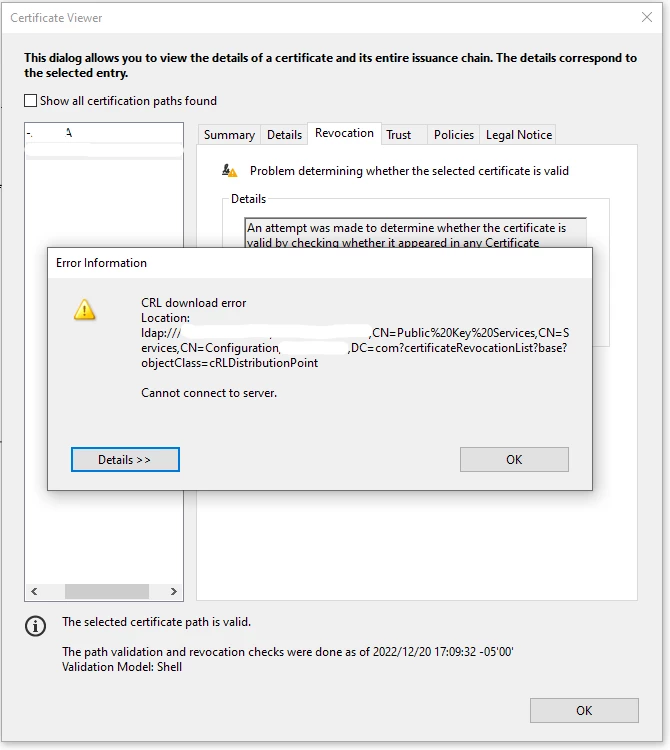


I have omitted some of the CRL text for privacy.  When I load the CRL address in certutil, it resolves correctly with our Certificate Services server.


How can I make Acrobat connect to the server?  This seems to be working for users who haven't migrated yet.

Dieses Thema wurde für Antworten geschlossen.
Beste Antwort von ICS Dave

For those wondering, the fix we found was to uninstall Acrobat, reboot, and reinstall it from acrobat.adobe.com.  Not sure what caused it and a little disappointing that there wasn't a better fix, but it works now.

2 Antworten

ICS DaveAutorAntwort
Participant
December 28, 2022

For those wondering, the fix we found was to uninstall Acrobat, reboot, and reinstall it from acrobat.adobe.com.  Not sure what caused it and a little disappointing that there wasn't a better fix, but it works now.

kglad
Community Expert
Community Expert
December 28, 2022

@ICS Dave 


thanks for the follow-up.

kglad
Community Expert
Community Expert
December 21, 2022

open the support tab on your admin console > start chat or start case or request expert session.


https://helpx.adobe.com/enterprise/using/support-and-expert-services.html